
Music · New
AI Tiny Desk Trend Video Generator
Make an AI Tiny Desk trend video from your photos: a small band crowds around a desk in a shelf-lined office, the lead singer laughs through the chorus, and a saxophone takes the solo. Choose any of the five core performers—the lead, keyboard, sax and two backing singers—and add one photo for every performer you want to replace. Every role is optional, but add at least one photo. You get a 13-second vertical MP4 with the clip’s original sound.
Tiny Desk AI Trend · 13s · 9:16
Choose any performers to replace. Every role is optional; add at least one photo.
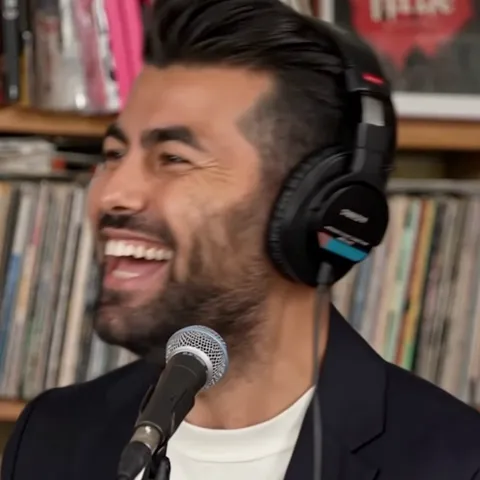 Lead singerGets the close-up
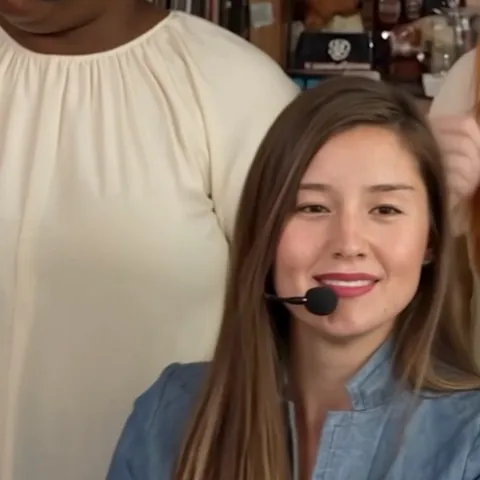 KeyboardPlays at the desk
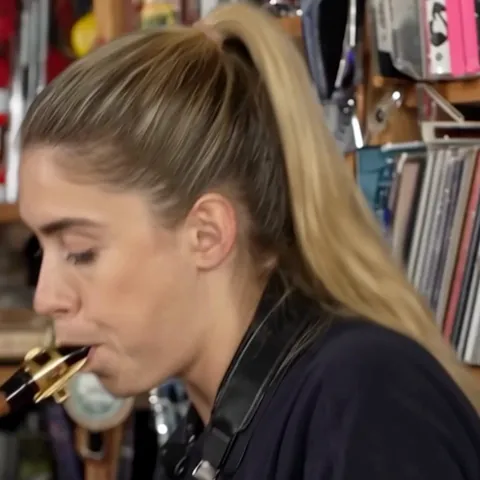 SaxophoneTakes the solo
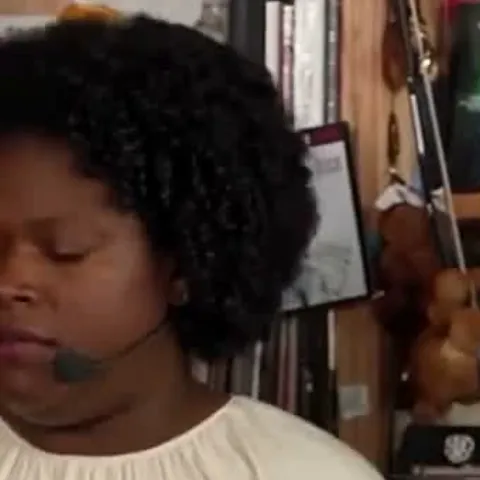 Backing singer 1Sings behind the keys
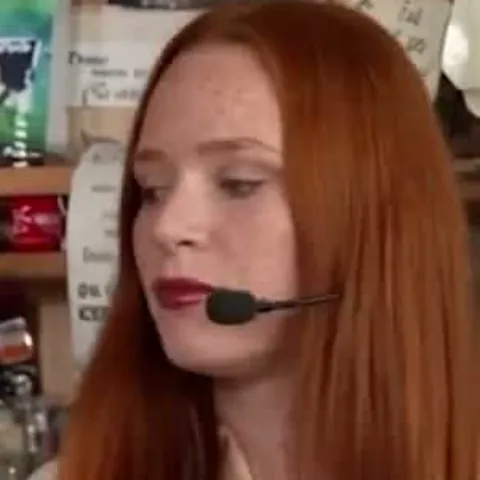 Backing singer 2Sings behind the keys
13s · 9:16 · 720p · original sound · ready in a few minutes
Preview clip made with SameVid
The trend
Where the AI Tiny Desk trend comes from
An AI-made mini concert at a desk, usually starring a team or a group of friends.
What the AI Tiny Desk trend is
The look copies NPR Music’s Tiny Desk concerts, where bands play squeezed behind an office desk in front of shelves. Creators say the AI parody is based on the Tiny Desk concert by Charlie Wilson and set to "Outstanding" by The Gap Band. On TikTok it puts unlikely performers at the desk, most often sports teams after a loss, under tags such as #TinyDeskConcertAI and #outstandingtrend. Posts keep to one shape: the whole group at the keyboard, a close-up of the lead singer, a saxophone solo, then the group again.
How it spread
In a TikTok search for "tiny desk ai trend," 30 posts add up to about 4.6 million plays. The biggest, a college football “all-loss” concert posted on October 18, 2026, reached about 3.7 million, and a basketball version from October 25 passed 500,000. Many posts play 12 seconds of the AI concert and then show a phone recording of how to make one with Kling or a CapCut template.
Where these facts come from
The dates and plays come from the TikTok posts themselves: @theburnerfromhe11, @lei86720 and @rubydaily798.
Example
An AI Tiny Desk video made with SameVid
A real result from this template: keyboard and backing singers, the lead singer, then a sax solo, in 13 seconds.
One band at the desk
A keyboard player in a denim shirt sings with two backing singers, the lead singer laughs into a close-up, and a saxophonist plays the solo.
Ideas
Who to put at the desk
Five people fill the desk: a lead singer, a keyboard player, a saxophonist and two backing singers. Every role is optional, so choose the performers you want to personalize.
Yourself and four friends
Take the close-up yourself, hand any other parts to your group chat, or leave the remaining performers in the reference story. Caption it "my band after one coffee."
Your team after a rough night
Choose any teammates for lead, keyboard, sax or backing vocals. Filling all five roles gives the full team version the trend is known for.
The family reunion band
Put a parent on lead, a sibling on keys, a cousin on sax or any combination that fits your family band.
A coworker who loves karaoke
Give the colleague who always takes the microphone the lead, then choose any additional coworkers for the band.
Upload guidelines
Photo tips for an AI Tiny Desk video
Each selected photo gives its performer a face, hair, skin tone and outfit, so one clear portrait per selected performer is enough.
- Use a front-facing photo with the whole face visible; the lead singer gets a close-up that lasts several seconds.
- Use one clear person in each selected slot so every chosen performer has a stable identity.
- Choose even light and a plain background so the face is the only thing the model has to copy.
- Skip sunglasses and masks, which hide the face for the whole close-up.
- Only have a group photo? Upload it and crop to one person right here, no other app needed.
Quick walkthrough
How to make an AI Tiny Desk video
Choose one or more performers, add their photos and the finished concert waits in My Work.
Choose the performers to replace
Every performer card is optional. Pick the lead, keyboard player, saxophonist, either backing singer or any combination. Add at least one photo before Generate unlocks.
Add the selected role photos
Add one clear photo for each performer you selected. The lead gets the close-up, while the keyboard, sax and backing singers each keep their own story position in the performance.
Generate
Sign in, check the credits on the Generate button and press it. The desk, the three shots, the length and the sound are already set, so there is no prompt to write. Each uploaded photo maps only to its selected performer.
Play and save
Wait about five minutes; the task keeps running if you close the tab. Then open My Work on this page, play the video and save the MP4. A failed task gives the credits back.
Input and output
What you upload and receive
One to five selected performer photos in, a 13-second Tiny Desk performance out.
You upload
- One to five photos for any selected lead singer, keyboard, sax or backing singer roles
- JPG, PNG or WebP, at least 300 pixels on the short side, up to 10 MB each
- No video, no sound and no prompt to supply
You get
- A vertical 9:16 MP4 at 720p that runs 13 seconds
- A shelf-lined office desk, a keyboard group, a lead close-up and a sax solo
- The soundtrack of the source clip
- The finished video in My Work, ready to play and download
| Photos | 1–5, one per selected performer |
|---|---|
| Model | Kling |
| Duration | 13 seconds |
| Resolution | 720p |
| Frame | 9:16 vertical |
| Scene | Cramped office desk with shelves, set by the template |
| Audio | Original sound of the source clip |
| File | MP4 |
| Credits | 350 per video, refunded if it fails |
FAQ
Tiny Desk AI Trend FAQ
What is the AI Tiny Desk trend?
It is a TikTok trend of AI-made mini concerts in the style of NPR Music’s Tiny Desk, where a group crowds behind an office desk. The usual version shows sports teams singing "Outstanding" after a loss. This template recreates the three-shot scene as a 13-second vertical MP4 with your photos in it.
How do I make an AI Tiny Desk video?
Choose any core performers, add one photo for every role you selected, then press Generate and wait about five minutes. You do not write a prompt or edit anything. Open My Work on this page to play the video and save the MP4.
When did the AI Tiny Desk trend go viral?
In a TikTok search for "tiny desk ai trend," the biggest post, a college football “all-loss” concert from October 18, 2026, has about 3.7 million plays, and a basketball version from October 25 passed 500,000. Posts from late October keep adding variations.
How many photos do I need?
One to five. The lead singer, keyboard player, saxophonist and two backing singers are all optional core performers. Choose any combination, but add at least one clear photo. Each uploaded photo maps only to the role you selected.
Can I choose the song or the room?
No. The desk, the shelves, the three shots and the soundtrack are set by the template. Your photos supply faces, hair, skin tone and clothes; their backgrounds are not used.
Is this the Kling or CapCut tutorial from TikTok?
It is the same kind of video without the tutorial. The posts in this trend show how to make a clip yourself with Kling or a CapCut template. Here you add the photos and the page makes the full 13-second video, so there is no app to open and nothing to edit.
Can I use the video commercially, and do credits expire?
Yes, with limits: the Terms license your generated videos for personal and commercial use, but third-party rights still apply, including the rights of the people in your photos and of the song in the original clip. Credits bought in one-time packs, and the 10 you get at sign-up, never expire; credits from a monthly or yearly plan are valid for that billing period.
How much does it cost and how long does it take?
One AI Tiny Desk video costs 350 credits, shown on the Generate button before you start, and takes about five minutes. If it fails, the credits come back.
Same category
More Music templates
 NEW380 CR
 NEW380 CR
 NEW400 CR
 NEW400 CR
 NEW400 CR
 NEW140 CR
 NEW400 CR
 NEW270 CR
 NEW400 CR
 NEW400 CR
Keep scrolling
More viral AI video trends
 NEW400 CR
 NEW400 CR
 NEW220 CR
 NEW400 CR
 NEW320 CR
 NEW270 CR
 NEW220 CR
 NEW400 CR
 NEW140 CR
 NEW270 CR
 NEW220 CR
 NEW300 CR