
Funny · New
Brick by Brick AI Video Generator
Upload one or two photos to join a 14-second vintage car scene. Cast the passenger, add a driver if you want, and get a 720p landscape video with a clean instrumental soundtrack.
Brick by Brick AI · 14s · 16:9
Choose any core participants to replace. Every role is optional; add at least one photo.
 Passenger (speaker)Clear portrait with your face and shoulders visible
 Driver (optional)Clear portrait or three-quarter profile for the driver
14s · 16:9 · 720p · original track · ready in a few minutes
A conversation with a turn
How the Brick by Brick AI scene unfolds
The reference has one focused conversation rather than a string of unrelated shots. The passenger carries the energy, the driver holds the reaction, and the final wider frame gives the exchange a clean finish.
Set the two front-seat roles
The scene opens with the passenger and driver already in place inside the car. Choose a clear passenger photo when you want to personalize the person facing the camera and doing the expressive performance. The driver card is optional, so you can either cast both people or begin with only the passenger. The warm vehicle interior, forward road view and side-window angle establish the setting before the reaction builds.
Let the passenger carry the moment
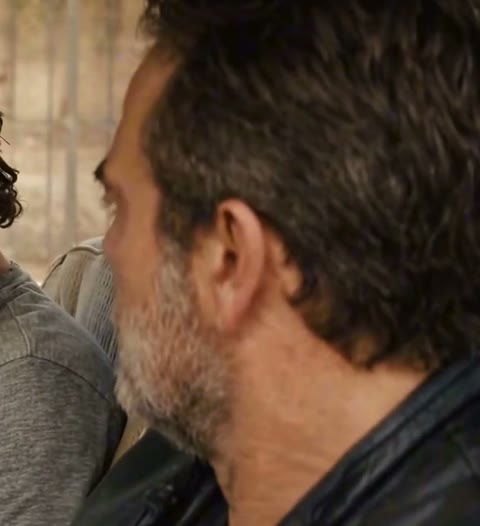
The passenger looks toward the driver, leans into the conversation and uses open hand gestures to make the point land. Their face remains the visual center because the close framing lets the viewer read the expression as well as the movement. The driver stays present in the foreground with a quiet, attentive reaction, giving the scene the rhythm of two people who know exactly what the other person means.
End on the windshield view
After the conversation beat, the camera cuts to a wider view through the windshield. Both front-seat roles remain in their places, so the finish feels like the last look after a memorable exchange rather than a new scene. That single cut turns a close reaction into a shareable ending and gives your two photos a compact beginning, middle and finish.
Cast the conversation clearly
Photos that fit the two car-seat roles
The passenger is closest to the camera and the driver is seen in a three-quarter view. Pick one photo for the role you want to personalize, or add both so each participant has a separate visual identity.
- Use a sharp passenger portrait with the full face, hair and shoulders visible. A relaxed front-facing photo gives the speaking role a stable expression when the camera sits beside the passenger window.
- For the driver, choose a clear portrait or three-quarter profile with visible hair and clothing. The driver appears from the side, so a photo with an easy outline helps this role remain recognizable in the foreground.
- Keep each selected photo to one person. Distinct hairstyles, clothing and face shapes make it easy to tell the passenger and driver apart when you cast both roles in the same car.
- Choose photos with the face fully in frame instead of a tiny distant figure, heavy blur or a large object crossing the face. Clear facial detail gives the passenger expression and driver reaction the best chance to stay readable.
The scene you will cast
Watch the reference car conversation
The reference preview shows the full shape of the format: one passenger leads the discussion, the driver takes in the reaction, and the final shot widens across the windshield. Your selected photos replace only the roles you choose.
Passenger and driver car scene
Watch the close passenger-side framing, the speaking gestures and the final windshield view. The generated version follows the same story, camera energy and turn while applying your photo to each selected role.
A familiar reaction format
The car conversation behind Brick by Brick AI
Brick by Brick AI turns a memorable front-seat conversation into a two-role video format: the passenger does the talking, the driver supplies the reaction and a final wide shot completes the exchange.
A line with a clear point of view
The format grew from a memorable car scene in Snowfall, later documented as a widely quoted moment in a Snowfall cultural retrospective, and has since become a recognizable reaction setup. What makes it easy to reuse is not a complicated dance or a changing location. It is the immediate contrast between one person making an emphatic point and another person sitting with the reaction. The frame tells viewers where to look before the story even reaches the final cut.
Brick by Brick AI keeps that simple structure intact. Instead of asking you to script a new scene, it gives each participant a specific visual job: the passenger delivers the energy and the driver makes the moment feel shared. The car interior and side-window framing keep the conversation close enough to read like an inside joke between two friends.
A format built for your own cast
The reference gives the scene its seat positions, pacing and camera path, while your photos decide who occupies each role. Cast a friend as the passenger for the biggest reaction, add a sibling or coworker as the driver, or keep the driver role open when the passenger is the only person you want to personalize. Each selected photo stays in its named role instead of being copied across the car.
That role separation makes the format work for pairs with an existing joke, a group-chat callback or two original characters. The scene feels complete with one photo because the passenger has the clearest on-camera moment, and it gains a fuller two-person exchange when you add a separate driver portrait.
One cut gives the scene its finish
Most of the action happens in the close front-seat view. The wider windshield shot arrives after the conversation energy has been established, keeping both people in the same positions while giving the video a final beat. That contrast lets the clip close with a visual pause instead of another gesture or an abrupt stop.
The result is a short landscape scene with a clear story shape: set the roles, let the passenger make the point and take the final wide view together. It is compact enough for a quick share while still giving two people a distinct place in the same moment.
From photos to a front-seat scene
Make a Brick by Brick AI video
Choose one or both front-seat roles, add clear photos and generate the complete car conversation for 380 credits. The finished MP4 appears in My Work when it is ready.
Choose the passenger or cast both seats
Start with the passenger if you want the speaking role to carry the video. Add the optional driver photo when you want the foreground reaction to belong to a second person. Every image maps only to its chosen role, so one photo never fills both seats automatically.
Add clear role photos
Use a well-lit portrait with the face and hair visible for the passenger. For the optional driver, a portrait or three-quarter profile with visible clothing works well. You can replace one role or both, but at least one photo is needed before the scene is ready to generate.
Generate and play the scene
Check the 380-credit quote, sign in and press Generate. Kling follows the reference car story and applies each uploaded photo to its named front-seat role. When the render finishes, My Work gives you the 14-second landscape MP4 to play and download with its synchronized instrumental soundtrack.
Ready for your Brick by Brick scene?
Cast the car conversation your way
Add a clear passenger photo, include the optional driver when you want a full two-person exchange and create your 14-second Brick by Brick AI video for 380 credits.
FAQ
Brick by Brick AI FAQ
What is a Brick by Brick AI video?
It is a 14-second landscape car conversation with two front-seat roles. The passenger carries the expressive speaking moment, the driver reacts from the foreground and the scene ends with a wider windshield view. You personalize the passenger, the optional driver or both with your own photos.
How many photos can I use?
You can use one or two photos. The passenger and driver cards are both optional, but you need at least one photo to start. Add one photo when the passenger is your focus, or add a separate photo for each person when you want both front-seat roles to have their own identity.
Which photo is best for the passenger?
Choose a sharp portrait with the full face, hair and shoulders visible. The passenger is closest to the camera and carries the expressive moment, so a well-lit photo with a direct, natural face gives this role the clearest result.
Which photo is best for the driver?
Use a clear portrait or three-quarter profile with visible hair and clothing. The driver appears from the side in the foreground, so a readable outline and a relaxed expression help the role stay recognizable during the conversation.
Can I upload only the driver photo?
Yes. Every role card is optional, and the first photo you add can be for either seat. The selected driver photo stays assigned to the driver role, while the passenger keeps the reference-story position and actions.
Does the video include sound?
Yes. The finished MP4 includes a synchronized instrumental soundtrack. The model uses a silent reference video for generation, then the clean template track is merged into the completed result so the car conversation plays as one scene.
What are the video specifications?
Each Brick by Brick AI video is a 14-second 16:9 landscape MP4 generated at 720p. It follows the car setting, two front-seat positions and final windshield view from the reference scene, then appears in My Work for playback and download.
How many credits does Brick by Brick AI cost?
One 14-second Brick by Brick AI video costs 380 credits. The total stays the same whether you upload one role photo or two, and the Generate button shows the quote before the render starts.