
Dance · New
Let Me Be Dance AI Video Generator
Make a Let Me Be dance AI video from one or three photos: the viral rooftop dance as a 15-second vertical MP4 with the original track. One photo takes the middle spot and the other two dancers stay as filmed; three photos cast the whole trio.
Let Me Be Dance · 15s · 9:16
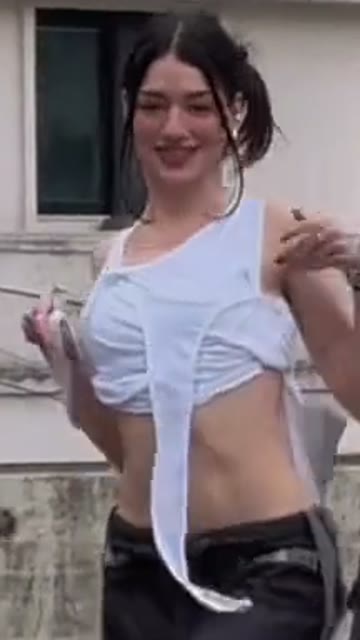 Middle dancerMiddle of the trio
15s · 9:16 · 720p · original track · ready in a few minutes
Preview clip: @chrissipatakas on TikTok
Ready to post
Captions for your Let Me Be dance video
The first three are captions from real Let Me Be dance posts. The rest fit a trio video.
- “cause the trio missed you 🫶🏻”
- “y'all thought i was done w this dance 😛”
- “Just vibes… let me be 😌✨”
- “POV: you finally learned the Let Me Be dance”
- “Me and the girls, rooftop edition”
- Add #letmebe to the post so it sits with the other Let Me Be dance videos.
- The MP4 carries the original track of the reference clip; add a trending sound when you post if you prefer.
Input and output
What you upload and what you get
One to three portraits go in; one 15-second vertical MP4 with the original track comes out, for 400 credits.
You upload
- One photo for the middle dancer, or three photos for the whole trio
- Photos of yourself, friends or family, one person per photo
- JPG, PNG or WebP, at least 300 pixels on each side, up to 10 MB
- No video, audio or prompt
You get
- A 15-second vertical 9:16 MP4 at 720p
- The rooftop, the camera and the dance of the reference clip, with your people in it
- The original Let Me Be track from the reference clip
- A task in My Work on this page with playback and download
| Photos | 1 (middle dancer) or 3 (middle, left, right) |
|---|---|
| Model | Kling |
| Duration | 15 seconds |
| Resolution | 720p |
| Frame | 9:16 vertical |
| Scene | Rooftop parking lot, set by the template |
| Audio | Original Let Me Be track |
| File | MP4 |
| Credits | 400 per video, refunded if it fails |
Quick walkthrough
How to turn a photo into a Let Me Be dance video
Add your photos, press Generate and download the MP4. The whole photo to dance video takes three steps and 400 credits.
Add one photo or three
Put one photo in the middle dancer box to take the centre spot, or fill the middle, left and right boxes to cast the whole trio, one person per box. Use JPG, PNG or WebP files of at least 300 pixels on each side and up to 10 MB. One photo cannot fill two spots.
Press Generate
Sign in and check the 400 credits on the Generate button. The template applies Kling at 720p, 9:16 vertical, for 15 seconds with the original track. The task runs in the background, so you can leave the page, and there is no prompt to write.
Play and download the MP4
Generation usually takes about five minutes. Open My Work on this page to play the result and download the MP4. If the task fails, the charged credits return automatically.
Cast ideas
Who to put in the Let Me Be trio
The dance, the rooftop and the camera stay fixed, so the only choice is who stands where.
Just you in the middle
Add one photo of yourself and you take the middle spot, in front of the two dancers who stay as filmed. This is the quickest way to try the dance and it costs the same as a full trio.
Three friends
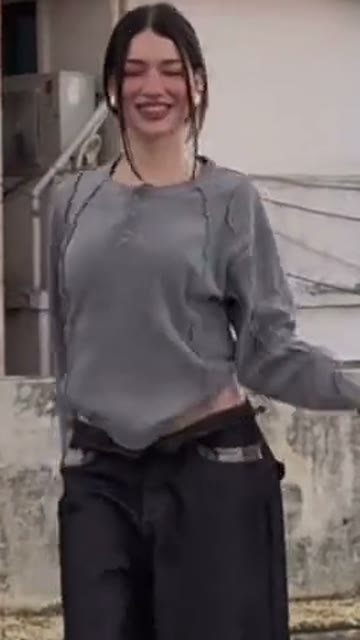
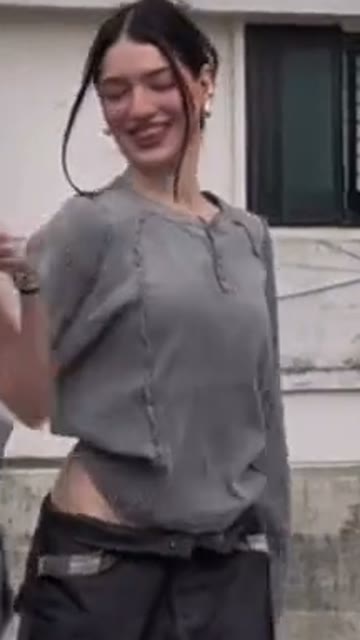
Use a separate portrait of each friend for the middle, left and right spots. Everyone in the video comes from a different photo, so the group reads as the real trio from the original clip.
Family or a pair plus one
Mix relatives, a partner or a favourite person across the three spots. Each photo should show one person facing the camera, because group shots and covered faces give a weaker likeness.
Original
The Let Me Be dance this template follows
Three dancers on a rooftop parking lot, filmed in one take. This is the clip your photos step into.
The original three-dancer clip
The first 15 seconds of the reference clip with its track: the trio face the camera in a row, turn their backs to it, then sway and wave through the beat.
@chrissipatakasOur generated result
A video generated by SameVid AI from three portrait photos, with the original track added. It follows the moves of the original clip, generated from our own silent reference video.
The trend
Where the Let Me Be dance comes from
A song released in February 2026 became a TikTok dance a month later. Play counts and chart runs below are as of October 31, 2026.
The song
Let Me Be is an Afro House and Amapiano track by The Second Voice, released in February 2026. A version with Jason Derulo and Qing Madi followed on September 4, and the song spent six weeks at No. 1 on the Billboard U.S. Afrobeats Songs chart.
How the dance spread
The earliest Let Me Be dance tutorial we found on TikTok was posted on March 17, 2026. By April creators were doing it in groups on streets, rooftops and in dance studios, and from March 23 a CapCut AI template turned a single photo into the same dance.
The version this template follows
@chrissipatakas posted the rooftop trio clip on May 1, 2026, and it has passed 21 million plays. Three dancers in baggy black pants, two in grey tops and one in a white wrap top, dance in one take in front of a city skyline. The template uses its first 15 seconds.
FAQ
Let Me Be Dance FAQ
What is a Let Me Be dance AI video?
It is a short AI video in which people from your photos do the Let Me Be dance. This template recreates the three-dancer rooftop version as a 15-second vertical MP4 with the original track.
How do I make a Let Me Be dance AI video?
Three steps: add one photo for the middle dancer or three photos for the whole trio; press Generate, which costs 400 credits shown on the button, one 15-second video; then wait a few minutes and play or download the MP4 from My Work on this page. There is no clip to find, no editor to open and no prompt to write.
Can I use just one photo?
Yes. One photo replaces the middle dancer and the left and right dancers stay as filmed. With three photos, each dancer comes from a different photo; one photo cannot fill two spots.
What photo works best?
A clear, well-lit photo of one person, facing the camera, in JPG, PNG or WebP, at least 300 pixels on each side and up to 10 MB. A half-body photo is fine. Group photos and photos with sunglasses or a face covered by a hat or mask give a weaker likeness.
Does the video include the song?
Yes. The MP4 carries the original track of the reference clip, matched to the 15-second edit. You can also add a trending sound when you post it.
How long does it take and what if it fails?
Generation usually takes about five minutes and keeps running if you leave the page. Credits come from credit packs, and if a task fails the charged 400 credits return automatically.
Can I choose the dance or the location?
No. The rooftop, the camera and the dance come from the reference clip, so there is nothing to write. For a different dance, try another template such as Dame Hombro.
Keep scrolling
More viral AI video trends
 NEW400 CR
 HOT400 CR
 HOT220 CR
 NEW400 CR
 HOT320 CR
 HOT400 CR