
Dance · New
Thank You Baby Dance AI Video Generator
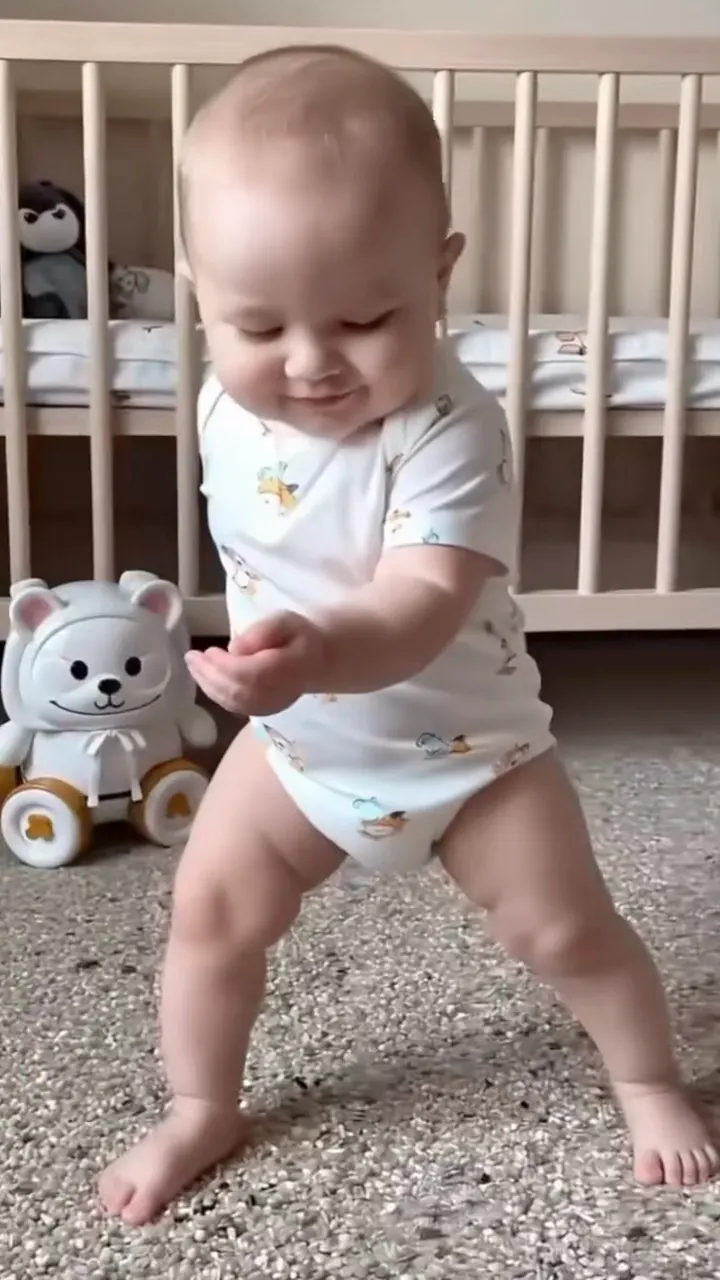
Thank You Baby Dance AI turns one clear photo of your baby or toddler into a 15-second vertical dance video. Your little dancer follows the complete Thank You Baby routine—side-to-side sways, knee bends, hand raises, pointing gestures and bright expressions—in the same fixed shot, with the original sound ready to share.
Thank You Baby Dance AI · 15s · 9:16
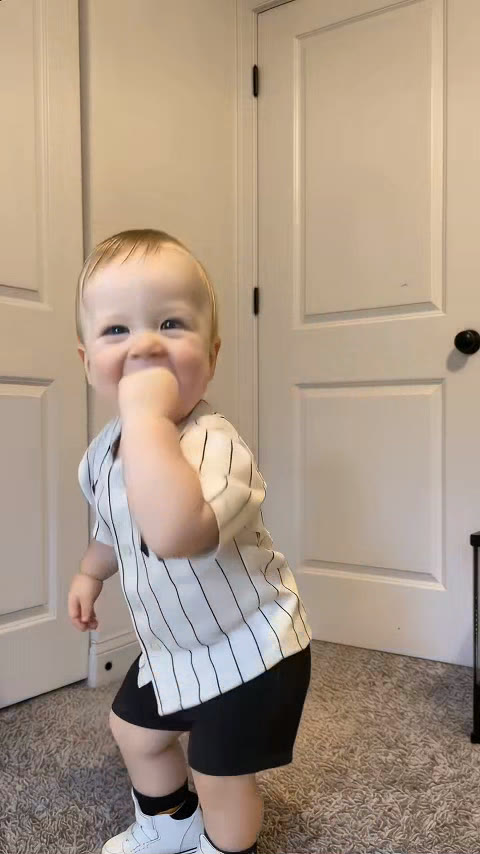
15s · 9:16 · 720p · original sound · ready in a few minutes
Also called
Names you will see around the Thank You Baby dance
The sound, the original live-performance bounce, and the one-photo baby version share a family resemblance while each points to a different part of the trend.
Thank You Baby
The short, rhythmic phrase people use for the one-photo toddler dance and its sound-led social clips.
Thank You Babeh
The name associated with the 50/50 Twins live-performance audio that gave the wider bounce trend its rhythm.
Thank You Baby trend
A broad label for short clips built around the same thank-you refrain, bouncy timing and expressive gestures.
AI baby dance
The one-photo format that puts a baby or toddler into a complete, fixed dance routine from a single favorite portrait.
Bounce trend
The wider side-to-side movement pattern behind the original adult dance and its playful single-dancer variations.
Your dancer
Who looks great in the Thank You Baby dance
One photo fills the one dancer role. The routine works best when the photo gives the face, body shape and favorite outfit clear details to carry through every move.
Your baby’s newest milestone
Turn a favorite recent photo into a small, rhythmic milestone moment with a familiar smile at the center.
A toddler with big expressions
A face-forward photo lets the little head tilts, hand gestures and happy reactions read clearly all the way through the routine.
A treasured early photo
Bring a clear photo from the family album into a lively short video while keeping the character of the original portrait visible.
A family-photo surprise
Choose the one baby or toddler everyone recognizes for a quick reveal in a group chat, birthday story or monthly recap.
Your video
One photo in, the full Thank You Baby routine out
Kling uses the original routine as the base, then places your child in the dancer’s spot while preserving the shot, timing and movement sequence.
You upload
- One clear photo of one baby or toddler
- A face that is easy to see in even light
- A full-body photo, or one that reaches at least the knees
You get
- The complete side-sway, knee-bend, hand-raise and pointing routine
- The fixed vertical composition and original rhythm
- A ready-to-share MP4 with the original sound
| Photos | 1 |
|---|---|
| Model | Kling 4.0 video edit |
| Duration | 15 seconds |
| Picture | 720p, 9:16 vertical |
| Audio | Original sound paired with the finished video |
| File | MP4 |
| Credits | 400 per video, refunded if it fails |
How it works
How to make a Thank You Baby Dance AI video
Three simple steps turn one favorite photo into the complete Thank You Baby Dance AI routine for 400 credits.
Choose one clear photo
Pick a sharp photo of one baby or toddler with the face easy to see and enough of the body in frame for the dance silhouette.
Generate the routine
Thank You Baby Dance AI places your child in the dancer’s role and keeps the original fixed shot, rhythm and full movement sequence.
Download and share
Find the 15-second vertical MP4 with the original sound in My Work, ready for a family chat, TikTok, Reels or Shorts.
Ideas
Small moments that deserve a Thank You Baby dance
A short vertical dance slips easily into the family spaces where a still photo already gets a smile.
The monthly photo update
Pair the dance with an age marker such as “14 months and already finding the beat” for a milestone post with extra movement.
A group-chat hello
Send the video before the usual photo update and let grandparents, relatives and friends meet the little dancer as the sound begins.
A birthday-story opener
Start a birthday Reel or invitation story with the dance, then follow it with favorite pictures and party details.
The family-album reveal
Lead with the still photo, then cut to the first hand gesture for a fast before-and-after moment everyone can replay.
A sibling series
Make one Thank You Baby Dance AI video for each child and place the clips side by side in a cheerful family carousel.
A celebration thank-you
Share the little dance after a visit, a birthday or a kind gift as a playful thank-you that feels personal.
Ready to post
Captions for your Thank You Baby Dance AI video
Start with your child’s name, age or the occasion, then borrow one of these lines for the dance reveal.
- “Thank you baby, thank you babeh ✨”
- “Tiny dancer, big rhythm 🕺”
- “Fifteen seconds of pure family joy”
- “Our little one heard the beat and understood the assignment”
- “The Thank You Baby Dance AI made today’s photo extra lively”
- “Side sway, little point, biggest smile”
- “A thank-you from our smallest performer”
- “#thankyoubaby #babydance #aibabydance”
- Put the child’s name or age in the first line so the family moment is instantly clear.
- Use the first full-body pose as the cover to show the dancer before the sound begins.
- Keep the original sound with the vertical video for the rhythm people recognize first.
Give one favorite baby photo the Thank You Baby rhythm
Add one clear photo and make your 15-second Thank You Baby Dance AI video for 400 credits.
FAQ
Thank You Baby Dance AI FAQ
What is Thank You Baby Dance AI?
Thank You Baby Dance AI is a one-photo video template that puts your baby or toddler into a 15-second version of the Thank You Baby routine. The finished clip keeps the fixed vertical shot, side-to-side sways, knee bends, hand gestures, expressive reactions and original sound.
How do I make a Thank You Baby dance video?
Add one clear photo of your baby or toddler, press Generate and find the finished vertical MP4 in My Work. Each 15-second Thank You Baby Dance AI video uses 400 credits, shown on the button before you start.
Which photo works best?
Choose a sharp, evenly lit photo with one baby or toddler facing the camera. A full-body image, or a photo that reaches at least the knees, gives the dance a natural silhouette while the face carries the expressions.
What changes in the reference video?
Your child becomes the dancer. Their face, hair, skin tone, proportions and clothing come from the uploaded photo, while the camera, setting, dance timing and complete movement sequence remain aligned with the original routine.
How long is the Thank You Baby Dance AI video?
The finished video is 15 seconds long, 9:16 vertical and delivered at 720p.
Does the finished video include sound?
Yes. SameVid pairs the original sound from the reference clip with the completed Thank You Baby dance video.
How many credits does Thank You Baby Dance AI cost?
One 15-second Thank You Baby Dance AI video costs 400 credits. The full price appears before generation, and more credits are available in credit packs.
How does the baby version relate to Thank You Babeh?
Thank You Babeh is the adult 50/50 Twins bounce trend that supplied the recognizable sound and rhythmic movement. Thank You Baby Dance AI is a one-child version of that energy, built as a fixed single-dancer routine for a photo-led video.
Same category
More Dance templates
 NEW140 CR
 NEW270 CR
 NEW220 CR
 NEW400 CR
 NEW400 CR
 NEW300 CR
 NEW400 CR
 NEW140 CR
 NEW400 CR
 NEW270 CR
 NEW240 CR
 NEW300 CR
Keep scrolling
More viral AI video trends
 NEW400 CR
 NEW380 CR
 NEW220 CR
 NEW380 CR
 NEW380 CR
 NEW300 CR
 NEW270 CR
 NEW220 CR
 NEW380 CR
 NEW320 CR
 NEW350 CR
 NEW220 CR