
Funny · New
Hold Me Back AI Video Generator
Turn one to five photos into a Hold Me Back AI video. Pick who plays the held friend, the two holding them, the calm one with a drink and the late arrival. Get a 12-second vertical MP4 with the original sound.
Hold Me Back AI · 12s · 9:16
Choose any core participants to replace. Every role is optional; add at least one photo.
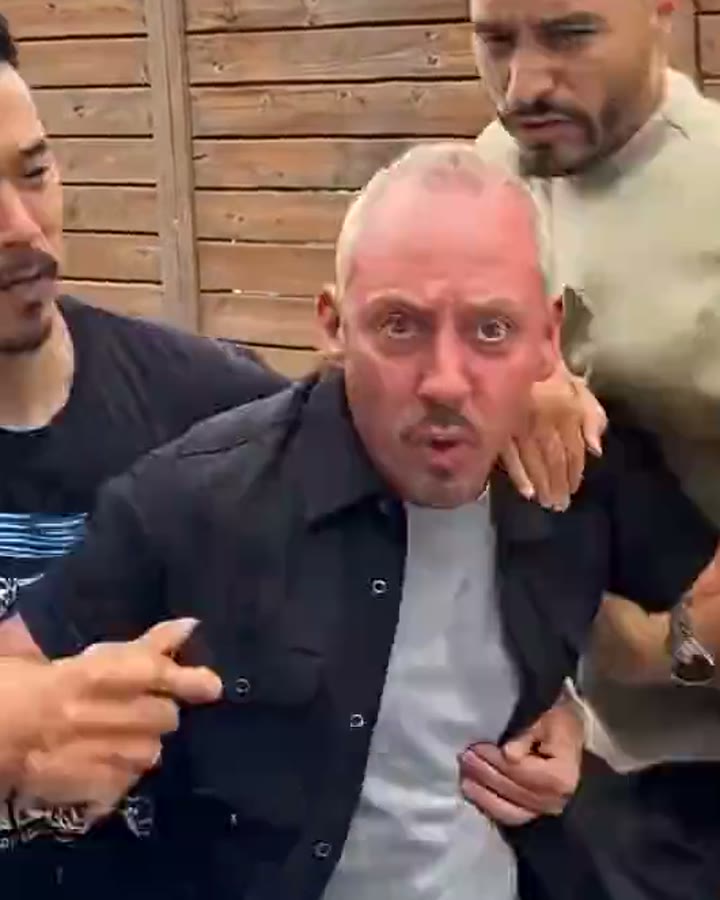 Held-back friend (center)Clear half-body or full-body photo for the person in the center
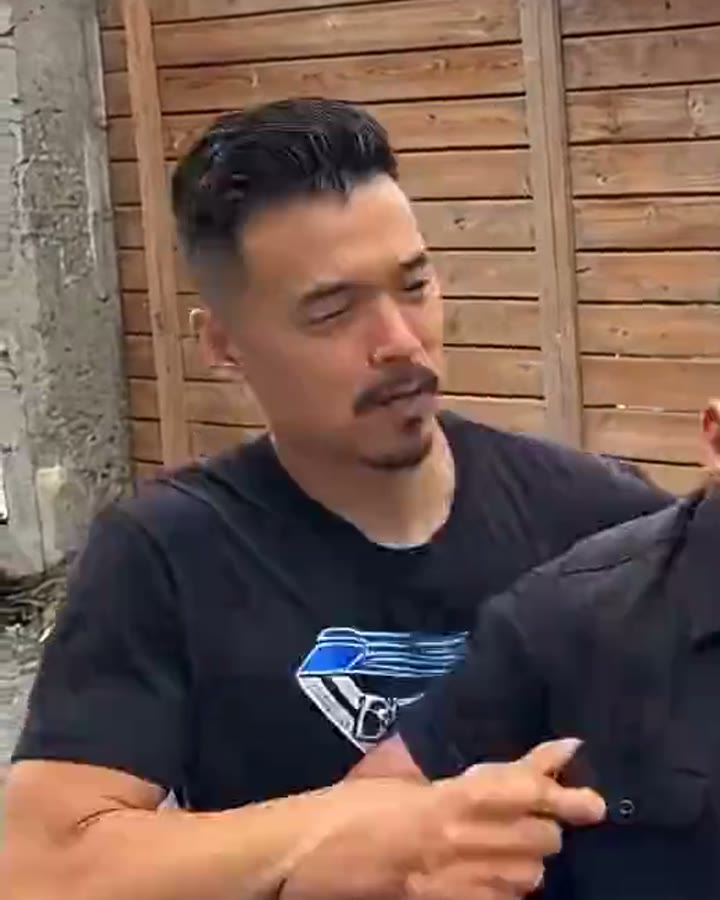 Left holding friendClear half-body or full-body photo for the left friend holding center
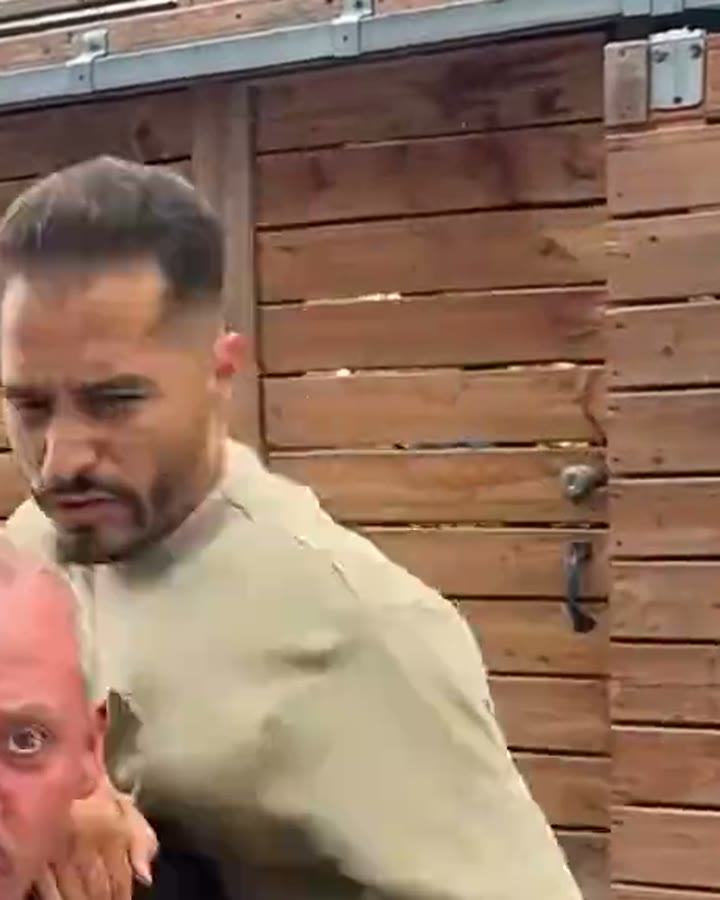 Right holding friendClear half-body or full-body photo for the right friend holding center
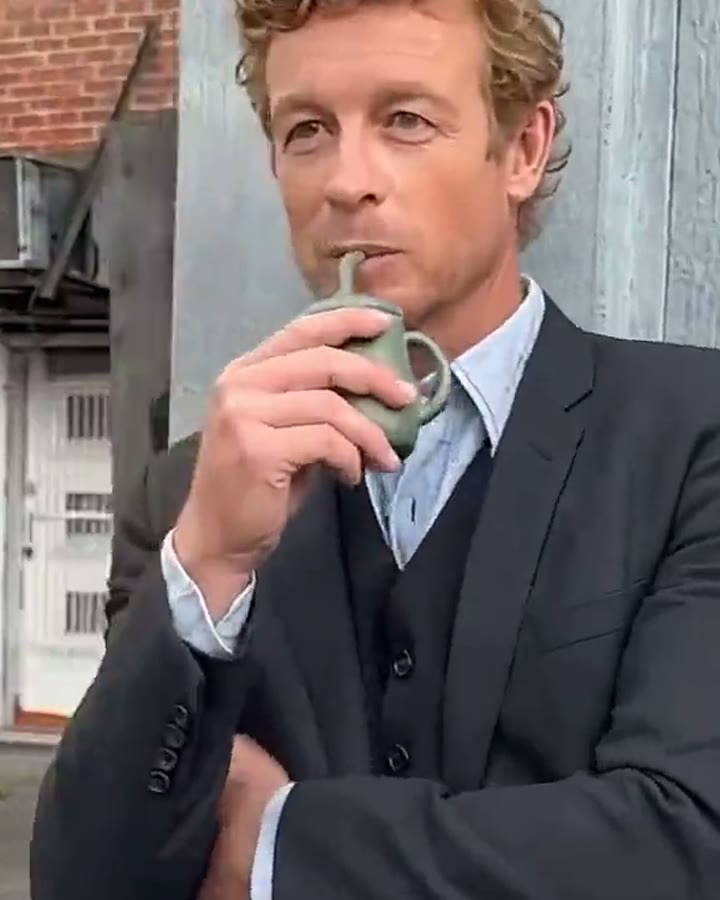 Calm friend (by the wall)Clear half-body or full-body photo for the friend with a drink
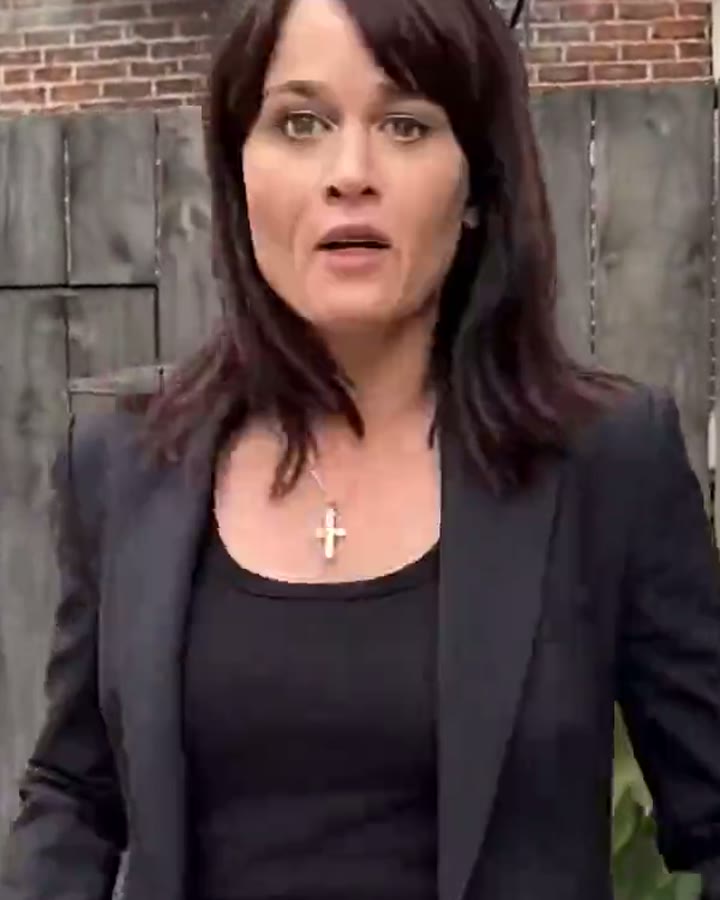 Corner reveal (enters last)Clear full-body photo for the person who enters from the corner
12s · 9:16 · 720p · original track · ready in a few minutes
See the scene
The Hold Me Back AI alley reveal
This reference sets the rhythm of the template: two friends hold the center participant, a calm friend waits with a drink and one turn of the camera delivers the surprise entrance.
From the group to the corner reveal
The opening holds on all three friends in the group action, while the by-wall friend sets up the pause. The camera then turns to the person entering from the corner, creating a compact five-person comedy story in one continuous sequence.
Cast the whole reveal
How to make a Hold Me Back AI video
Choose one to five core participants, add one photo for every role you select and start the scene for 320 credits. The finished MP4 appears in My Work when the render is ready.
Choose the core participants to replace
Every one of the five role cards is optional. Add a photo only for the people you want to replace, from one person up to the full five-person cast. At least one selected role needs a photo before you generate.
Add the role photos
Use a clear, well-lit photo for each selected person. The center friend and both holding friends read well from half-body or full-body photos. Give the by-wall and corner roles visible outfits so their pause and entrance remain recognizable.
Generate, play and share
Sign in, check the 320 credits on the button and press Generate. Kling keeps every selected photo attached to its named participant in the five-person story. When it reaches My Work, play the reference-sound version, download the MP4 and send it to the people in the scene.
Your optional five-person cast
Who to put in each Hold Me Back AI role
Every card is optional, but each role gets one clear moment on camera. Cast friends, family, teammates or original characters for only the moments you want to personalize.
The held-back friend
Put the person with the biggest reaction here. This role starts in the center while two supporting friends hold the group together, so a clear half-body or full-body photo gives the expression and outfit room to carry the opening beat.
The left holding friend
Use a clear half-body or full-body photo for the friend on the left of the opening group. Their visible hold on the center person makes them part of the first comic beat.
The right holding friend
Use a clear half-body or full-body photo for the friend on the right of the opening group. Their reaction and stance balance the center action before the camera moves.
The calm friend
Give this role to the friend with the straightest face. They stand by the wall with a drink while everyone else reacts, which makes their calm expression part of the joke before the camera turns.
The corner reveal
Save this role for the surprise. A full-body photo works especially well because this person walks into the foreground when the camera reaches the corner and becomes the final visual beat.
A scene with a turn
The comic rhythm behind Hold Me Back AI
The Hold Me Back AI setup is built around five readable participants: the center reaction, two active holders, the calm by-wall pause and the final corner entrance.
Start with the energy in the middle
The opening puts the held-back friend in the middle of the frame while the left and right holding friends keep the group together. This makes the first image easy to read even before the camera moves: three people are already participating in the same action, and the alley gives the scene a real place instead of a blank backdrop.
Each of these three role cards is optional. A photo with a clean silhouette helps the selected character remain recognizable while the group closes in around them.
Let the calm friend set up the joke
The calm friend gets a different kind of spotlight. Rather than matching the center reaction, they wait by the wall with a drink and let the moment build. That contrast gives the scene its pause and makes the camera turn feel purposeful.
Use a photo with an easy expression and a visible outfit. The role works as a friend, a sibling, a teammate or an original character who always looks composed when the group chat gets loud.
Make the corner reveal yours
The final role arrives after the camera turns toward the corner. Their entrance is the payoff, so the story still reads even when the movement is naturally reinterpreted around your own cast. A full-body photo gives the model a strong shape for the walk into the foreground.
Put the person everyone expects, the person nobody expected, or a favorite character in this spot. The same alley, camera path and reference sound keep the whole sequence feeling like one compact five-person reveal instead of separate clips.
The five story roles
Names for the Hold Me Back AI scene
These names describe what happens on screen, so you can choose any combination of the five core participants to personalize.
Held-back friend
The animated person at the center while two other core participants hold them in place.
Left holding friend
The friend on the left of the opening group who physically steadies the center participant.
Right holding friend
The friend on the right of the opening group who physically steadies the center participant.
Calm friend
The person by the wall with a drink, creating the still moment before the camera moves.
Corner reveal
The person who walks into view after the camera turns and completes the comedy reveal.
Ready to film the punchline?
Put your cast in the alley reveal
Add one or more photos for the core participants you want to cast and turn the scene into a 12-second Hold Me Back AI video for 320 credits.
FAQ
Hold Me Back AI FAQ
What is a Hold Me Back AI video?
It is a short five-participant comedy video made from the photos you choose to upload. A center friend is held by two other friends, a calm friend waits by the wall with a drink, and the camera turns to reveal a final participant arriving from the corner.
How do I make a Hold Me Back AI video?
Choose any of the five core participants, add one clear photo for every selected role and press Generate for 320 credits. The reference scene provides the alley, camera movement and story timing; your photos replace only the roles you selected. The 12-second MP4 appears in My Work when it is ready.
How many photos can I use?
You can use one to five photos. All five core participant cards are optional, so select only the people you want to replace. At least one selected role needs a photo. Every uploaded photo maps to its own named role; roles without a photo keep their reference-story positions and actions.
Which photo works best for the held-back friend?
Use a sharp photo with the face, hair and outfit easy to see. A half-body or full-body photo works well because this character starts at the center of the group and carries the first reaction in the scene.
Which photo works best for the calm friend?
Choose a well-lit portrait with a relaxed expression and visible clothing. This role stays by the wall with a drink, so a clear face and an easy stance make the contrast with the group feel natural.
Which photo works best for the corner reveal?
A full-body photo gives the corner reveal the clearest entrance. The person walks into the foreground after the camera turns, so a clean silhouette, visible face and distinct outfit make the final beat easy to recognize.
Does the finished video include sound?
Yes. The finished MP4 carries the original sound from the reference scene. Your photos replace any core participants you selected while the reference sound completes the same comic rhythm from the opening group shot through the corner reveal.
How long is the video and what does it cost?
Each Hold Me Back AI video is a 12-second vertical 9:16 MP4 at 720p. One generation costs 320 credits, shown on the Generate button before you start.