
Effects · New
Crying AI Video Generator
Crying AI turns one photo of you into a 10-second crying video. At night you look up at someone standing close, your smile slowly breaks, tears run down your cheeks, and you lower your head and turn to walk away, with the original trend sound.
Crying AI · 10s · 9:16
10s · 9:16 · 720p · original sound · ready in a few minutes
Example
Crying AI example
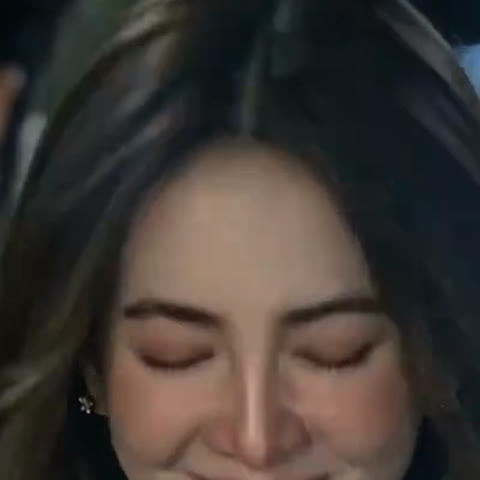
This is the clip the template follows: one close-up, one person, a smile that turns into tears in about ten seconds. The camera stays at face height the whole time, the background is a soft blur of night lights, and the only movement that matters is the expression. Your photo takes the place of the woman in the clip, and the original sound plays over the finished video.
From a smile to tears, then a turn away
A night street, a blurred shoulder in the foreground, and a face that goes from a soft smile to red eyes and falling tears before she turns her back.
The Crying AI output
What goes in and what comes out
One photo goes in, and one 10-second Crying AI video comes out for 270 credits, vertical and ready for TikTok, Instagram Reels and YouTube Shorts.
You upload
- 1 photo of one person
- A clear face with both eyes open, head and shoulders in frame
- JPG, PNG or WebP, 300 pixels or more per side, up to 10 MB
You get
- A 10-second, 9:16 vertical MP4 at 720p
- A close-up at night with a blurred shoulder in the foreground
- Your smile turning into tears, then a turn away from the camera
- Your face, hair and clothing kept from your photo
- The trend sound from the original clip
- A saved copy in My Work, ready to replay or download
| Photos | 1 |
|---|---|
| Model | Kling |
| Duration | 10 seconds |
| Picture | 720p, 9:16 vertical |
| Scene | Night street, close-up |
| Audio | Trend sound from the original clip |
| File | MP4 |
| Credits | 270 per video, refunded if it fails |
Photo tips
Best photos for a Crying AI video
The whole video is a close-up of your face, so the eyes and expression matter most. The model reads your face from the photo and then builds every tear and every change of expression on top of it, so a sharp, well-lit portrait gives the most natural crying scene.
- Face the camera or turn slightly, with both eyes open.
- Use soft, even light on the face.
- A gentle smile works best: that is the smile the tears break.
- Sunglasses, heavy beauty filters or dark shadows over the eyes.
- Faces that fill only a tiny part of the frame; crop in closer after you upload.
From TikTok
Crying AI videos worth watching
Three of the most watched crying AI posts from the trend in late September and early October 2026.
@lanbao555
The most watched post of the trend, with about 1.5 million plays: a smile that crumples into tears before a how-to walkthrough.
@woaaau6
A woman in a white dress at night looks down through her tears and turns away, the same story this template tells.
@kimberlihayes1
Two faces, one effect: a woman and a man in a cowboy hat each go from a smile to tears, made from a single photo each.
Ready to post
Captions for your crying video
- “Smiled until I could not anymore”
- “POV: you finally said goodbye”
- “The last look before I walked away”
- “AI made me cry, and it was right”
- “Me pretending I am fine, for exactly 3 seconds”
- Add #aicryingtrend and #cryingai so the post sits with the trend.
- A slow piano or string track fits the mood if you swap the sound.
Ideas
Ways to use your crying video
A breakup POV
Post it with a "when they say it is over" caption and let the turn away finish the story.
A friend reaction
Make one from a friend’s photo and send it the next time they win an argument.
A drama trailer
Use it as the opening shot of a mini series or a fan edit of your favorite show.
A goodbye post
Mark a last day at school or work with a dramatic farewell.
Let the tears fall
One photo, about five minutes and 270 credits for a 10-second crying scene.
FAQ
Crying AI FAQ
What is the Crying AI trend?
It is a TikTok trend from late September 2026 where one photo becomes a short video of the person smiling, then breaking into tears. This template makes the night close-up version, where you turn and walk away at the end.
How do I make a Crying AI video?
Upload one clear photo of a face, press Generate and wait about five minutes. The video is saved to My Work, where you can watch and download it.
How long is the video and how much does it cost?
The video is 10 seconds long, 720p and 9:16 vertical. It costs 270 credits.
Does the video have sound?
Yes. The finished video carries the original sound from the trend clip.
What photo works best?
A clear, well-lit face with both eyes open and a soft smile. One person per photo.
Can I use a photo of a friend?
Yes, as long as you have their permission to use their photo.
Does it work for men, older people or pets?
Yes. The model keeps the face, hair and clothing from the photo, so anyone with a clear face can take the lead role. Pets work best with a front-facing photo where both eyes are visible and the face is large in the frame.
Is the scene the same every time?
The story stays the same: a night close-up, a smile that breaks into tears, and a turn away at the end. Small details such as the background lights, the exact tears and the timing of each expression change from one video to the next, so every result feels like its own take.