
Music · New
I Love the Smiths AI Video Generator
Turn one or two portraits into a 14-second elevator moment. Cast the listener, the speaker, or both, and get a 720p video with original sound for 380 credits.
I Love the Smiths AI · 14s · 16:9
Choose any core participants to replace. Every role is optional; add at least one photo.
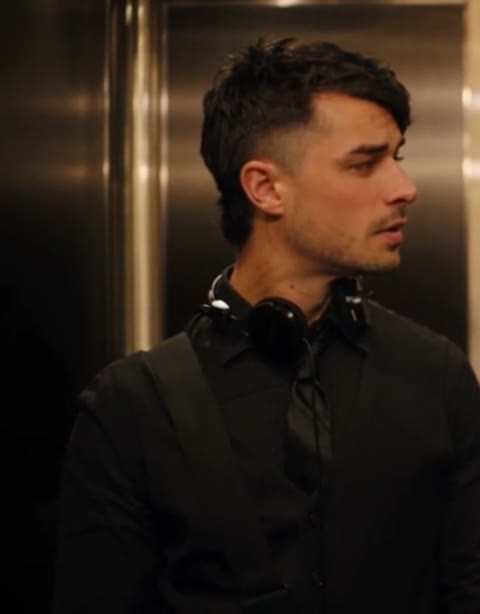 Headphone listenerClear portrait for the person listening on the left
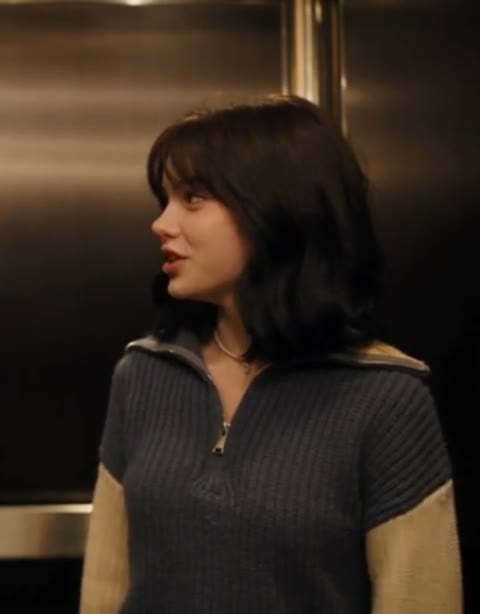 Speaking passengerClear portrait for the person starting the conversation on the right
14s · 16:9 · 720p · original track · ready in a few minutes
The shared moment
How the I Love the Smiths AI elevator scene unfolds
A quiet ride becomes a small connection through one pair of headphones, a familiar song and the ease of two people noticing each other at exactly the right moment.
Settle into the elevator ride
The scene opens in a brushed-metal elevator with two passengers held in a calm eye-level frame. The headphone listener stands on the left with a relaxed posture, while the speaking passenger has room on the right to turn toward them naturally. Warm overhead light gives both faces clear shape and keeps the enclosed space inviting. Your chosen portraits establish who these two people are before the conversation even starts.
Notice the music together
The listener catches the speaking passenger’s attention through the headphones and turns to meet their gaze. It is a compact gesture with a lot of feeling: one person shares a song, the other recognizes the mood, and the elevator ride suddenly feels personal. The steady two-shot keeps the faces, shoulder line and small reactions easy to follow, so the story plays clearly even on a quick replay.
Let the conversation land
The speaking passenger answers with an easy expression as the pair hold the moment for a few beats. The warm lift, close framing and gentle rhythm turn a simple exchange into something people want to send to a close friend, partner or longtime music buddy. The finished clip carries the original reference sound, which gives the glance and final reaction a natural sense of timing.
Reference scene
The original elevator rhythm, ready for your two roles
The selected single-take reference keeps both passengers in view, giving your photos a clear place in the shared frame from the first look through the final response.
Warm elevator exchange
A headphone listener and a speaking passenger share a calm music moment in one continuous elevator shot. The reference supplies the setting, framing, body language and original sound while your selected portraits define the two roles.
@battos13Three clear steps
How to make an I Love the Smiths AI video
Choose one or two portraits, assign the listener and speaker roles, then generate a 14-second elevator scene with original sound for 380 credits.
Choose the people for the elevator
Pick one clear portrait for the headphone listener, the speaking passenger, or both. A face, hair and shoulders that are easy to see in even light give each role a distinct identity in the close two-person frame. The scene provides the brushed-metal elevator and the headphones, so the photo can focus entirely on the person you want friends to recognize.
Match each portrait to its story role
Add the left-side listener to the Headphone listener card and the right-side conversation starter to the Speaking passenger card. Each card maps to one consistent place in the elevator, so the glance, turn and response follow the reference story naturally. Choose one card for a single-person version, or fill both cards for a fully personalized I Love the Smiths AI exchange.
Generate the shared music moment
Review the 380-credit total and select Generate. SameVid creates the 14-second 720p I Love the Smiths AI video, then joins the original reference sound to the completed scene. Your finished MP4 appears in My Work, ready to play, download or add to a friendship, anniversary or music-themed post.
Cast the two passengers
Who belongs in the I Love the Smiths AI scene?
The scene is built for two distinct identities, and it also works beautifully when one person takes the spotlight while the other reference role holds the elevator story together.
You and your favorite music friend
Choose the person who sends every song recommendation and the friend who always replies with the perfect lyric. Their portraits give a playlist exchange a visual form that feels affectionate, funny and instantly familiar to the group chat. Put either person in the headphone listener card, then use the speaking passenger card for the friend who would notice the music first.
A couple with a shared soundtrack
A clear portrait of each partner turns the elevator beat into a compact date-night memory. The scene leaves room for different styles, hair and outfits, so the two people remain easy to recognize while the elevator gives their portraits one shared place. It makes a thoughtful addition to an anniversary post, a favorite-song reveal or a photo carousel that needs a warm opening beat.
A sibling pair with an inside joke
Give siblings or cousins their own film-like exchange by using the listener role for the person known for their headphones and the speaker role for the one who always starts the conversation. The steady frame keeps both personalities readable, which makes the finished video feel like a tiny scene written from an old family story and ready to send around again.
One portrait with a memorable role
Add one clear photo when one person deserves the focus. The uploaded portrait takes the role you choose, while the remaining passenger keeps the reference scene’s position, timing and small reactions. This option works especially well for a birthday surprise, a character mood board or a personal music post where one face carries the reveal.
The scene behind the format
Why this elevator moment keeps finding new audiences
The format gives two people a short, recognizable story: music plays, someone notices, and a routine elevator ride becomes a connection.
A conversation sparked by a song
The I Love the Smiths moment traces back to the elevator exchange in the 2009 film (500) Days of Summer. One passenger hears music through headphones, the other recognizes The Smiths, and their brief conversation sets the tone through expression, timing and a shared point of view.
The song associated with the scene is The Smiths’ “There Is a Light That Never Goes Out.” Its place in the elevator exchange gives the format a music-first identity, which is why the scene works so well as a two-person portrait video built around recognition and reaction.
From memorable scene to social-video format
The scene has stayed useful because its visual language is simple and complete: a small enclosed setting, two faces, one source of music and a clear emotional turn. That structure gives creators room to place friends, couples, siblings and original characters inside the same kind of shared moment while keeping the core story immediately readable.
Short-form versions often focus on the headphone listener, the speaker’s response and the held eye contact between them. The reference used here keeps that compact storytelling shape in one clean elevator shot, making it easy to follow on a phone screen and easy to personalize with one or two portraits.
A scene made for two identities
This template preserves the roles instead of treating the two photos as interchangeable. The Headphone listener card maps to the left-side passenger who reacts to the music. The Speaking passenger card maps to the right-side passenger who begins the exchange. That clear casting helps the final scene feel cohesive from the opening frame through the last response.
For background on the original scene, see Bustle’s interview and scene note.
Scene context
Names people use for this shared music moment
These phrases describe the same elevator exchange from different angles: the line, the film moment, the music cue and the two-person remake format.
I Love the Smiths
The line that gives the trend its name and captures the speaking passenger’s immediate recognition of the music in the headphones.
500 Days of Summer elevator scene
A clear way to describe the warm lift setting, two-person framing and small conversation that shape the reference story.
There Is a Light That Never Goes Out
The Smiths song associated with the original exchange and the musical spark that brings the two passengers into the same moment.
Two-person AI scene
A portrait video format where each uploaded image has a defined role, making the final interaction feel like one shared scene rather than two separate clips.
FAQ
I Love the Smiths AI FAQ
What is I Love the Smiths AI?
I Love the Smiths AI turns one or two portraits into a warm elevator conversation inspired by the familiar headphone-and-music moment. The selected photos take the listener and speaker roles, while the template provides the elevator setting, conversational pacing and original reference sound in a 14-second video.
How many photos can I upload?
You can add one or two photos. Each role card is optional, and the template starts with at least one selected portrait. Add both the Headphone listener and Speaking passenger for a fully personalized two-person exchange, or choose one card to give a single person the spotlight.
Which photo works best for the headphone listener?
Choose a clear portrait with the face, hair and shoulders visible in even light. A relaxed front-facing or gentle three-quarter pose gives the listener a natural presence in the left side of the elevator frame. The scene supplies the headphones, so your image can focus on the person and their recognizable style.
Which photo works best for the speaking passenger?
Choose a clear portrait with an open face, visible hair and shoulders, and a natural expression. This role starts the elevator conversation from the right side of the frame, so a bright image with a clear outline helps the person read naturally beside the listener throughout the exchange.
Can I use one photo for the scene?
Yes. Select either the Headphone listener or Speaking passenger card, and that portrait takes its defined place in the elevator story. The remaining passenger keeps the reference role, position, action and timing, so the scene still lands as a complete two-person conversation.
How long is an I Love the Smiths AI video?
Each I Love the Smiths AI video runs for 14 seconds. The single elevator take gives the listener time to notice the music, turn toward the speaker and let the shared reaction settle naturally before the scene closes.
Does the finished video include sound?
Yes. SameVid joins the original reference sound to the completed video after the visual render, keeping the elevator exchange aligned with the gestures, glances and conversational rhythm of the selected scene.
How many credits does I Love the Smiths AI cost?
One 14-second I Love the Smiths AI video costs 380 credits. The Generate button shows the total before your task begins, and the completed video appears in My Work when it is ready.