
Transformation · New
Wedding Invitation AI Video Generator
Turn one or two photos into a 9-second black-and-white Save the Date clip with the Wedding Invitation AI Video Generator on Kling 4.0. Cast the bride, the groom, or both in 9:16 720p with ambient sound for 240 credits.
Wedding Invitation AI · 9s · 9:16
Choose either partner or both—each slot is optional; add at least one clear front portrait to star in the 9-second Save the Date reveal.
9s · 9:16 · 720p · ambient sound · ready in a few minutes
Photo tips
Wedding Invitation AI photo tips for clean monochrome likeness
Both partners face forward in the closing frames of Wedding Invitation AI, so crisp front lighting preserves recognizable features across the black-and-white scene.
- Use a solo front-facing portrait for each role with even daylight across the eyes, brow, nose bridge, and smile.
- Choose a clear bare-faced portrait with open eyes so the bride sunglasses lift and the groom window glance keep authentic likeness.
- Upload a sharp selfie, engagement portrait, or travel snapshot; monochrome grading unifies lighting between separate photos.
- Steep side profiles or turned heads, because partial cheek angles give Kling 4.0 less facial geometry when both partners look toward camera.
- Portraits where sunglasses, hats, or hands cover the eyes, since visible eye alignment anchors facial identity during the reveal.
- Compressed screenshots or motion blur that soften fine facial contours before monochrome rendering starts.
Same category
More Transformation templates
 NEW220 CR
 NEW10 CR
 NEW320 CR
 NEW140 CR
 NEW220 CR
 NEW220 CR
 NEW140 CR
 NEW380 CR
 NEW270 CR
 NEW160 CR
 NEW160 CR
 NEW270 CR
Who to cast
Who fits the Wedding Invitation AI Save the Date template
Wedding Invitation AI lets you cast both Bride and Groom together or upload a single portrait to preview one role first.
Engaged couples sending a digital Save the Date
Upload one portrait into Bride and one into Groom so your real faces star in the car pick-up reveal before formal stationery prints. Share the clean vertical MP4 straight into family WhatsApp chats and Instagram Stories.
Long-distance or busy wedding partners
Skip coordinating an outdoor photographer, vintage car rental, and weekend shoot. Wedding Invitation AI blends two solo portraits taken in different cities into the same black-and-white courtyard arrival in minutes.
Solo bride or groom preview casts
Add one clear portrait into either optional slot to preview the look on yourself first, while keeping the second character from the reference scene until both engagement photos are ready.
Destination and multi-city wedding guests
Give faraway friends a lightweight 9-second Save the Date clip that plays cleanly on every phone, paired with your city, weekend dates, and RSVP link right underneath the video.
The scene
Inside the 9-second Wedding Invitation AI Save the Date clip
Wedding Invitation AI follows one steady monochrome camera setup from a quiet folding-chair wait to a playful driveway pick-up reveal.
0.0s–2.0s · Waiting on the folding chair
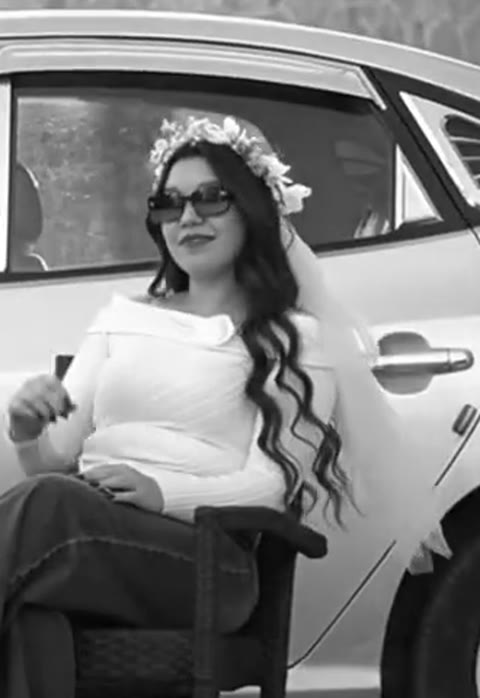
In crisp black-and-white courtyard daylight, the bride sits on a black folding chair wearing a floral crown veil, dark sunglasses, white long-sleeve top, and dark trousers while checking her phone as a silver sedan backs smoothly into frame.
2.0s–5.5s · The Save the Date car arrives
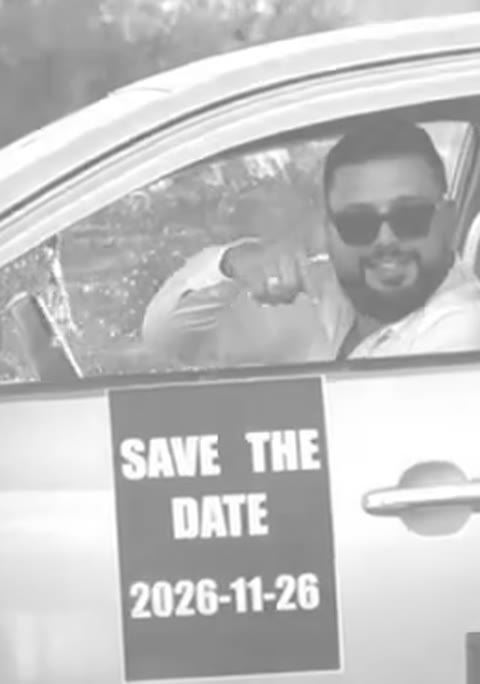
The sedan stops cleanly behind the chair, displaying a dark rectangular Save the Date placard on the rear door. The rear window glides down and the groom leans out wearing sunglasses and a white collared shirt, lifting one hand in a relaxed wave.
5.5s–9.0s · Sunglasses lift and closing smile
The groom tips his sunglasses toward the bride while the bride looks up from her phone, lifts her sunglasses with her left hand to reveal her eyes, and smiles directly at the camera in the closing beat.
How it works
How to make a Wedding Invitation AI video in three steps
Wedding Invitation AI replaces complex prompts and timeline editing with two optional photo slots and automatic Kling 4.0 rendering.
Upload one or two portraits
Add a clear front-facing JPG, PNG, or WebP photo (up to 10 MB each) into the Bride slot, the Groom slot, or both optional slots.
Run Kling 4.0 Reference-to-Video
Start the 240-credit generation. Kling 4.0 places your uploaded faces into the 9-second monochrome car pick-up shot while preserving camera blocking, car motion, and natural ambient audio.
Overlay your date and share
Download the clean 720p 9:16 MP4 from My Work, add your exact names, wedding date, and song inside WhatsApp, Stories, or your phone editor, and send it alongside your RSVP link. Browse more AI Couple Video Templates or Transformation AI Video Templates anytime.
Photos: JPG, PNG, WebP, up to 20 MB.
Origin
Where the Wedding Invitation AI video trend came from
Couples upgraded from static floral e-cards to Wedding Invitation AI cinema once short-form AI video made personalized Save the Date clips simple to share.
From digital cards to personalized Save the Date cinema
Vertical video Save the Dates surged across WhatsApp and short-form feeds as couples looked for immediate, zero-postage ways to lock in travel dates. Coverage from Mashable, Daily Dot, and CNET documents how engaged couples increasingly adopt generative AI tools for custom stationery, color palettes, and bespoke wedding visuals.
Alongside viral interactive RSVP webpages on TikTok and envelope-reveal Save the Date tutorials on YouTube, couples embraced Wedding Invitation AI templates because they cast the actual bride and groom inside a stylized movie-like moment rather than dropping snapshots onto static floral borders.
Why Wedding Invitation AI leaves names and music flexible
Across wedding planning discussions on Reddit, guests consistently prefer short Save the Date clips paired with clear plain-text dates over lengthy slideshows. Keeping the 9-second Wedding Invitation AI output free of rendered name text or fixed pop songs ensures accurate spelling, clean typography, and custom music when shared in group chats.
Ready to post
Wedding Invitation AI captions and guest chat messages
Pair your 9-second Wedding Invitation AI clip with crisp date, city, and RSVP text so every guest saves the weekend effortlessly.
- “Save the date. [Month Day, Year] · [City]. Formal wedding invitation and RSVP link to follow—cannot wait to celebrate with you!”
- “Clearing the calendar for [Month Day, Year]. Save our wedding weekend in [City] and check the link below for hotel blocks.”
- “The ride is here and we are making it official. [Name] & [Name] · [Month Day, Year] · RSVP & travel details below.”
- “Our Wedding Invitation AI Save the Date—no shoot day required. Mark [Month Day, Year] in [City]!”
- “Dropping this into the family group chat before the paper cards hit the mail. See you [Month Day, Year]!”
- Send your wedding date, city, and RSVP website URL as plain text directly beneath the MP4 in WhatsApp so guests can read every detail at a glance.
- Use WhatsApp or direct cloud download links for international guests to preserve crisp 720p playback.
- Add your own wedding song and custom date sticker inside Stories, Reels, or a mobile editor before publishing your clip.
FAQ
Wedding Invitation AI FAQ
How many photos does Wedding Invitation AI need?
Wedding Invitation AI accepts one or two clear front-facing portraits across two optional slots: Bride and Groom. You can upload separate portraits for both partners or fill a single slot while keeping the second character from the monochrome car pick-up reference scene.
How long is a Wedding Invitation AI video and what specs do I get?
Wedding Invitation AI delivers a 9-second vertical 9:16 MP4 at 720p resolution with authentic ambient scene sound. The 9-second duration matches the full sedan arrival, window wave, and sunglasses reveal from start to finish.
How many credits does Wedding Invitation AI cost?
Wedding Invitation AI costs 240 credits per 9-second 720p video, scaled proportionally from our 15-second 400-credit baseline—see all bundles on the SameVid AI pricing page. Failed generations automatically refund 240 credits to your account.
Can I add our names, wedding date, and wedding song to Wedding Invitation AI?
Wedding Invitation AI intentionally keeps clean ambient audio and leaves out baked-in name text or music tracks so you can overlay sharp, accurately spelled names, dates, RSVP links, and your chosen song in WhatsApp, Stories, or any mobile editor.
Which AI model powers Wedding Invitation AI?
Wedding Invitation AI runs on Kling 4.0 Reference-to-Video, preserving the single-camera black-and-white courtyard framing, car reverse motion, and sunglasses reveal while transferring your uploaded facial identities cleanly.
What photo style gives the best Wedding Invitation AI facial likeness?
Bright, bare-faced solo portraits looking straight into the camera with even lighting across the eyes give Wedding Invitation AI the strongest likeness during the closing sunglasses lift and car-window wave.
How is Wedding Invitation AI different from AI Wedding Video and You Rock My World AI?
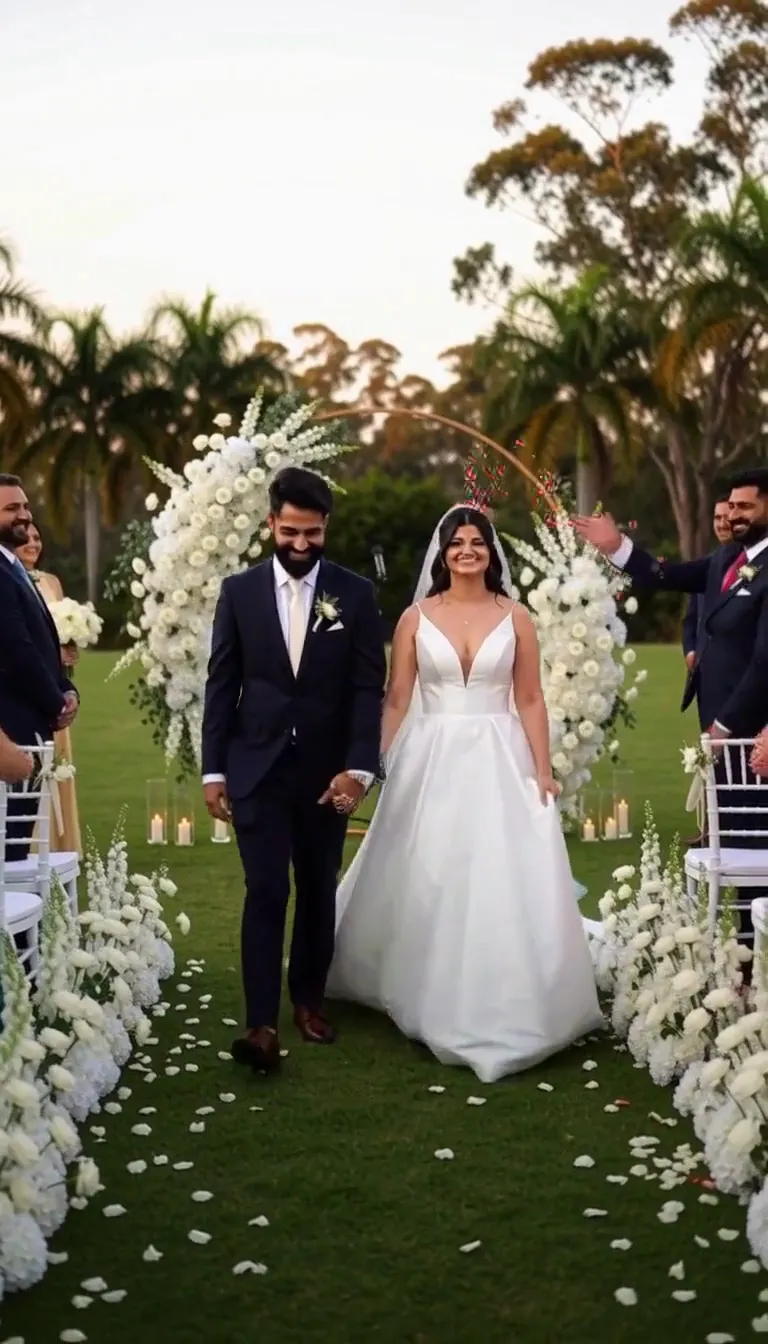
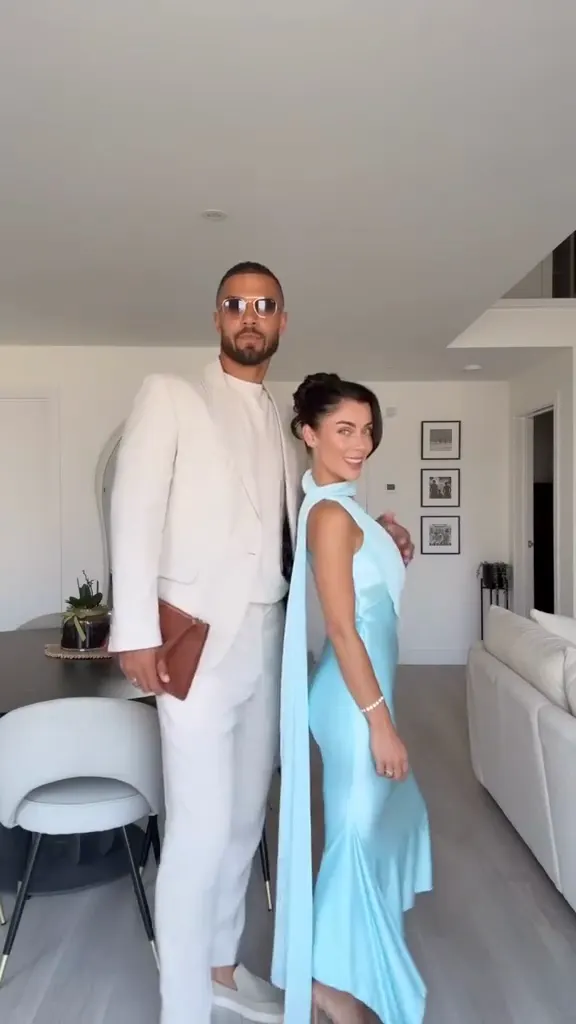
Wedding Invitation AI creates a 9-second black-and-white driveway car pick-up Save the Date clip for 240 credits, whereas AI Wedding Video transforms two portraits into a 10-second couture aisle walk with falling rose petals and You Rock My World AI performs an 11-second living-room hand-cover outfit reveal.
How should I share a Wedding Invitation AI video with guests?
Send the Wedding Invitation AI MP4 directly in WhatsApp chats, Instagram Stories, or Reels with your exact date, venue city, and RSVP website link in the caption text right below the clip for effortless guest replies.
Keep scrolling
More viral AI video trends
 NEW270 CR
 NEW300 CR
 NEW300 CR
 NEW10 CR
 NEW10 CR
 NEW10 CR
 NEW300 CR
 NEW320 CR
 NEW380 CR
 NEW100–400 CR
 NEW100–400 CR
 NEW380 CR