
Anime & Cartoon · New
Lego AI Video Generator
Upload one clear photo to star as a glossy 3D Lego AI character walking down a sunny brick park path and turning back. Get an 8-second 720p vertical MP4 with original sound for 220 credits.
Lego AI · 8s · 9:16
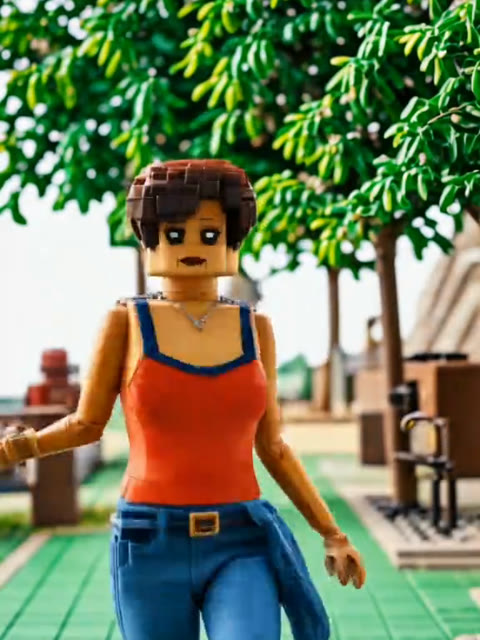
8s · 9:16 · 720p · original sound · ready in a few minutes
Origin
Where the Lego AI video trend comes from
From early social photo filters to full 3D toy-brick character reels, the Lego AI format keeps evolving across short-video feeds.
From photo-to-brick filters to walking 3D reels
The Lego AI wave first took off in mid-2023 when creators turned everyday selfies, pets, and bedrooms into colorful plastic blocks using early filter apps and before-and-after wipe edits covered by Indy100 and Dexerto. Viewers loved seeing familiar outfits and hairstyles rebuilt out of glossy ABS bricks.
By mid-2024, clips expanded from static portraits into animated 3D toy-brick characters strolling through sunlit brick streets—including viral walk-and-turn shorts that racked up millions of views—before surging again with custom AI character prompts and video templates.
Why creators keep remixing the format
Instead of spending hours writing multi-step image prompts and stitching clips across separate apps, SameVid turns one portrait directly into a smooth 8-second Lego AI walk clip. You keep the playful toy-brick aesthetic, sunlit park backdrop, and original soundtrack in one pass.
Same category
More Anime & Cartoon templates
 NEW380 CR
 NEW220 CR
 NEW300 CR
 NEW160 CR
 NEW110 CR
 NEW400 CR
 NEW300 CR
 NEW10 CR
 NEW400 CR
 NEW270 CR
 NEW220 CR
 NEW140 CR
The scene
How the 8-second Lego AI scene unfolds
Every generated Lego AI video follows a clean 8-second camera arc along a sunlit green-and-grey brick walkway with your uploaded likeness in the lead.
0.0s – 4.0s · Front walk toward the camera
The shot opens on a bright park path built from studded green plastic bricks and lined with leafy toy trees. Your 3D Lego AI character strides forward at a relaxed pace while the camera glides smoothly backward, keeping your face, hairstyle, and outfit colors clearly framed in daylight.
4.0s – 5.5s · Mid-stride pause and playful glance
As the character reaches the center of the walkway, they ease their pace and angle slightly toward the lens, highlighting the glossy plastic sheen, articulated arms, and molded hair detail while distant brick pedestrians stroll along the background path.
5.5s – 8.0s · Smooth turn and walk-away finish
In the closing beat, your character pivots smoothly away from the camera, walks back down the tree-lined brick sidewalk, and raises both hands briefly toward their hair, revealing the rear silhouette and jacket or shirt colors before the loop ends cleanly.
Variants
More Lego AI and brick-style templates
Pair this 8-second walking Lego AI video with portrait-wipe or couples toy-box formats depending on the shot you want to post.
NEW160 CRNEW10 CR NEW140 CR
 NEW30 CR
Photo tips
How to choose a photo for Lego AI
Upload a sharp JPG, PNG, or WebP portrait up to 20 MB. Clear facial features and distinct clothing colors help the 3D toy character match you right away.
- Pick a front-facing portrait, waist-up shot, or full-body photo where your face, eyes, and hairstyle sit clearly in the frame with natural lighting.
- Wear recognizable colors or accessories—like a bright top, denim jacket, hoodie, sunglasses perched on the head, or bold curls—so the Lego AI brick version stays unmistakable.
- Keep one main subject centered in the uploaded image so Kling 4.0 maps every facial detail and clothing tone cleanly onto the walking protagonist.
- Choose bright, even daylight or clean indoor lighting rather than heavy shadows or motion blur so hair edges and outfit textures stay crisp throughout the walk.
- Use an unobstructed close-to-medium shot where hats, hands, or overlapping friends stay clear of your face so the character model captures your likeness smoothly.
Specs
What goes in and what comes out
One photo enters the Lego AI generator and returns a finished 9:16 vertical clip ready for Reels, Shorts, and TikTok.
You upload
- 1 clear front portrait, half-body, or full-body photo (JPG, PNG, or WebP, up to 20 MB)
- Optional outfit details and accessories naturally carried in your source photo
You get
- An 8-second 720p vertical MP4 (9:16) starring your 3D plastic brick Lego AI character
- Sunny brick-built park walkway, green trees, and smooth backward-tracking camera motion
- Original reference soundtrack merged cleanly onto the finished video for instant posting
| Photos | 1 |
|---|---|
| Model | Kling 4.0 |
| Duration | 8 seconds |
| Picture | 720p, 9:16 |
| Audio | Original sound included |
| File | MP4 |
| Credits | 220 per video, refunded if it fails |
Photos: JPG, PNG, WebP, up to 20 MB.
Ready to post
Captions for your Lego AI video
Copy a community-tested hook or trivia prompt when posting your finished Lego AI character walk.
- “Name the friend in this Lego AI clip (Level Hard) 🧱👀”
- “Life has been way too stressful—I should have just been a Lego character walking in the park.”
- “Turned one selfie into a full 3D Lego AI walk cycle and now I want a whole movie.”
- “Guess who this brick-built character is before they turn around at the end ✨”
- “Real photo vs. 3D plastic brick life—which version looks happier?”
- “Dropped myself straight onto a sunny Lego sidewalk in one click.”
- Use the "Guess who / Level Hard" caption style to spark comments before the 5.5s turn-around reveal.
- Post side-by-side with your original photo in the cover slide or carousel for an instant before-and-after hook.
Ready to star in your own Lego AI walk?
Upload one photo and generate an 8-second 720p Lego AI video with original sound for 220 credits.
FAQ
Lego AI FAQ
How does the Lego AI Video Generator work?
Lego AI transforms one clear portrait of yourself, a friend, or a favorite character into an 8-second walking 3D toy-brick video in a single click. Kling 4.0 uses the sunny reference walk to rebuild your likeness and outfit colors into a glossy plastic figure strolling along a studded park sidewalk, then merges the original audio automatically.
What kind of photo gives the best Lego AI likeness?
Lego AI delivers the closest likeness from a crisp, well-lit front portrait or waist-up photo in JPG, PNG, or WebP format (up to 20 MB). Clear eyes, distinct hairstyle silhouettes, and bold clothing colors translate cleanly onto the 3D plastic figure during both the front walk and turn-around.
How long is the generated video and how many credits does it cost?
Every Lego AI clip runs 8 seconds in 9:16 vertical 720p MP4 format with original sound included. Generating one video costs 220 credits on our pricing page, calculated proportionally from our 15-second standard rate, and credits are automatically refunded if a job fails.
Do I need to write prompts or stitch clips manually?
Lego AI handles all 3D brick styling, camera tracking, lighting, and audio sync automatically inside your browser from a single photo upload. Everything runs end-to-end with pre-built scene direction, or you can browse all AI video templates for more one-click trends.
Can I put friends, family members, or pets into Lego AI?
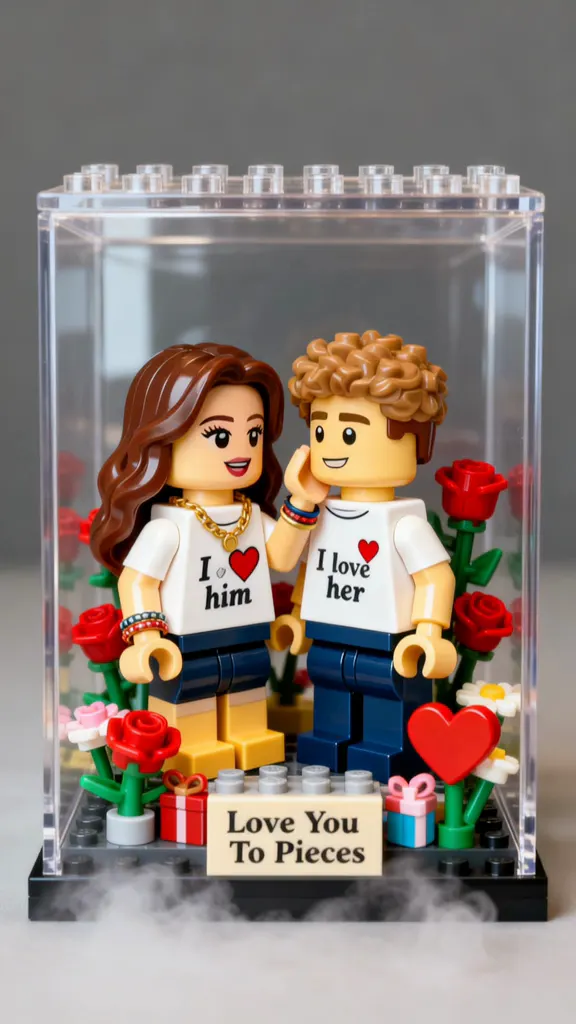
Lego AI transforms solo portraits of friends, family members, cosplayers, or pets with clear frontal features into walking 3D brick characters. For two people standing together in a static display case, try Lego Couple AI instead.
How is Lego AI different from Lego Minifigure AI?
Lego AI generates a full 8-second outdoor walking scene where your 3D brick character moves down a sunlit park path and turns away, whereas Lego Minifigure AI creates a 6-second studio portrait wipe onto a stationary baseplate figure.
Keep scrolling
More viral AI video trends
 NEW240 CRNEW30 CRNEW140 CR
 NEW10 CR
 NEW20 CR
 NEW220 CR
 NEW10 CR
 NEW320 CR
 NEW100–400 CR
 NEW100–400 CR
 NEW380 CR
 NEW140 CR