
Transformation · New
Future Family AI Video Generator
Upload one clear portrait or couple photo for a smooth Future Family AI wipe reveal inside your exact same scene. Get a 9-second 720p vertical MP4 with original trend sound in minutes for 10 credits.
Future Family AI · 9s · 9:16
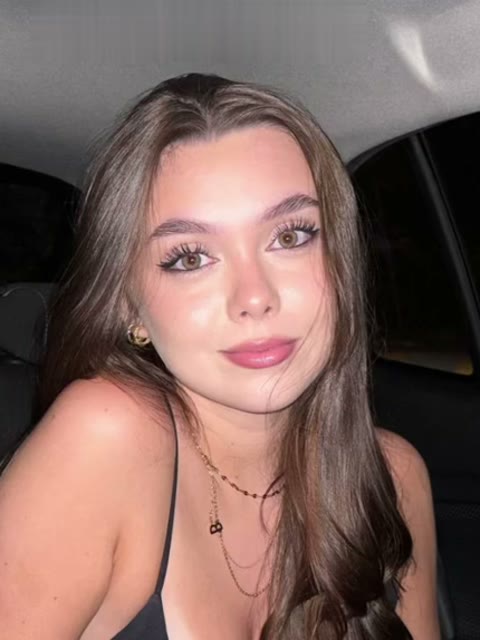
9s · 9:16 · 720p · original sound · ready in a few minutes
Who to put in
Who looks great in a Future Family AI reveal
One clear front-facing photo is all the Future Family AI template needs, whether you start from a solo selfie or a couple snapshot.
Solo selfie blind-box reveal
Start with a single portrait of yourself in a car, living room, or park. The Future Family AI reveal keeps your exact face, hairstyle, outfit, and background while filling the seats beside you with a warm smiling partner, a newborn baby, and a playful toddler.
Couples and long-distance partners
Upload a favorite photo of the two of you together and watch the same moment transform into a full Future Family AI portrait. Both partners stay right where they are while smiling kids appear in your arms and beside you with matching natural lighting.
Expecting parents and milestone announcements
Use a casual weekend photo or cozy indoor portrait to preview a joyful future chapter. Expecting couples love sharing the finished 9-second Future Family AI clip at baby showers, family group chats, and seasonal announcements.
Friends and funny reaction swaps
Try a clear candid photo from a road trip or dinner night to see how Future Family AI imagines a full crew squeezed into the same seat. Half the charm of the trend comes from laughing over the surprise family size and matching smiles.
Same category
More Transformation templates
 NEW220 CR
 NEW10 CR
 NEW320 CR
 NEW140 CR
 NEW220 CR
 NEW220 CR
 NEW140 CR
 NEW380 CR
 NEW270 CR
 NEW160 CR
 NEW160 CR
 NEW270 CR
How it works
Make your Future Family AI video in three quick steps
Skip manual prompts and video editors. Upload one JPG, PNG, or WebP photo up to 20 MB and receive a ready-to-post 9-second clip.
Upload one clear photo
Choose a front-facing solo selfie or couple portrait in JPG, PNG, or WebP format up to 20 MB. Even daylight, car flash, or cozy indoor lighting with extra room around the shoulders gives the Future Family AI scene plenty of natural space.
Generate the matched family scene
Click Generate to transform your photo with Seedream 5.0 Flash. The model preserves your face, clothing, camera angle, and original environment while seamlessly adding your future partner and kids with matching flash and color temperature.
Download with the wipe and sound built in
Our slideshow pipeline automatically animates the signature left-to-right wipe transition from your original photo into the finished Future Family AI portrait, merges the original trend sound, and delivers a clean 720p vertical MP4 ready to post.
Photos: JPG, PNG, WebP, up to 20 MB.
The reveal
How the 9-second Future Family AI wipe unfolds
Every Future Family AI clip follows the viral vertical wipe pacing so viewers recognize your real photo right before the surprise lands.
0.0s – 1.5s · Your original photo holds
The clip opens directly on your real uploaded portrait or couple snapshot. Viewers immediately lock onto your expression, outfit, and candid setting—whether it is the back seat of a car at night, a sunny park lawn, or a cozy sofa.
1.5s – 5.0s · Left-to-right wipe reveals the family
A smooth vertical wipe glides steadily from the left edge of the frame to the right. As the line sweeps across the exact same background, a smiling future partner, a peaceful sleeping newborn, and a joyful curly-haired toddler appear beside you.
5.0s – 9.0s · Full future family hold
Once the wipe completes, the finished four-person candid portrait stays on screen for four full seconds with the trend audio playing underneath. That lingering final hold gives viewers time to spot every family resemblance and laugh over the surprise.
Post ideas
Captions people pair with the Future Family AI trend
Short reaction lines work best over the wipe reveal, turning a warm portrait into an instant conversation starter in the comments.
- “AI predicts my future family and honestly I am ready for this life”
- “Asked AI what our future family looks like and now we are picking names”
- “That is a lot of kids in one back seat and I kind of love it”
- “Sending this straight to the group chat so everyone can meet my future family”
- “From a solo car selfie to a full squad in nine seconds flat”
- “My dream family unlocked inside the exact same night out photo”
- Keep your face well lit and centered with natural space on the left and right so new family members sit comfortably beside you.
- Candid smartphone photos taken in natural daylight, car interiors, or living rooms produce a far more believable family snapshot than glossy studio headshots.
- Try running a second photo from a different setting—like an outdoor afternoon walk—to compare two completely different Future Family AI versions.
Specs
What goes in and what comes out of Future Family AI
One uploaded portrait becomes a matched 9-second Future Family AI vertical reveal video with original sound for 10 credits.
You upload
- 1 front-facing photo of yourself or a couple with clear facial features
- Natural candid lighting with open background space beside the subject
- Standard JPG, PNG, or WebP file up to 20 MB
You get
- 1 matched Future Family AI portrait rendered inside your exact original setting
- Smooth left-to-right wipe reveal from your starting photo into the finished family
- 9-second 720p vertical 9:16 MP4 merged with the original trend audio
| Photos | 1 |
|---|---|
| Model | Seedream 5.0 Flash (Slideshow) |
| Duration | 9 seconds |
| Picture | 720p, 9:16 |
| Audio | Original trend audio |
| File | MP4 |
| Credits | 10 per video, refunded if it fails |
Origin
Where the Future Family AI trend came from
The format grew from early AI baby face filters into full same-scene family wipe videos that racked up millions of views across short-form feeds.
From future baby filters to full same-scene family portraits
The fascination with previewing a future family first surged in 2023 and 2024, when Dexerto and Know Your Meme documented viral waves of future baby prediction filters and parent resemblance edits spreading through TikTok and CapCut templates. Early clips focused on a single generated infant portrait, paired with couple reaction videos.
By January 2026, creators began asking AI image models to keep their real snapshot intact and place future kids directly into the same outdoor lawn or living room scene. Viewers immediately connected with how grounded and believable those candid everyday settings felt compared to posed portraits.
The 2026 left-to-right wipe wave
In May and June 2026, a wave of 8- to 10-second vertical wipe clips turned Future Family AI into a massive repeat format on TikTok. Creators started with a single candid selfie—most famously inside a car at night or standing outdoors—and let a slow left-to-right vertical wipe sweep across the frame to unveil a smiling partner, newborn baby, toddlers, and sometimes a golden retriever.
Single clips climbed past 1.2 million views while the format kept returning throughout late 2026 across solo blind-box reveals, long-distance couple shares, and cozy family announcements. Our Future Family AI template captures that exact same-scene wipe reveal in one click, keeping your real lighting and face front and center.
FAQ
Future Family AI FAQ
Can I use a solo selfie or a couple photo in Future Family AI?
Yes, Future Family AI works naturally with either a single solo selfie or a couple photo in the same one-photo slot. A solo portrait keeps you in place and adds a smiling future partner and children beside you, while a couple photo keeps both of you recognizable and adds smiling kids in the exact same setting; couples also enjoy pairing it with our AI Wedding Video template.
Does a Future Family AI video include the wipe animation and sound?
Yes, every Future Family AI render delivers a complete 9-second 720p vertical 9:16 MP4 video with both the wipe reveal and audio built in. The clip holds on your original photo for 1.5 seconds, glides smoothly left-to-right into your generated family portrait, and merges the original trend sound automatically.
Why does Future Family AI look like a candid phone photo?
Future Family AI uses Seedream 5.0 Flash to lock onto your actual background, natural skin texture, clothing, and camera flash or daylight color temperature. Keeping your real environment intact makes the before-and-after wipe transition feel seamless and believable.
How many credits does one Future Family AI video cost?
Each 9-second Future Family AI video costs 10 credits on SameVid AI. Because the template generates one high-fidelity future family image and renders the smooth wipe transition with code, you get crisp facial likeness and the full viral video format at a fraction of standard video-model pricing—see full packs on SameVid pricing.
Is Future Family AI a scientific genetic prediction?
Future Family AI is a lighthearted creative preview built for fun, storytelling, and sharing with friends or your partner. Each run draws inspiration from your facial features and lighting to craft a warm imagined family scene, so trying a different photo gives you a fresh variation.
What kind of photo gives the clearest Future Family AI reveal?
A sharp front-facing portrait with even lighting, a relaxed smile, and open space around your shoulders gives the clearest Future Family AI reveal. Candid car seats, cozy living rooms, and sunny outdoor snapshots in JPG, PNG, or WebP format up to 20 MB upload quickly and preserve crisp details.
Keep scrolling
More viral AI video trends
 NEW240 CR
 NEW10 CR
 NEW20 CR
 NEW50 CR
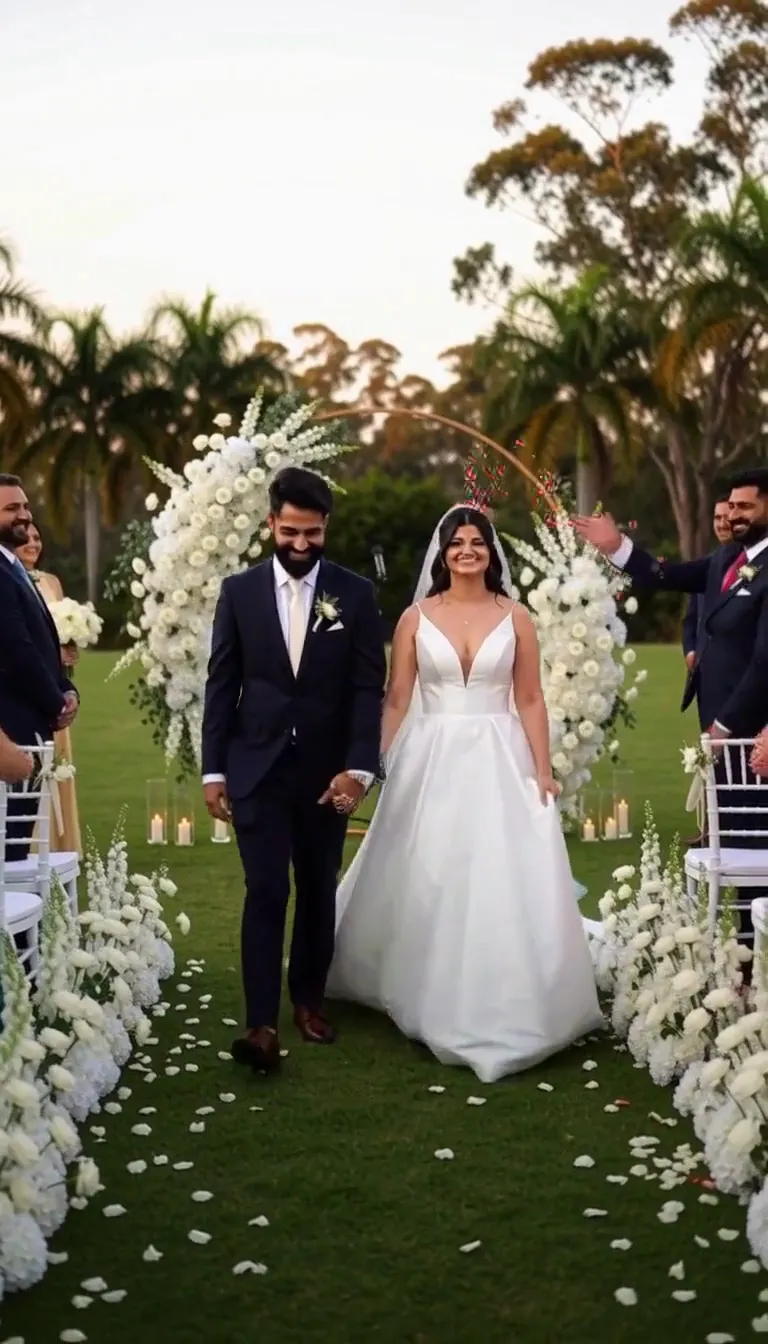 NEW270 CR
 NEW10 CR
 NEW30 CR
 NEW380 CR
 NEW100–400 CR
 NEW100–400 CR
 NEW380 CR
 NEW320 CR