
Transformation · New
No I Ain’t Crazy YB AI Video Generator
Upload one front-facing portrait to transform into the 2016 "38 Baby" hip-hop aesthetic. Kling 4.0 renders a 12-second 720p vertical MP4 with original track audio for 320 credits.
No I Ain't Crazy YB AI · 12s · 9:16
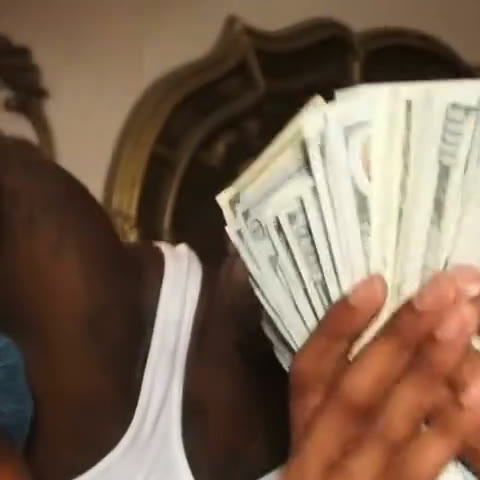
12s · 9:16 · 720p · original sound · ready in a few minutes
How it works
How to make a No I Ain’t Crazy YB AI video
Turn one portrait into a 12-second 38 Baby era edit in three steps for 320 credits.
Upload one front portrait
Drop a sharp, front-facing photo of one person into the User slot. Clear facial features, open eyes, and even lighting help Kling 4.0 preserve your likeness through the stylized transformation. Accepted formats are JPG, PNG, and WebP (300 px minimum per side, max 20 MB), and group photos can be cropped right in the uploader.
Generate with Kling 4.0
Confirm the 320-credit amount on Generate and start the task. Kling 4.0 reference-to-video follows the reference clip’s camera path, pacing, and lighting while styling your portrait into the gritty 38 Baby aesthetic with zero prompts required.
Play and download your 12s MP4
Your video finishes in a few minutes and keeps rendering in the background if you switch tabs or leave the page. Open My Work to watch the 720p vertical 9:16 MP4 with original synced sound and download it ready to post.
Photos: JPG, PNG, WebP, up to 20 MB.
Same category
More Transformation templates
 NEW220 CR
 NEW10 CR
 NEW320 CR
 NEW140 CR
 NEW220 CR
 NEW220 CR
 NEW140 CR
 NEW380 CR
 NEW270 CR
 NEW160 CR
 NEW160 CR
 NEW270 CR
Origin
Where the No I Ain’t Crazy YB trend comes from
Driven by NBA YoungBoy’s 2016 breakout mixtape track "38 Baby" and throwback rap edits.
A 2016 Baton Rouge classic turned AI transformation trend
The trend centers on the opening hook from NBA YoungBoy’s 2016 track "38 Baby," one of the signature songs from his early mixtape era that sparked millions of nostalgic lip-syncs, reaction clips, and throwback edits across short-form music feeds.
Creators turned the lyric into a portrait transformation format—taking everyday selfies and morphing them into raw, high-contrast 2016 music-video lighting, bold attitude, and street-mixtape framing timed tightly to the vocal cadence.
Consistent identity across 12 full seconds
Instead of a static single-frame filter, this template uses Kling 4.0 reference-to-video over a continuous 12-second sequence. Your distinct facial features stay anchored to your uploaded portrait while the lighting, camera motion, pacing, and attitude match the classic reference edit.
Everything is pre-configured for vertical 9:16 output at 720p resolution with the original synced audio merged automatically—so you upload one clean front-facing photo, press Generate, and download a ready-to-post MP4 from My Work.
Transformations
More hip-hop & street aesthetic templates
Try sibling music-era and attitude templates built with Kling 4.0.
 NEW400 CR
 HOT270 CR
 NEW380 CR
Related terms
Searches and styles behind this trend
Popular names fans use when hunting for the 38 Baby AI transformation.
38 Baby (2016) throwback aesthetic
Gritty, high-contrast mixtape lighting and candid handheld framing inspired by NBA YoungBoy’s breakout 2016 era and raw early video visuals that defined mid-2010s southern rap clips.
No I Ain’t Crazy portrait morph
Single-photo AI transformation edits that transition an ordinary front-facing selfie into stylized rap-video motion synced cleanly to the hook.
12-second vertical hip-hop edit
Formatted in clean 9:16 vertical framing at 720p with the original audio merged in so finished clips drop straight into shorts, reels, and group chats.
Single-photo throwback remix
Designed for solo portraits—whether you cast yourself, a sibling, or a friend who listens to 2016 mixtapes on repeat—turning one still snapshot into a dynamic 12-second music-video edit ready for vertical feeds.
Get viral
Ready-to-post captions and photo tips
Pair your 12-second transformation with clean captions and crisp portrait prep.
- “No I ain’t crazy — 2016 38 Baby mode activated.”
- “One selfie, twelve seconds of pure Baton Rouge throwback energy.”
- “When the 2016 mixtape era hits the AI timeline.”
- “Rate the 38 Baby transformation 1–10.”
- “POV: dropping one portrait into the 2016 vault.”
- Use a clear front-facing portrait with open eyes and unobstructed hair and jawline for the sharpest facial consistency.
- Even daylight or clean indoor lighting prevents harsh shadows from distorting facial contours during the transformation.
- If you only have a group photo, upload it and crop tightly to one person right inside the uploader.
Start creating
Ready to try the 38 Baby AI transformation?
Upload one portrait and generate your 12-second 720p MP4 for 320 credits.
FAQ
No I Ain't Crazy YB AI FAQ
What is the No I Ain’t Crazy YB AI trend?
It is a 12-second AI portrait transformation inspired by NBA YoungBoy’s 2016 breakout mixtape song "38 Baby." You upload one clear front-facing portrait, and Kling 4.0 transforms it into the gritty throwback hip-hop aesthetic with matching camera motion and pacing synced tightly to the track.
How many photos do I need to upload?
Just one clear portrait of one person in the User slot. Accepted formats are JPG, PNG, and WebP at least 300 pixels per side and up to 20 MB—no extra video clips, audio files, or written prompts are required.
What kind of portrait gives the strongest likeness?
A sharp, front-facing headshot or half-body portrait in even daylight or clean indoor lighting works best, with both eyes clearly visible and unobstructed facial contours. Group pictures can be cropped cleanly to one person right inside the uploader before generating.
How long is the generated video and what does it cost?
The finished video is 12 seconds long at 720p resolution in vertical 9:16 format and costs 320 credits per generation, shown right on the Generate button beforehand so you always know the exact credit cost before starting.
Is the 38 Baby audio included automatically?
Yes. SameVid merges the original 12-second audio track onto your generated MP4 automatically, keeping the output free of watermarks, third-party overlays, and burned-in subtitles so it posts cleanly.
How long does it take to render and what if a task fails?
Rendering usually takes a few minutes and continues running safely in the background even if you navigate away or close the browser tab. Your finished MP4 appears under My Work for replay and download, and charged credits return automatically if a task ever fails.
Keep scrolling
More viral AI video trends
 NEW380 CR
 NEW100–400 CR
 NEW100–400 CR
 NEW380 CR
 NEW320 CR
 NEW100–400 CR
 NEW380 CR
 NEW160 CR
 NEW400 CR
 NEW400 CR
 NEW350 CR
 NEW100–400 CR