
Transformation · New
Mexican Revolution AI Video Generator
Mexican Revolution AI turns 1 portrait into a 10s 1910s archival video in a sombrero and bandoliers. Get a 9:16 720p MP4 with audio saved in My Work for 270 credits.
Mexican Revolution AI · 10s · 9:16
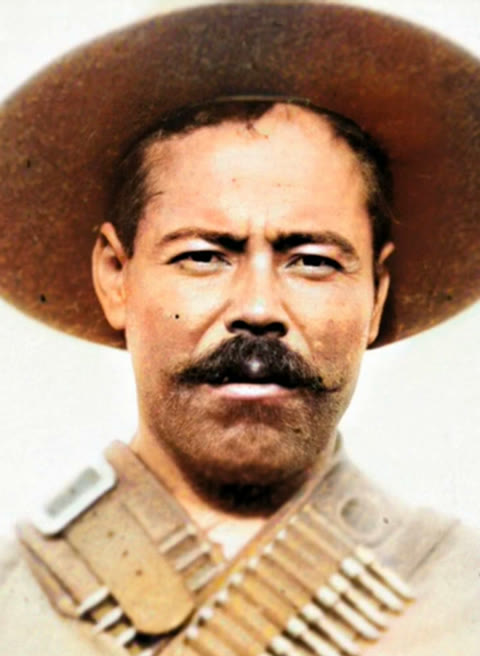
10s · 9:16 · 720p · original sound · ready in a few minutes
Examples
See how the Mexican Revolution AI archival revival plays out
Watch a 10-second 9:16 Mexican Revolution AI portrait shift from 1910s monochrome photography into warm archival color with lifelike blinking and gaze.
Mexican Revolution AI: 1910s Monochrome to Living Color Portrait
This 10-second vertical Mexican Revolution AI archival revival moves from crisp silver-gelatin monochrome into warm vintage colorization, a gentle zoom-in, natural blinking, and subtle head movement paired with the nostalgic soundtrack.
mexico_en_fotosSame category
More Transformation templates
 NEW220 CR
 NEW10 CR
 NEW320 CR
 NEW140 CR
 NEW220 CR
 NEW220 CR
 NEW140 CR
 NEW380 CR
 NEW270 CR
 NEW160 CR
 NEW160 CR
 NEW270 CR
Photo Tips
Photo tips for crisp Mexican Revolution AI results
Balanced lighting, open eyes, and natural headroom give Mexican Revolution AI clean detail across the sombrero and archival colorization.
- Choose a clear, front-facing or gentle three-quarter portrait with open eyes and even lighting so Mexican Revolution AI transfers your exact facial contours cleanly into both 1910s monochrome and warm color.
- Leave clear space above your crown and include your upper shoulders in frame so Mexican Revolution AI seats the wide-brimmed 1910s felt sombrero and crossed leather cartucheras naturally on your proportions.
- Upload either a modern color selfie or a scanned black-and-white family portrait—Mexican Revolution AI adapts both inputs smoothly into the silver-gelatin opening frame and colorized portrait finale.
- Keep sunglasses, caps, hands, or deep side shadows away from your eyes and jawline so Mexican Revolution AI renders crisp blinking, steady eye contact, and smooth head motion.
- Skip tightly cropped forehead snapshots or heavy blur so Mexican Revolution AI preserves realistic skin pores, sombrero felt texture, and leather bandolier detail at 720p.
Specs & Output
Mexican Revolution AI inputs, specs, and outputs
Upload one JPG, PNG, or WebP portrait (300 px to 5,999 px, max 20 MB) and let Mexican Revolution AI and Kling 4.0 handle the entire 10-second revival.
You upload
- 1 clear solo front or gentle three-quarter portrait (JPG, PNG, or WebP)
- 300 px to 5,999 px per side, up to 20 MB, aspect ratio under 2.5:1
- Both modern selfies and vintage black-and-white family photos accepted
- Zero prompt writing, masking, or external video editing required
You get
- One 10-second vertical 9:16 MP4 rendered natively at 720p HD (720 × 1280)
- Two-stage archival look: 1910s black-and-white portrait flowing into warm colorized motion
- Cleanly remuxed soundtrack layered over the finished silent render
- Saved directly inside My Work for instant replay, download, and sharing
| Photos Required | 1 solo front or three-quarter portrait |
|---|---|
| Model Pipeline | Kling 4.0 Keyframe-to-Video (locked first & last frame) |
| Duration | 10 seconds continuous portrait revival |
| Resolution & Ratio | 720p (720 × 1280) native 9:16 vertical MP4 |
| Audio Track | Original track remuxed onto the silent render |
| Credits & Pricing | 270 credits per 10s clip (15s = 400 credits proportional rate); 10 free signup credits |
| Delivery | Watermark-free MP4 saved in My Work |
| Credits | 270 per video, refunded if it fails |
Photos: JPG, PNG, WebP, up to 20 MB.
More Transformations
Explore templates like Mexican Revolution AI
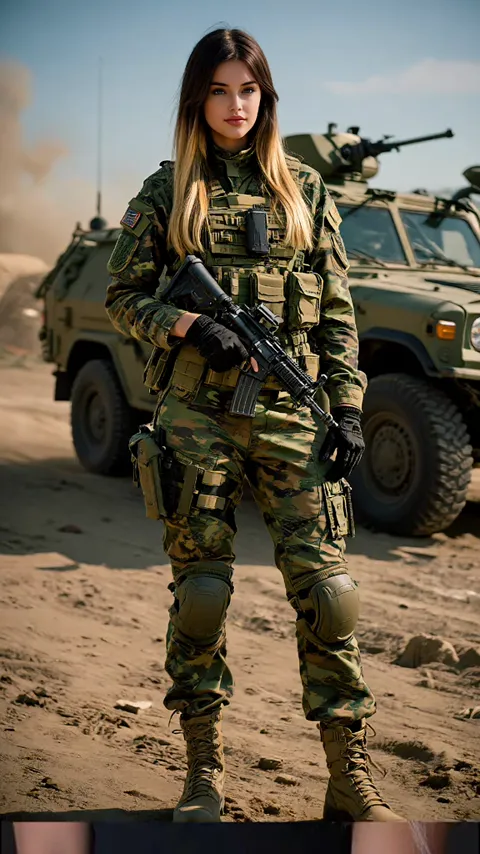
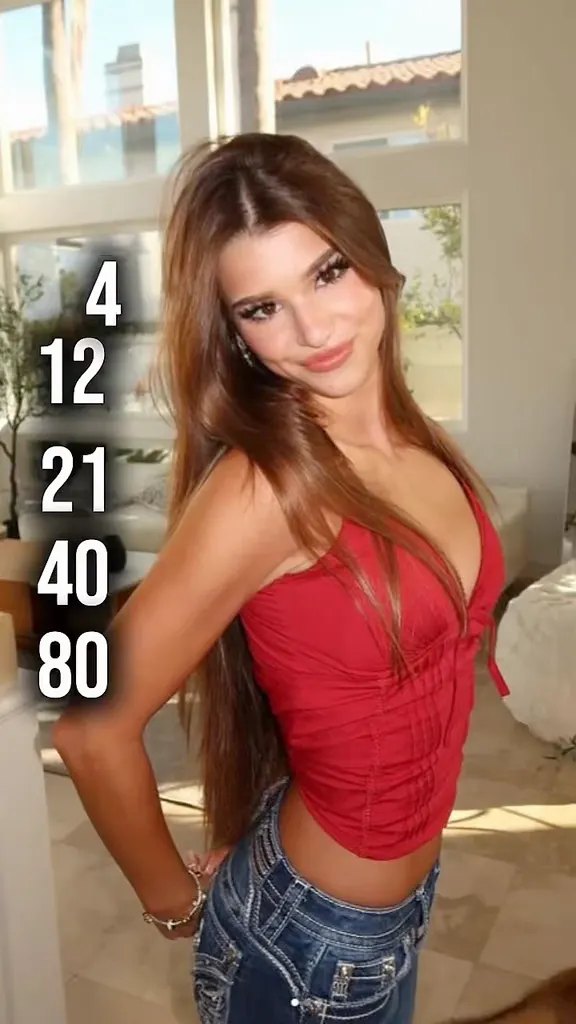
Pair Mexican Revolution AI with uniform swaps, aging filters, and dramatic portrait transformation templates on SameVid AI.
 NEW10 CR
 NEW50 CR
 NEW270 CR
 NEW270 CR
Who To Put In
Best people and photos for Mexican Revolution AI
Inspired by Día de la Revolución tributes and archival restorations, Mexican Revolution AI fits modern selfies and heritage albums alike.
Your Own 1910s Time-Travel Portrait
Step into classic 1910s archival photography with Mexican Revolution AI: appear in a wide-brimmed felt sombrero and crossed leather bandoliers as silver-gelatin monochrome blooms into living color.
Parents, Grandparents & Vintage Family Albums
Bring treasured monochrome or sepia family portraits back into gentle motion with Mexican Revolution AI for Día de la Revolución (20 de Noviembre) posts and multi-generational family keepsakes.
Friends, Classmates & Cultural Celebrations
Turn individual friend portraits into matching 1910s revolutionary and Adelita-inspired clips using Mexican Revolution AI for cultural showcases, festival reels, and group stories.
History Storytelling & Educational Reels
Create respectful, vivid historical portrait intros with Mexican Revolution AI for classroom timelines, documentary openings, and Casasola-era archival storytelling.
FAQ
Mexican Revolution AI FAQ
What is the Mexican Revolution AI Video Generator?
Mexican Revolution AI turns 1 front portrait photo into a 10-second vertical 9:16 720p MP4 inspired by 1910s Mexican Revolution archival portraits. Your likeness appears in a monochrome photograph wearing a wide-brimmed sombrero and crossed bandoliers before colorizing smoothly and coming alive with natural blinking and subtle head motion—browse more styles across our Transformation AI templates and Festival AI templates.
How does Mexican Revolution AI keep my real face recognizable?
Mexican Revolution AI uses a Kling 4.0 Keyframe-to-Video pipeline that locks your real eyes, eyebrows, nose, mouth, and facial proportions into two custom keyframes—starting in 1910s silver-gelatin monochrome and finishing in warm archival color—before interpolating 10 seconds of smooth portrait motion.
Can I upload an old black-and-white family photo in Mexican Revolution AI?
Mexican Revolution AI accepts both scanned black-and-white family photographs and modern color selfies. Upload a clear JPG, PNG, or WebP portrait between 300 px and 5,999 px per side (up to 20 MB) with open eyes and unobstructed facial features for crisp animation.
Where did the Mexican Revolution AI revival trend come from?
Mexican Revolution AI draws from annual Día de la Revolución (November 20) tributes and historical film colorizations such as Gaceta UNAM’s report on the Adelita AI restoration project, alongside popular archival revivals like the Mexican Revolution portrait showcase on YouTube.
How is Mexican Revolution AI different from AI Army Soldier or AI Aging Video Filter?
Mexican Revolution AI requires zero prompt writing and focuses specifically on 1910s monochrome-to-color revolutionary portrait revival with a sombrero and cartucheras, whereas AI Army Soldier swaps your portrait into modern combat gear and AI Aging Video Filter steps one face through multiple age milestones.
How many credits does Mexican Revolution AI cost, and what if a render fails?
Mexican Revolution AI costs 270 credits per 10-second 720p clip, scaled proportionally from the 15-second = 400 credits rate on SameVid AI pricing. New accounts start with 10 free credits, credit packs stay valid indefinitely, and failed renders refund 270 credits automatically.
What video format, resolution, and audio does Mexican Revolution AI deliver?
Mexican Revolution AI delivers a watermark-free 720p (720 × 1280) 9:16 vertical MP4 without artificial upscaling, with the soundtrack cleanly remuxed onto the silent Kling 4.0 render in My Work. The top example player displays the curated reference clip while AI video models lists our full generation stack.
Keep scrolling
More viral AI video trends
NEW10 CRNEW50 CR NEW20 CRNEW270 CRNEW270 CR
 NEW400 CR
 NEW380 CR
 NEW100–400 CR
 NEW100–400 CR
 NEW380 CR
 NEW320 CR
 NEW100–400 CR