
Transformation · New
Lego Minifigure AI Video Generator
Upload one clear portrait to turn yourself into a glossy Lego Minifigure AI collectible standing on a brick baseplate. Get a 6-second 720p vertical MP4 with original audio for 160 credits.
Lego Minifigure AI · 6s · 9:16
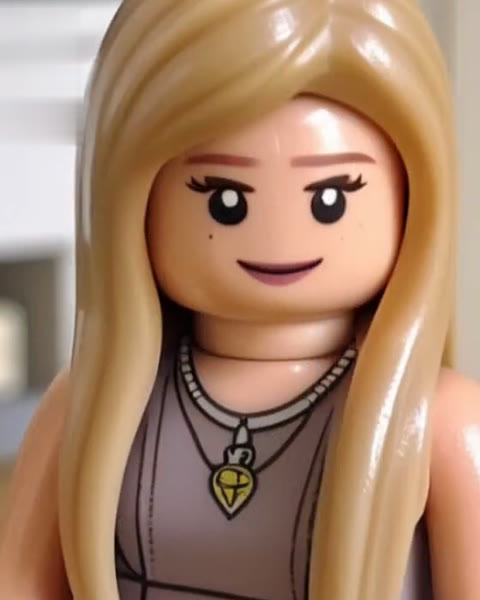
6s · 9:16 · 720p · original sound · ready in a few minutes
Also called
Other names for the Lego Minifigure AI trend
Social creators and toy fans search several terms for the Lego Minifigure AI transformation trend. Each phrase describes the same brick-character reveal.
LEGO AI filter
Short-video creators commonly refer to the effect as the LEGO AI filter when transforming everyday portraits, outfits, and accessories into glossy plastic toy figures.
Turn yourself into a LEGO minifigure
Profile-picture makers and gift creators search this phrase when converting a solo selfie or full-body snapshot into a recognizable miniature brick character.
AI action figure & toy-box minifigure
Following the viral collectible action-figure wave, fans pair Lego Minifigure AI studio renders with toy-packaging themes, matching props, and short reveal reels.
Brick-built stop-motion avatar
Motion editors use this term for Lego Minifigure AI clips that animate the finished plastic figure on a studded baseplate with a friendly wave and studio lighting.
Same category
More Transformation templates
 NEW220 CR
 NEW10 CR
 NEW320 CR
 NEW140 CR
 NEW220 CR
 NEW220 CR
 NEW140 CR
 NEW380 CR
 NEW270 CR
 NEW160 CR
 NEW160 CR
 NEW270 CR
Photo tips
How to pick a portrait for Lego Minifigure AI
Printed minifigure faces rely on distinctive hair, eyewear, and bold outfits. Use a sharp JPG, PNG, or WebP photo up to 10 MB for a clean likeness.
- Upload a well-lit front-facing portrait or waist-up photo so Lego Minifigure AI clearly reads your hairstyle silhouette, eye spacing, and facial expression.
- Wear distinct outfit colors, jackets, glasses, hats, or carry a simple everyday prop like a coffee cup or backpack that translates neatly onto a miniature torso.
- Stand centered against a tidy wall, outdoor street, or bright room so the subject silhouette separates cleanly during the studio baseplate transformation.
- Use even daylight or clean indoor lighting instead of heavy backlighting so hair color, eyebrow shape, and clothing patterns stay crisp across every frame.
- Pick a single-person snapshot with your head and shoulders unobstructed so Lego Minifigure AI maps every detail directly onto one collectible figure.
- Keep eyes clearly visible and uncovered when possible so the printed minifigure smile and expressive dot eyes mirror your real portrait naturally.
The scene
How the 6-second Lego Minifigure AI transformation unfolds
Every Lego Minifigure AI clip follows a 6-second studio transformation arc from your real portrait to a finished glossy plastic figure.
0.0s – 2.0s · Real portrait opens the reveal
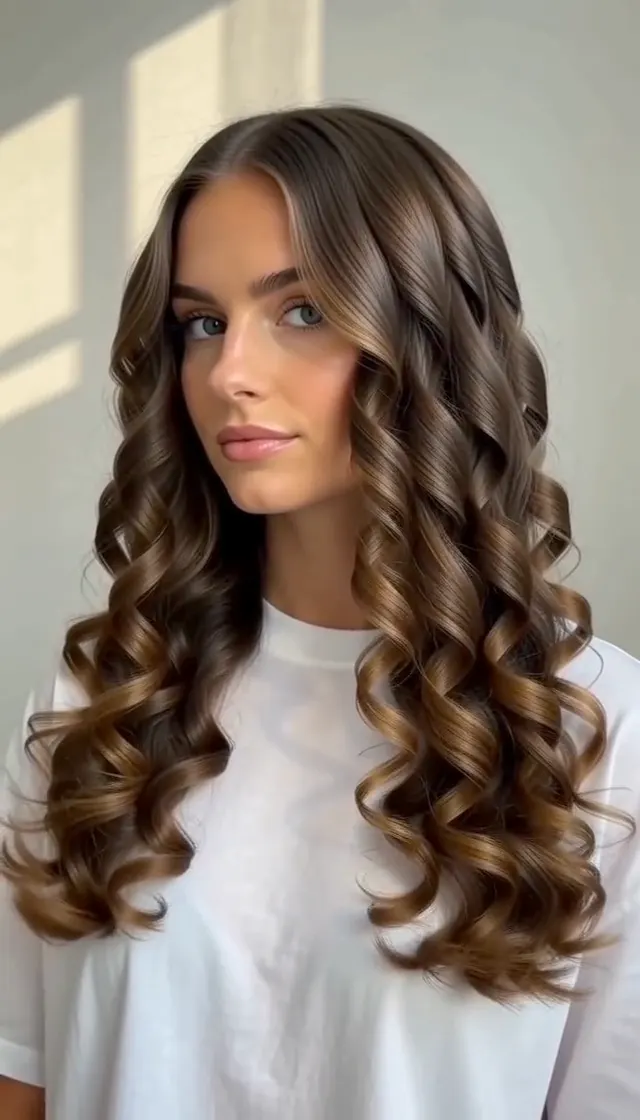
Your Lego Minifigure AI video starts on a clean studio portrait built from your uploaded photo. Viewers recognize your real face, hairstyle, glasses, and outfit colors immediately before the toy transformation begins.
2.0s – 4.2s · Smooth wipe into glossy ABS plastic
Across two seconds, proportions smoothly stylize into a cylindrical minifigure head, molded plastic hairpiece, blocky printed torso, C-shaped clip hands, and rigid two-piece legs locking onto a studded black brick baseplate.
4.2s – 6.0s · Studio showcase & friendly wave
In the final showcase beat, your completed Lego Minifigure AI collectible stands upright under soft diffused studio daylight with realistic plastic reflections, turning its head slightly and offering a cheerful C-hand wave.
Who to put in
Best portraits to turn into a Lego Minifigure AI video
Any clear front-facing portrait transforms cleanly into a custom Lego Minifigure AI collectible ready for profile reels, avatars, and gift clips.
Your favorite selfie or profile picture
Refresh your social feed or Discord avatar with an animated Lego Minifigure AI portrait that keeps your exact curls, bangs, glasses frame, and signature hoodie or blazer.
Birthday and graduation surprise clips
Turn a friend’s milestone photo—complete with a graduation gown, party jacket, or favorite cap—into a 6-second collectible brick reveal clip they can share immediately.
Hobby, career, and uniform portraits
Upload a sharp photo in chef whites, scrubs, a lab coat, cycling gear, or concert attire. Bold uniform colors and signature hats translate cleanly onto glossy miniature plastic.
Creators building channel hooks and intros
Drop a clean creator headshot into Lego Minifigure AI to generate a punchy 6-second vertical toy transformation hook for storytime intros, gaming channels, or merch announcements.
How it works
Create your Lego Minifigure AI video in three steps
Skip manual prompt tweaking and external editors. Upload one JPG, PNG, or WebP photo up to 10 MB to render your 6-second Lego Minifigure AI video.
Upload one front-facing portrait
Select one sharp JPG, PNG, or WebP portrait up to 10 MB with clear hair, facial features, and clothing colors. Centered framing from chest-up or full-body works best for Lego Minifigure AI.
Generate locked keyframes and Kling 4.0 motion
Press Generate to synthesize your matching opening portrait and glossy plastic brick-minifigure end frame automatically, then let Kling 4.0 animate the smooth 6-second transformation in 720p.
Download your 9:16 MP4 with audio
SameVid merges the trend soundtrack onto your finished Lego Minifigure AI clip and saves a ready-to-share 6-second vertical 9:16 MP4 right inside My Work.
Photos: JPG, PNG, WebP, up to 20 MB.
Specs
What goes in and what comes out of Lego Minifigure AI
One uploaded portrait renders a 6-second vertical Lego Minifigure AI showcase video in 720p MP4 with original audio for 160 credits.
You upload
- 1 front-facing solo portrait or full-body photo with clear hair and outfit details
- Even daylight or clean studio lighting with an uncluttered backdrop
- One JPG, PNG, or WebP image file up to 10 MB
You get
- 1 custom glossy ABS plastic minifigure matched to your hair, glasses, and outfit
- Smooth 6-second Kling 4.0 keyframe-to-video reveal on a studded brick baseplate
- 720p vertical 9:16 MP4 video finished with original trend audio
| Photos | 1 |
|---|---|
| Model | Kling 4.0 (Keyframe-to-Video) |
| Duration | 6 seconds |
| Picture | 720p, 9:16 |
| Audio | Original trend audio |
| File | MP4 |
| Credits | 160 per video, refunded if it fails |
Ready to create your Lego Minifigure AI video?
Upload one portrait and render your 6-second 720p Lego Minifigure AI transformation video with original audio for 160 credits.
FAQ
Lego Minifigure AI FAQ
How does the Lego Minifigure AI video generator work?
Lego Minifigure AI turns one photo into a 6-second 720p vertical brick transformation video using Kling 4.0 and original audio for 160 credits. SameVid builds identity-locked portrait and minifigure keyframes automatically, then animates the transition.
How many photos do I need to upload for Lego Minifigure AI?
You only need one clear solo photo (JPG, PNG, or WebP up to 10 MB) for Lego Minifigure AI. To transform two people side by side inside a display box, use Lego Couple AI built specifically for pairs.
Which photo features make the minifigure look most like me?
Hairstyle silhouette, hair color, glasses frames, facial hair, hats, and bold outfit colors give Lego Minifigure AI the strongest visual cues. Front-facing portraits in even daylight produce the sharpest printed eyes, smile, and torso details.
Do I need to write any prompts or install an editing app?
Lego Minifigure AI handles keyframe generation, Kling 4.0 animation, and audio merging automatically—zero prompt writing or editing apps needed. Browse more styles under AI Transformation Templates or 80s Portrait AI.
What resolution, aspect ratio, and length does the video output?
Every Lego Minifigure AI render outputs a 6-second vertical 9:16 MP4 at 720p resolution with original trend audio merged onto the finished clip, ready to share on vertical video feeds or save as an animated avatar.
How many credits does one Lego Minifigure AI video cost?
One 6-second 720p Lego Minifigure AI video costs 160 credits, priced linearly from our 15-second 400-credit benchmark. View credit packs on SameVid pricing—failed tasks automatically refund your credits.
What is the preview video shown at the top of the page?
The top player previews the 6-second Lego Minifigure AI transformation format and timing. Uploading your own front-facing photo generates a brand-new 6-second 720p Lego Minifigure AI video featuring your hairstyle, eyewear, and outfit.
Keep scrolling
More viral AI video trends
 NEW220 CR
 NEW10 CR
 NEW140 CR
 NEW10 CR
 NEW30 CR
 NEW20 CR
 NEW10 CR
 NEW140 CR
 NEW380 CR
 NEW100–400 CR
 NEW100–400 CR
 NEW380 CR