
Effects · New
Hanuman AI Video Generator
Upload one clear half- or full-body photo to step into a serene 10-second Hanuman AI night-garden prayer and golden-light blessing video. Rendered at 720p in 16:9 with synchronized audio for 270 credits, with built-in scene direction.
Hanuman AI · 10s · 16:9
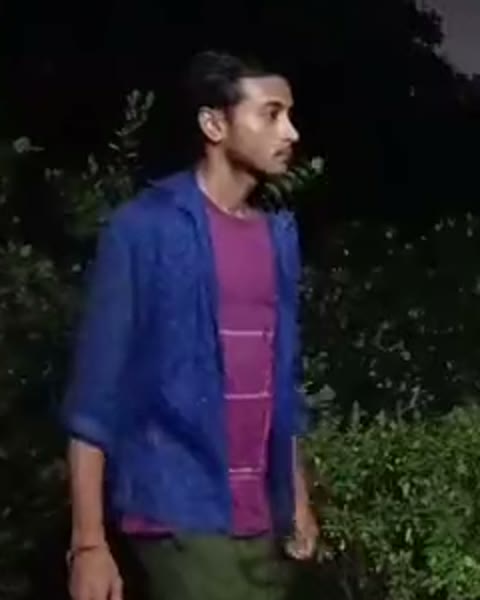
10s · 16:9 · 720p · original sound · ready in a few minutes
The scene
How the 10-Second Hanuman AI Blessing Scene Unfolds
Every Hanuman AI clip follows a calm four-beat sequence focused on respectful devotion and warm golden light.
0.0–1.5 s · Entering the Moonlit Garden
Your subject steps quietly onto a stone garden path lined with dark evening greenery and a small shrine pillar in the background, keeping your photo’s natural hairstyle and clothing intact.
1.5–5.5 s · Kneeling in Quiet Prayer
The figure pauses on the walkway, lowers gracefully onto one knee in three-quarter profile, bows slightly, and brings both palms together at chest height in peaceful prayer.
5.5–6.3 s · The Golden Flash Reveal
A warm amber light blooms across the garden foliage as luminous golden sparks begin rising around the kneeling devotee.
6.3–10.0 s · Hanuman Ji’s Blessing
Hanuman Ji appears on the right in flowing crimson sashes and holding a golden mace (gada), extending his right hand gently above the devotee’s bowed head while golden particles drift smoothly to the end.
Same category
More Effects templates
 NEW220 CR
 NEW10 CR
 NEW320 CR
 NEW380 CR
 NEW140 CR
 NEW220 CR
 NEW140 CR
 NEW270 CR
 NEW160 CR
 NEW160 CR
 NEW400 CR
 NEW10 CR
Photo tips
How to Choose the Best Photo for Hanuman AI
A clear solo photo with balanced light helps Hanuman AI preserve your face, hair, and outfit smoothly.
- Choose a clear half-body or full-body front-facing portrait of one adult so the model captures both facial identity and natural standing posture cleanly.
- Wear whatever outfit you want to appear in the garden—traditional attire such as a kurta or saree, as well as clean solid-color everyday clothes, blend naturally with the golden glow.
- Pick a photo shot in even, unobstructed lighting with your eyes, eyebrows, and face fully visible from forehead to chin.
- Heavy sunglasses, wide hats, busy group crowds, or extreme beauty filters tend to soften likeness once the camera steps back into the wider night garden.
- Very tight passport crops trim off shoulders and sleeves, giving the model less context for how your outfit should flow when kneeling in prayer.
How it works
How to Create Your Hanuman AI Video in Three Steps
Turn a single photo into a finished 10-second Hanuman AI blessing clip—upload JPG, PNG, or WebP images up to 20 MB.
Upload one clear solo photo
Select a well-lit half-body or full-body photo of yourself or an adult family member who has agreed to appear in the video. Every motion cue and lighting transition is pre-configured for you.
Generate with Kling 4.0
Click Generate to run Kling 4.0 reference-to-video at 720p. Your photo drives only the devotee role on the garden path while the moonlit setting, 5.5-second golden flash, and Hanuman Ji’s blessing stance stay faithful to the reference.
Download your Hanuman AI MP4 with audio
When rendering finishes in a few minutes, download your clean 16:9 MP4 complete with the matching soundtrack already mixed onto the clip, or add your favorite bhajan inside your social editor.
Photos: JPG, PNG, WebP, up to 20 MB.
Ready to post
Hanuman AI Devotional Captions & Tags Ready to Share
Pair your finished Hanuman AI blessing clip with respectful captions and Bhakti hashtags for Reels or Shorts.
- “Jai Bajrang Bali. Grateful for strength, calm, and protection every single day.”
- “In moments of quiet prayer, faith always finds a way to shine through. Jai Shree Hanuman.”
- “Tuesday and Saturday blessings—wishing peace and courage to everyone watching.”
- “Sankat Mochan Hanuman Ji ki jai. Carrying positive energy into the week ahead.”
- “When devotion meets calm light: a personal Hanuman AI blessing clip made from one photo.”
- Popular hashtags across devotional clips include #HanumanJi, #JaiHanuman, #BajrangBali, #JaiShreeRam, #HanumanChalisa, and #Bhakti.
- Enable the platform AI-generated content label when sharing devotional edits so viewers clearly understand the creative format.
- Keep on-screen text understated so the golden-light reveal and respectful blessing gesture remain the visual centerpiece.
Origin
Where the Hanuman AI Trend Came From
How Hanuman AI grew from early devotional status artwork into single-photo blessing reels.
Early Devotional AI Edits & Mythic Status Clips
Short devotional Hanuman Ji clips have circulated across YouTube Shorts, Instagram Reels, and TikTok since 2024, starting with AI-generated temple artwork layered with devotional songs like the Hanuman Chalisa. Fitness enthusiasts and spiritual creators also popularized "Bajrangbali" protection edits symbolizing inner strength and discipline.
Alongside peaceful status reels, viral AI curiosity clips featuring monkeys around temple statues sparked widespread conversation online—showing how strongly audiences respond to respectful, grounded devotional storytelling.
The November 2026 Night-Garden Blessing Format
In November 2026, a viral night-garden prayer reel popularized the specific single-shot Hanuman AI format featured here: a lone devotee walks down a quiet path, kneels with folded hands, and is joined after a golden flash by Hanuman Ji offering a gentle blessing.
Creators quickly turned that structure into a one-photo format—often searched under phrases like "Hanuman Ji AI video", "Hanuman Ji blessing AI", and "Hanuman Ji ke sath AI video"—letting anyone step into the praying devotee role while preserving the reverent mood.
Variants
More Mythic & Cinematic Templates Like Hanuman AI
Explore other atmospheric, festival, and cultural tribute templates alongside Hanuman AI on SameVid.
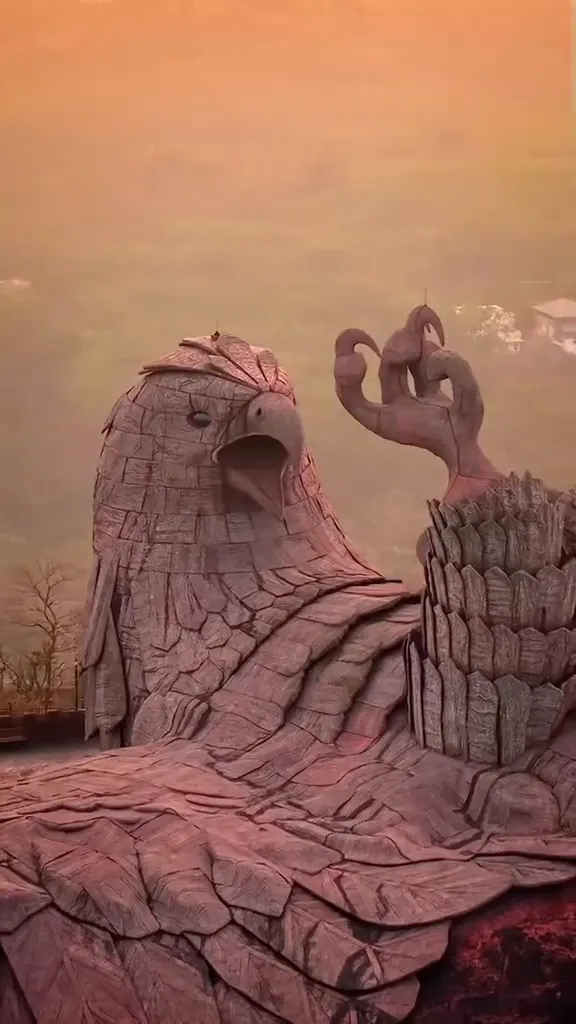 NEW300 CR
 NEW400 CR
 NEW400 CR
 NEW320 CR
FAQ
Hanuman AI FAQ
What does the Hanuman AI video template create?
Hanuman AI places one clear photo of you into a 10-second, 16:9 night-garden prayer scene: you walk along a moonlit walkway, kneel with folded hands, and receive a warm golden-light blessing as Hanuman Ji appears beside you.
Will my clothing and hairstyle stay the same in Hanuman AI?
Yes. Kling 4.0 preserves your recognizable facial features, hairstyle, and natural clothing from the uploaded photo—traditional kurtas, sarees, and clean everyday outfits all carry smoothly into the garden scene.
Does the Hanuman AI template change or restyle Hanuman Ji?
Only the kneeling devotee on the left side of the path comes from your photo. Hanuman Ji’s appearance, red flowing sashes, golden mace (gada), and respectful blessing posture stay consistent with the reference scene, similar in cultural care to our Jatayu Indian Mythology AI Video template.
What resolution, length, and credits does Hanuman AI use?
Each Hanuman AI generation produces a 10-second, 720p 16:9 MP4 for 270 credits—priced proportionally from our 15-second (400-credit) rate on the pricing page. If a render ever stalls or times out, credits are returned automatically.
Does the finished Hanuman AI video include sound?
Yes. The delivered MP4 merges the reference audio track onto the finished clip so you can post it immediately, or mute and pair it with your preferred Hanuman Chalisa or bhajan audio inside your social app.
Can I use a photo of a friend or family member in Hanuman AI?
Yes, as long as it is a clear solo portrait of an adult who has agreed to be included. For the cleanest likeness, pick an evenly lit front-facing half-body or full-body photo, or browse all AI video templates for multi-person scenes.
Keep scrolling
More viral AI video trends
NEW300 CRNEW400 CRNEW400 CRNEW320 CR NEW380 CR
 NEW100–400 CR
 NEW100–400 CR
 NEW220 CR
 NEW320 CR
 NEW100–400 CR
 NEW380 CR
 NEW160 CR