
GTA 6 · New
PS2 Heist Interview AI Video Generator
Cast one to three friends in a retro PS2 heist crew job interview that turns into getaway chaos and a photorealistic firing twist. Renders a 15-second 720p MP4 with audio for 400 credits.
PS2 Heist Interview AI · 15s · 9:16
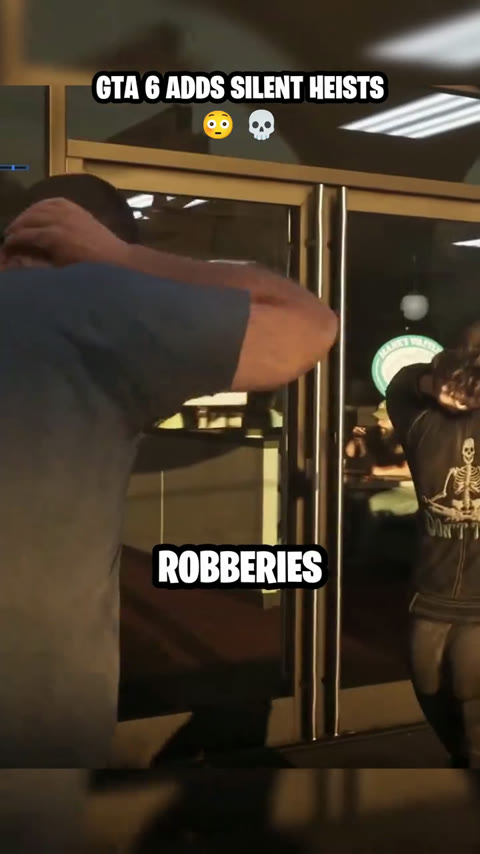
15s · 9:16 · 720p · original sound · ready in a few minutes
Story beats
How the 15-second PS2 heist interview plays out
Three escalating 5-second acts turn a corporate HR interview into classic console heist comedy.
0–5s: Low-poly HR interview
The clip opens inside a stiff corporate interview room rendered with nostalgic early-2000s console lighting and blocky character posture as your candidates sit across from the desk and answer HR questions.
5–10s: Sudden heist chaos
Mid-pitch, the polite job interview snaps into full-blown retro heist mayhem—rapid camera cuts, getaway energy, and classic console cutscene pacing as the crew springs into action.
10–15s: Photorealistic firing twist
Right at the climax, the scene lands a deadpan twist where the boss cuts the crew loose in crisp photorealistic contrast, synced tightly to the original 15-second comedic audio.
Same category
More GTA 6 templates
 NEW380 CR
 NEW380 CR
 NEW160 CR
 NEW140 CR
 NEW400 CR
 NEW270 CR
 NEW270 CR
 NEW400 CR
 NEW270 CR
 NEW400 CR
 NEW300 CR
 NEW220 CR
Ready to post
Ready-to-post captions for your heist crew
Pair your 15-second retro parody with one of these punchy captions.
- “When HR asks "where do you see yourself in five years?" and the squad answers honestly.”
- “Three candidates, zero qualifications, 100% PS2 cutscene energy.”
- “Got fired before onboarding even finished—worth it for the getaway.”
- “Our group chat trying to pass a normal job interview together.”
- “Low-poly resume, high-stakes exit strategy.”
- Tag the friends you cast as Candidate 1, Candidate 2, and Candidate 3 so everyone spots themselves in the interview and getaway cuts.
- Keep the original synced audio switched on—the comedic jump between the HR dialogue and the firing twist hits right on the audio beat.
Photo tips
Photo tips for your heist candidates
Upload 1 to 3 clear portraits—every role slot is optional as long as you fill at least one.
- Use front-facing portraits with clear eyes and even lighting for each candidate you want to cast (JPG, PNG, or WebP, at least 300 px per side, up to 20 MB).
- Upload different people with distinct hairstyles, facial hair, or outfits across Candidate 1, 2, and 3 so each crew member stays instantly recognizable during the rapid heist cuts.
- Only have one or two photos? Leave the remaining candidate slots empty and those roles stay from the reference clip automatically.
- Heavy sunglasses, hoods covering the forehead, or extreme side angles reduce facial recognition when transitioning into retro console styling.
- Blurry night-out screenshots or multi-person group photos (crop tightly to a single face right inside the uploader before generating).
How it works
How to cast your PS2 heist crew
Add 1 to 3 candidate photos and let Kling 4.0 build the 15-second parody for 400 credits.
Pick 1 to 3 candidate photos
Each of the three Heist Candidate slots is optional, with a minimum of one photo total. Fill all three for a full squad video, or cast just one or two friends while the reference crew fills the remaining seats automatically.
Start the 15-second generation
Check the 400-credit quote on the Generate button and start the task. Kling 4.0 reference-to-video tracks the camera path, three-act pacing, and retro console-to-realism shift automatically with zero prompts required.
Play and download from My Work
Tasks typically finish within a few minutes and continue running in the background if you switch tabs. Open My Work to watch your 720p vertical 9:16 MP4 with original synced sound and download it.
Photos: JPG, PNG, WebP, up to 20 MB.
Credits
What a PS2 Heist Interview video costs
One 15-second 720p vertical video costs 400 credits whether you upload 1, 2, or 3 candidate photos.
- Basic$9.90400 credits1 video
- Growth$19.90850 credits2 videos
- Most PopularPro$39.901,800 credits4 videos
- Studio$99.904,800 credits12 videos
- Max$299.9015,000 credits37 videos
Also called
Why people love the PS2 interview meme
Searches and comedy formats connected to retro console cutscene parodies.
PS2 filter and cutscene parodies
Creators contrast stiff early-2000s polygonal character animations with absurdly polite corporate dialogue before snapping into sudden action, making even mundane office humor feel like an iconic throwback mission.
Heist crew job interview skits
Three-person comedy templates where each friend gets a distinct seat at the HR table before things go sideways in classic crime-game fashion—ideal for squad group chats and workplace banter.
Low-poly to photorealistic twist
The visual punchline that flips nostalgic console textures into sharp modern realism right when the boss drops the firing verdict at the 10-second mark, landing a sharp contrast with the opening interview.
Optional multi-candidate casting
Unlike rigid templates that force an exact group count, every candidate slot here stays optional from one to three portraits so you can star solo or cast the whole crew.
FAQ
PS2 Heist Interview AI FAQ
Do I have to upload all three candidate photos?
You can upload 1, 2, or 3 photos depending on how many friends you want to cast. Every candidate slot is optional as long as at least one photo is added—any empty slot keeps its original character from the reference clip.
Does uploading 3 photos cost more credits than uploading 1?
The credit cost is based strictly on the 15-second 720p output length, so every PS2 Heist Interview AI video costs 400 credits regardless of whether you upload one, two, or three candidate portraits.
What are the output specs and audio setup?
You receive a 15-second vertical 9:16 MP4 at 720p resolution with the original synced audio track merged in cleanly and zero watermarks or burned-in subtitles.
What happens across the 15-second story?
The clip runs across three 5-second beats: a corporate HR job interview in PS2 styling (0–5s), a sudden chaotic heist sequence (5–10s), and a comedic firing twist in crisp photorealism (10–15s).
What photo formats and sizes work best?
Upload clear, front-facing portraits in JPG, PNG, or WebP format, at least 300 pixels per side and up to 20 MB each. Group shots can be cropped to one face right inside the uploader.
How long does rendering take and what if a task fails?
Rendering usually takes a few minutes and keeps running even if you leave the page. Your finished video appears in My Work, and charged credits return automatically if a task ever fails.
Keep scrolling
More viral AI video trends
 NEW350 CR
 NEW220 CR
 NEW380 CR
 NEW10 CR
 NEW320 CR
 NEW100–400 CR
 NEW100–400 CR
 NEW140 CR
 NEW220 CR
 NEW220 CR
 NEW320 CR
 NEW100–400 CR