
Effects · New
Portrait Prompt AI Video Generator
Turn one photo into an 11-second Portrait Prompt AI studio slideshow with four moody warm-lit editorial poses, 720p vertical 9:16 framing, and the source sound—with structured lighting direction built right in. 40 credits.
Portrait Prompt AI · 11s · 9:16
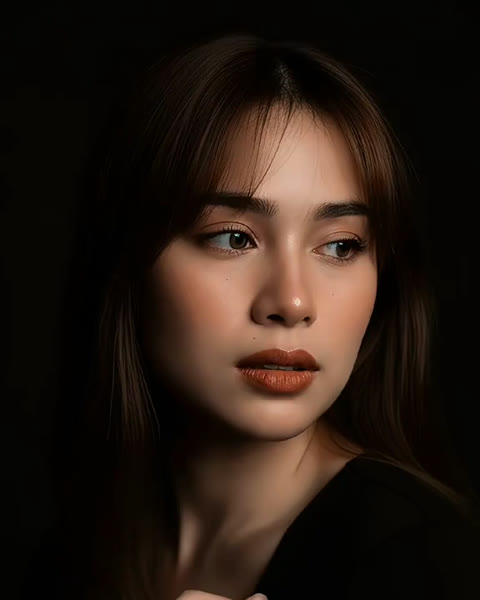
11s · 9:16 · 720p · source sound · ready in a few minutes
Preview clip: @aishalinaire94 on TikTok
Ready to post
Captions for your Portrait Prompt AI slideshow
Short lines inspired by viral Portrait Prompt AI editorial posts, ready to pair with your finished 11-second studio video.
- “Tried the Portrait Prompt AI studio trend with one selfie and loved the lighting.”
- “Just ran a Portrait Prompt AI shoot out of curiosity and the shadows turned out unreal.”
- “Four editorial angles, one photo, zero studio booking.”
- “Dark backdrop, warm key light, Portrait Prompt AI magazine mood.”
- “Steal this Portrait Prompt AI studio look for your next profile refresh.”
- “When one casual photo turns into a full dark-room portrait series.”
- “Soft beam of light, pure black backdrop, quiet cinematic energy.”
- Keep your caption brief so viewers focus on the Portrait Prompt AI lighting shifts between all four poses.
- Pin the finished slideshow or save a still from your Portrait Prompt AI clip as a matching profile picture.
- The source sound is merged into the MP4 automatically, ready for immediate posting.
Same category
More Effects templates
 NEW220 CR
 NEW10 CR
 NEW320 CR
 NEW380 CR
 NEW140 CR
 NEW220 CR
 NEW140 CR
 NEW270 CR
 NEW160 CR
 NEW160 CR
 NEW400 CR
 NEW10 CR
Photo guide
Best photo setup for Portrait Prompt AI
One clear portrait supplies your facial structure, skin tone, eyes, and hairstyle across all four Portrait Prompt AI dark-studio poses.
- Choose a sharp solo photo where your full face, eyes, and natural hairline sit clearly in the frame. Even daylight or soft indoor light lets the Portrait Prompt AI studio key light sculpt realistic highlights across your cheekbones and jawline.
- Use a front-facing or gentle three-quarter angle with a calm, relaxed expression. Subtle expressions translate smoothly into all four Portrait Prompt AI poses—over-the-shoulder glance, collar adjustment, tilted profile, and reflective close-up.
- Pick a recent photo with natural skin texture and clean detail. Preserving real pores, brow shape, and eye catchlights keeps every Portrait Prompt AI frame looking like genuine 85mm studio photography.
- Leave a little breathing room around your head and shoulders. That framing gives the Portrait Prompt AI generator space to style dark minimalist wardrobe tones that blend seamlessly into the pure black studio backdrop.
- Bring a crisp headshot or chest-up selfie taken at eye level. Consistent eye-level geometry helps all four Portrait Prompt AI slides feel captured during one cohesive photography session.
- Select a portrait with your hair styled the way you want it remembered. Soft strands and natural volume catch the warm side light beautifully in the high-contrast Portrait Prompt AI dark-room setup.
Input and output
What you get with Portrait Prompt AI
Your single photo supplies the face while Portrait Prompt AI directs all four editorial poses, warm studio lights, and timed transitions.
You upload
- One JPG, PNG, or WebP portrait photo of a single person
- A front-facing or three-quarter face with even lighting and clear features
- Your natural facial proportions, skin tone, and hairstyle locked across every Portrait Prompt AI slide
You get
- Four distinct Portrait Prompt AI dark-studio editorial portraits crafted from one photo
- High-contrast warm key lighting, pure black backdrop, and crisp 85mm lens depth
- Smooth cross-frame pacing across an 11-second vertical 9:16 MP4 at 720p
- The original source sound merged directly into the finished video file
| Photos | 1 |
|---|---|
| Model | Seedream 5.0 Flash |
| Scenes | 4 studio portraits |
| Duration | 11 seconds |
| Picture | 720p · 9:16 |
| Audio | Source sound merged in |
| File | MP4 |
| Credits | 40 per video, refunded if it fails |
Make it yours
Who shines in the Portrait Prompt AI look
Dark minimalist backdrops and directional warm light flatter every solo subject, from everyday selfies to creative portfolio portraits.
Yourself for a profile refresh
Upgrade a casual phone selfie into four cohesive magazine-style portraits with Portrait Prompt AI. Post the 11-second slideshow to vertical feeds and keep favorite frames for bios, music profiles, or portfolio headers.
A friend on their birthday
Turn a favorite candid shot of a close friend into a sleek Portrait Prompt AI editorial series. Warm cinematic light and quiet pacing make it feel like a custom studio shoot.
Creators and musicians
Build a moody Portrait Prompt AI visual teaser or cover loop in minutes. Four matching poses with consistent dark wardrobe and lighting give announcements an art-directed look.
Models and stylists testing concepts
Preview how a face reads under dramatic top-left studio key light and pure black negative space using Portrait Prompt AI before booking a studio session or finalizing a lookbook moodboard.
Trend background
How the Portrait Prompt AI trend grew across social feeds
The Portrait Prompt AI wave grew out of single-photo facial reference models that turned photography recipes into instant studio shoots.
From multi-photo avatar apps to one-selfie studio prompts
Earlier AI avatar waves required uploading ten to twenty selfies for closed filter packs. Starting in 2025, native single-image reference editing made it possible to keep exact facial proportions from one everyday photo while rebuilding lens depth, wardrobe, and studio shadows through structured photography prompts, as covered by Mashable and Tom’s Guide.
Creators quickly turned those prompts into viral dark-studio lookbooks—high-contrast black-and-white magazine covers, warm directional key-light portraits, and minimalist multi-pose Portrait Prompt AI slideshows shared under #portraitprompt on TikTok.
Why four coordinated studio angles work better than one still
Instead of pasting lengthy camera instructions repeatedly and editing slides by hand, this Portrait Prompt AI template packages four complementary dark-room poses—an over-the-shoulder glance, a poised hand-at-collar frame, a softly tilted side-lit profile, and a quiet introspective close-up—into one synchronized 11-second vertical clip.
How it works
How to make a Portrait Prompt AI video
Go from one everyday photo to a four-pose Portrait Prompt AI studio slideshow in three quick steps, with every lighting cue pre-tuned.
Upload one clear portrait photo
Drop a single JPG, PNG, or WebP photo (up to 10 MB) into the You slot. A clear front-facing or three-quarter portrait gives Seedream 5.0 Flash an accurate facial reference for bone structure, eyes, skin tone, and hair.
Generate four matching Portrait Prompt AI scenes
Click Generate to launch the Portrait Prompt AI slideshow pipeline. The model renders four distinct high-contrast dark-studio poses of you—keeping your identity consistent while varying head tilt, gaze, hand placement, and warm beam lighting across the 11-second sequence.
Preview, save, and share
Your finished 720p vertical 9:16 MP4 arrives in My Work with smooth transitions and the original source sound merged in. Watch the full Portrait Prompt AI loop, download it to your device, and post directly to your favorite vertical feed.
Photos: JPG, PNG, WebP, up to 20 MB.
FAQ
Portrait Prompt AI FAQ
How is Portrait Prompt AI different from copy-pasting text prompts?
Portrait Prompt AI replaces manual prompt writing and single-image re-rolling with one automated workflow: upload a single photo and receive four coordinated dark-studio editorial portraits compiled into an 11-second MP4 with source sound.
How many photos do I upload for Portrait Prompt AI?
Portrait Prompt AI takes one clear solo portrait photo in JPG, PNG, or WebP format (up to 10 MB). That single image anchors your facial identity across all four studio portraits in the slideshow.
What appears in the finished 11-second Portrait Prompt AI video?
The finished Portrait Prompt AI video runs 11 seconds in vertical 9:16 framing, cycling smoothly through four moody warm-lit studio poses against a deep black backdrop: an over-the-shoulder look, a collar-pose frame, a tilted side-lit profile, and a calm close-up.
How does Portrait Prompt AI differ from 80s Portrait AI or Sweater Portrait AI?
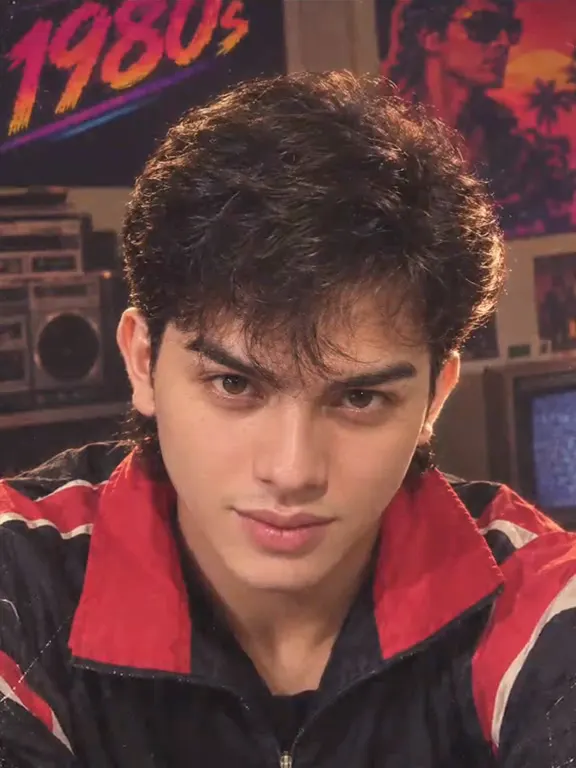
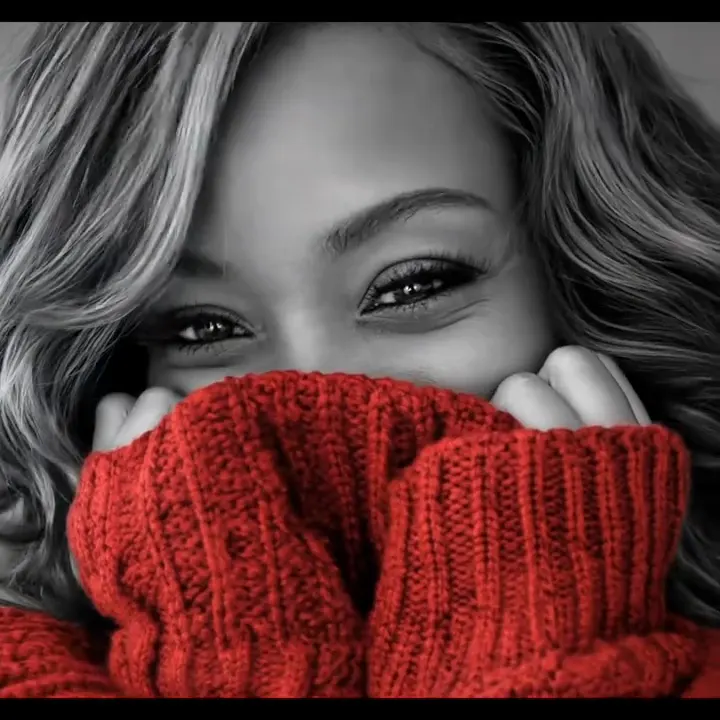
Portrait Prompt AI creates a pure-black minimalist studio editorial series with warm directional chiaroscuro lighting, whereas 80s Portrait AI applies vintage 1980s film grain and retro jackets and Sweater Portrait AI focuses on cozy knitwear studio framing.
Does Portrait Prompt AI include sound in the exported video?
Every finished Portrait Prompt AI clip merges the original source sound directly into the 720p MP4 export, so the slideshow plays with audio as soon as you download or share it.
Which model powers Portrait Prompt AI and what photo works best?
Portrait Prompt AI runs on Seedream 5.0 Flash image-to-image to preserve exact likeness and natural skin texture; a well-lit front or three-quarter portrait with clear eyes and visible hairline delivers the sharpest match across all four poses.
How many credits does Portrait Prompt AI cost?
Portrait Prompt AI uses 40 credits in total (10 credits per generated studio portrait across 4 scenes) to render all four looks and compile the 11-second 720p MP4 with source sound. The exact credit count and dollar price appear on the Generate button before you start.
Keep scrolling
More viral AI video trends
 NEW30 CR
 NEW270 CR
 NEW30 CR
 NEW30 CR
 NEW380 CR
 NEW100–400 CR
 NEW100–400 CR
 NEW220 CR
 NEW320 CR
 NEW100–400 CR
 NEW380 CR
 NEW160 CR