
Funny · New
Open My Gallery AI Video Generator
Upload 1 portrait of yourself and optionally 1 pet photo to star in the 15-second Open My Gallery AI photo dump. Keep your face across rapid camera-roll cuts after the title card. 3:4 720p MP4 with trend sound in My Work for 400 credits.
Open My Gallery AI · 15s · 3:4
Add a clear portrait of yourself, a pet photo, or both. Each card is optional as long as at least one photo is uploaded for the 15-second camera-roll dump.
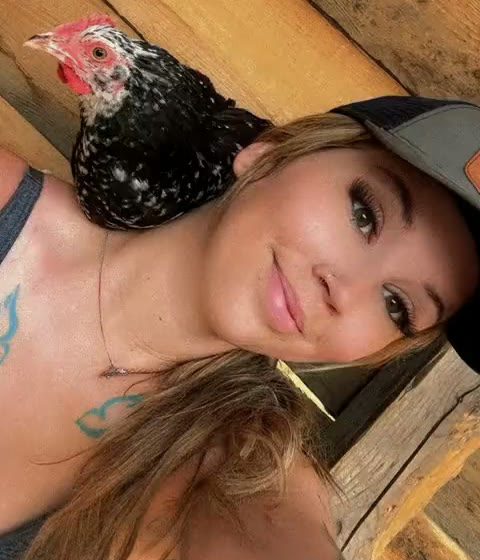
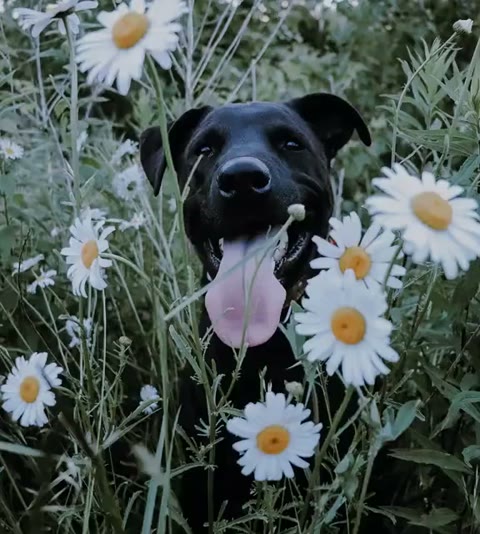
15s · 3:4 · 720p · Kling 4.0 · trend sound · ready in minutes
Who to put in
Who fits best inside the Open My Gallery AI photo dump
Upload one solo portrait, one pet photo, or both together in Open My Gallery AI—each card is optional so you can cast yourself, your pet, or both.
Yourself in an Open My Gallery AI camera roll
Drop one well-lit front portrait into the You card of Open My Gallery AI to appear across horseback trails, lakeside afternoons, and golden-hour snapshots. Your face, hair, and expression carry smoothly through the rapid photo-dump sequence while the original dogs stay in their frames.
You and your own dog or cat side by side
Fill both Open My Gallery AI cards to put yourself and your pet into the same 15-second gallery scroll. The Kling 4.0 reference pipeline pairs your facial likeness with your pet’s coat, ears, and markings across snowy woods, grassy fields, and sunlit outdoor shots.
A pet-first Open My Gallery AI reel for your dog or cat
Leave the You card blank and upload a front-facing pet portrait to build an animal-centered Open My Gallery AI dump. Every dog flash across the lake, snowy pines, and daisy meadow adapts to feature your companion while preserving the rapid beat-synced pace.
A birthday or group-chat surprise for a friend
Use one clear selfie of a friend—or pair their portrait with their favorite pet—to build an instant Open My Gallery AI throwback clip. Sharing a 15-second 720p camera roll packed with outdoor adventures lands fast in group chats, Stories, and short-form feeds.
Photos: JPG, PNG, WebP, up to 20 MB.
Same category
More Funny templates
 NEW380 CR
 NEW320 CR
 NEW100–400 CR
 NEW100–400 CR
 NEW140 CR
 NEW100–400 CR
 NEW380 CR
 NEW160 CR
 NEW270 CR
 NEW160 CR
 NEW350 CR
 NEW100–400 CR
Origin
How the "POV: You open my gallery" Open My Gallery AI trend spread
From early camera-roll reveal jokes to 100-photo rapid dumps and the one-photo Open My Gallery AI workflow built in minutes.
Camera-roll humor and the first viral gallery templates
Short-form creators have loved poking fun at what lives inside their phone camera rolls for years—stretching back to the 2022 Leak Your Photos trend and the 2023 Photo Swipe camera-roll format. Viewers get an immediate first-person hook: someone hands over their unlocked phone, and every swipe reveals the hobbies, pets, and snapshots behind the Open My Gallery AI joke.
In January 2025, @le_rb_edit pushed the `"POV: You open your gallery"` editing format past 14.5 million views, while @sptrakori_ (6.9 million views) and @trendingcapcuttemplates (2.1 million views) turned rapid 0.3-second photo flashes into a staple under Funny AI video templates.
The August 2026 "100 Photos" revival and trend audio
Starting in late August 2026, international editors revived the format with ultra-fast 50-photo and 100-photo portrait cuts set to the viral original sound `"suara asli - agus sutikno"`. Clips from @chocholvte crossed 4.5 million and 4.3 million views by pairing a minimal cream-white `"pov: you open my gallery"` title card with dozens of rapid-fire personal snapshots.
Fresh gallery dumps continued trending through November 2026, spanning outdoor riding diaries, vacation lookbooks, and dedicated AI pet video templates. Because manual templates ask creators to curate fifty to a hundred individual pictures by hand, Open My Gallery AI workflows emerged to deliver the exact same rapid rhythm from one or two clean photos.
Why Open My Gallery AI locks the pace and title card
Open My Gallery AI uses a 15-second real gallery dump as its structural video reference, preserving the clean opening `"pov: you open my gallery"` card, the rapid cut cadence around three frames per second, and the outdoor composition sequence from start to finish.
SameVid pairs Kling 4.0 reference-to-video generation in Open My Gallery AI with the matching 15-second trend track mixed onto the final 720p MP4. Creators who enjoy personality-driven photo templates also explore Lush Life Dog AI, Pet Rock AI, and Doodle Partner AI.
From TikTok
Popular Open My Gallery AI and camera-roll styles creators post
Watch how real creators frame the opening camera-roll hook across pet dumps, vacation reels, everyday selfies, and lifestyle snapshots.
@wiillmaaaa
"i’m obsessed with him 😻" — 2.2M-view black-cat camera roll showing why pet-led Open My Gallery AI dumps win instant saves and shares from animal lovers.
@sptrakori_
"aslinya mah galeri gue isinya video konten semua💀" — 6.9M-view fast-cut selfie, gym, pool-table, and everyday lifestyle camera-roll dump.
@jastookes
"I’m so ready for summer vacations😍" — 501.6K-view fashion and travel gallery dump opening with a mirror selfie before rapid outfit and architecture cuts.
@trendingcapcuttemplates
"pov: you open my gallery" — 2.1M-view sunset, cafe, and supercar aesthetic dump illustrating the classic title-card opener into fast lifestyle flashes.
Create your 15-second Open My Gallery AI video now
Upload 1 clear photo of yourself, your pet, or both to generate an Open My Gallery AI 3:4 720p MP4 with trend audio in minutes for 400 credits.
FAQ
Open My Gallery AI FAQ
What is the Open My Gallery AI video template?
Open My Gallery AI turns 1 or 2 photos into a 15-second vertical 3:4 camera-roll photo dump with trend audio. The video opens on a clean cream title card reading "pov: you open my gallery" before flashing rapid outdoor portraits, horseback rides, and pet snapshots.
Which photos and file formats work best for Open My Gallery AI?
Open My Gallery AI accepts JPG, PNG, and WebP photos up to 10 MB each with clear, evenly lit subjects. A well-lit front portrait showing your face and shoulders works best in the You card, while a single front-facing animal photo gives crisp fur and facial markings in the optional Pet card.
Can I upload only my own photo, or only a pet photo, in Open My Gallery AI?
Open My Gallery AI lets you fill either card alone or both together as long as at least one slot has a photo. Uploading only yourself keeps the reference dogs in their scenes, uploading only your pet keeps the reference person, and uploading both casts you and your pet together.
How many credits does Open My Gallery AI cost?
Open My Gallery AI costs 400 credits per 15-second 720p MP4, priced linearly from SameVid’s 15-second standard rate. Review bundle options on SameVid pricing and credit packs; if a generation hits a provider timeout or error, your 400 credits return automatically.
Does Open My Gallery AI include the viral trend audio and clean MP4 output?
Open My Gallery AI includes the matched 15-second trend sound merged onto a watermark-free 720p MP4 saved directly in My Work. Kling 4.0 reference-to-video follows a silent 15-second reference clip for crisp visual timing before mixing the original track onto your final download.
Why use Open My Gallery AI instead of collecting 50 to 100 photos manually?
Open My Gallery AI builds a complete 15-second rapid gallery cut from just one or two photos instead of sorting up to 100 files by hand. Using a real 15-second reference clip preserves the clean opening title typography and ~0.3-second flash rhythm automatically.
What aspect ratio, resolution, and related templates pair well with Open My Gallery AI?
Open My Gallery AI renders a 15-second 3:4 vertical MP4 at 720p resolution in a few minutes, ready for short-form social feeds. For more meme and animal templates, browse Funny AI Video Templates, AI Pet Video Templates, Lush Life Dog AI, and Pet Rock AI.
Keep scrolling
More viral AI video trends
 NEW300 CR
 NEW220 CR
 HOT270 CR
 NEW110 CR
 NEW220 CR
 NEW380 CR
 NEW190 CR
 NEW300 CR
 NEW220 CR
 NEW10 CR
 NEW380 CR
 NEW220 CR