
Anime & Cartoon · New
Jujutsu Kaisen AI Video Generator
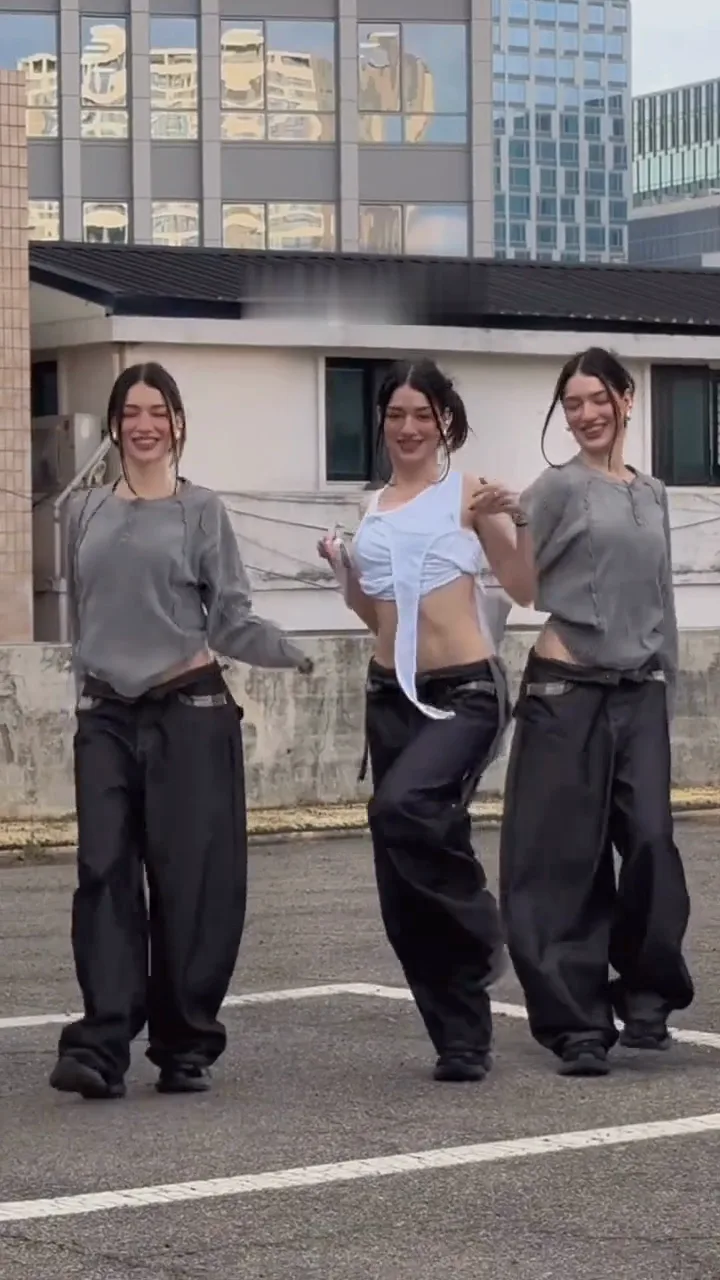
Upload 1 to 3 photos to star in the 15-second Jujutsu Kaisen AI lakeside trio dance with Gojo, Sukuna, and Panda—or cast your whole crew. Pick any seat, get a 720p vertical MP4 with the original dance track, and render for 400 credits.
Jujutsu Kaisen AI · 15s · 9:16
All three dancer seats are optional—upload 1 to 3 clear photos to replace any combination of the lakeside trio. Unfilled seats keep their original characters.
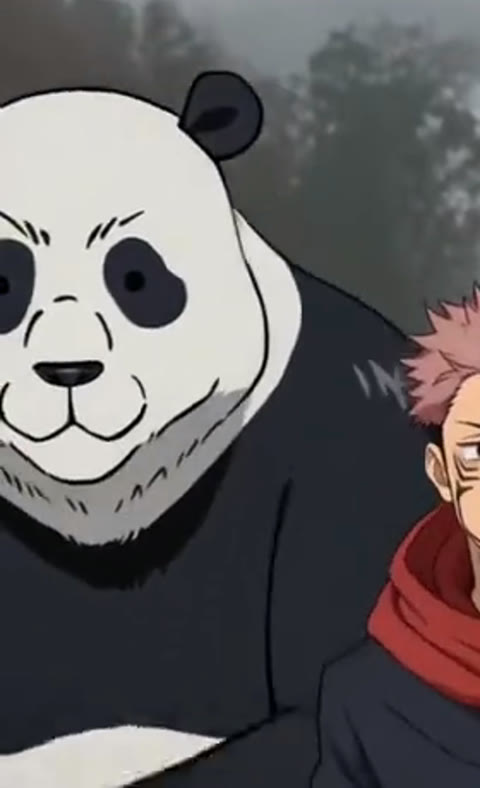
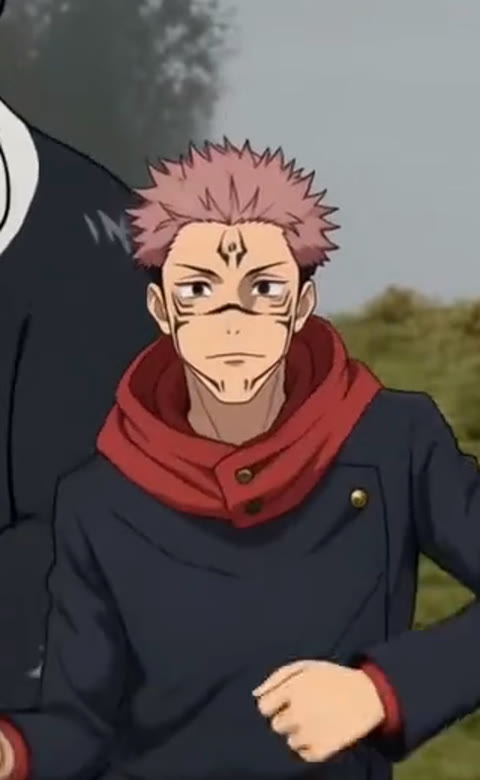
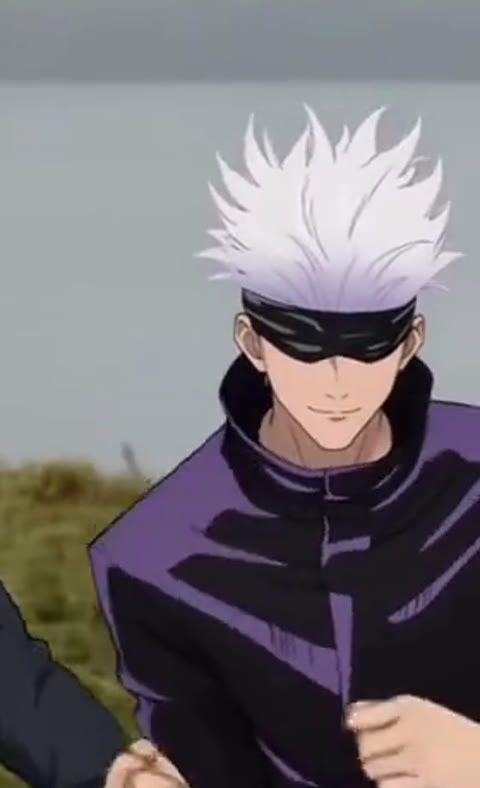
15s · 9:16 · 720p · original sound · ready in a few minutes
Preview clip: itsnomi449 on TikTok
Specs & output
What goes in and what comes out of Jujutsu Kaisen AI
Every render follows the 15-second lakeside hillside choreography step for step with Kling 4.0 Video Edit and delivers a clean vertical clip ready to share.
You upload
- One to three clear photos—pick Left Dancer, Center Dancer, Right Dancer, or any combination of the three optional seats.
- Front-facing full-body or upper-body portraits, cosplay shots, original character art, or clear pet photos for the left spot.
- Natural even lighting and an unobstructed face so facial features, hair, and outfits stay sharp through the close-up and wide jump shots.
You get
- A 15-second 9:16 vertical 720p MP4 Jujutsu Kaisen AI clip matching the full hillside dance routine: opening bounce, hands-on-head sway, close-up rock-on gestures, wide jump, and synchronized sideways glide.
- Exact seat mapping where each uploaded photo replaces only the dancer slot you chose, while every unfilled seat keeps its original anime character from the reference scene.
- The original upbeat dance soundtrack cleanly merged onto the finished video with zero watermarks or text overlays.
| Photos | 1 to 3 (all seats optional) |
|---|---|
| Model | Kling 4.0 Video Edit |
| Duration | 15 seconds |
| Picture | 720p, 9:16 vertical |
| Audio | Original dance soundtrack |
| File | MP4, ready to share |
| Credits | 400 per video, refunded if it fails |
Same category
More Anime & Cartoon templates
 NEW380 CR
 NEW220 CR
 NEW220 CR
 NEW300 CR
 NEW160 CR
 NEW110 CR
 NEW400 CR
 NEW300 CR
 NEW10 CR
 NEW400 CR
 NEW270 CR
 NEW220 CR
Also called
Common names for this Jujutsu Kaisen AI trend
Anime fans and short-form creators refer to this crossover by several names depending on whether they focus on the trio dance or character self-inserts.
Jujutsu Kaisen AI Dance
The live-action crossover routine where anime sorcerers stand on a misty green lakeside slope and hit synchronized upbeat dance moves together on beat.
Jujutsu Kaisen AI Self-Insert
A fan format built around stepping into the center spot beside iconic sorcerers so you share the exact same camera framing, timing, and outdoor lighting.
JJK in Real Life AI
Placing stylized characters and real-world portraits inside a realistic overcast landscape—foggy water, rolling green grass, and grounded footsteps—rather than a flat studio backdrop.
Anime Trio Dance Edit
A three-slot group choreography video featuring an opening bounce, head-sway groove, pushed-in gesture solo for the center dancer, wide jump, and sideways moonwalk glide.
JJK OC Crossover Video
Using original character illustrations or cosplay portraits in any of the three seats to animate fan designs with consistent proportions across all four camera beats.
How it works
Make a Jujutsu Kaisen AI dance video in four steps
Skip timeline editing, keyframes, and custom prompts—choose your seats, drop in your photos, and let Kling 4.0 Video Edit transfer the full choreography.
Pick 1, 2, or all 3 dancer seats
Decide where you want to stand on the misty hillside: Center Dancer leads the close-up gesture beat, Right Dancer holds the white-haired spot, and Left Dancer takes Panda’s spot. Leave any seat empty to keep the original character there.
Upload clear photos (JPG, PNG, or WebP, up to 20 MB)
Add a sharp front-facing full-body or upper-body photo for each chosen slot. Even daylight, visible hair and shoulders, and a clean background preserve identity across both the close-up and wide hillside shots.
Generate with Kling 4.0 Video Edit
Click Generate to lock your photos onto the exact 15-second Jujutsu Kaisen AI routine (400 credits). The model edits the silent reference footage frame by frame for smooth choreography, then merges the original dance soundtrack back onto the clip.
Preview and download your 720p MP4
Your finished clip arrives in a few minutes inside the result panel. Play it with sound, save the 9:16 vertical MP4 straight to your phone or desktop, and share it across short-form feeds or group chats.
Photos: JPG, PNG, WebP, up to 20 MB.
More crossovers & dances
Related anime and group dance templates
Pair Jujutsu Kaisen AI with animated sports highlights, duo booth routines, and three-person group dances built with the same one-click workflow.
 NEW320 CR
 NEW400 CR
 NEW400 CR
 NEW400 CR
Who to put in
Four Jujutsu Kaisen AI cast lineups for the lakeside slope
Because every seat is optional, the same 15-second template works equally well for a quick solo self-insert or a full three-person squad remix.
Solo Center Lead
Upload one photo into Center Dancer to take the front-and-center spotlight during the close-up gesture beat while Panda and Gojo keep dancing right beside you.
Best-Friend Sorcerer Duo
Fill Center Dancer and Right Dancer with two friends so the two of you trade moves side by side while Panda holds down the left wing on the grass.
Full Three-Friend Squad
Cast all three slots with your anime group chat, cosplay buddies, or sibling trio so everyone hits the head sway, hillside jump, and sideways glide in lockstep.
Cosplay, OC, or Pet Crossover
Drop a cosplay try-on photo or hand-drawn OC into the center seat, or put your dog or cat into Left Dancer to dance beside two sorcerers on the foggy shore.
Step onto the misty hillside with Jujutsu Kaisen AI
Upload 1 to 3 photos and turn your cast into a 15-second 720p dance video with the original soundtrack for 400 credits.
FAQ
Jujutsu Kaisen AI FAQ
Do I need three photos to use this Jujutsu Kaisen AI template?
One photo is enough to start. All three dancer seats—Left Dancer, Center Dancer, and Right Dancer—are optional, so you can upload 1, 2, or 3 photos in any combination while every empty seat keeps the original character from the lakeside clip.
Which seat gets the close-up moment in the middle of the dance?
Center Dancer takes the featured close-up from roughly 3.5 to 7.5 seconds, throwing upbeat hand gestures straight toward the camera while Left Dancer and Right Dancer groove behind on either side.
What photos give the cleanest Jujutsu Kaisen AI dance result?
Clear, evenly lit front-facing photos in JPG, PNG, or WebP (up to 20 MB) produce the cleanest transfer. Full-body or waist-up shots showing your face, hairstyle, and outfit help Kling 4.0 keep consistent proportions across the close-up and wide hillside jump.
Does the generated video keep the original dance soundtrack?
Yes—every Jujutsu Kaisen AI render includes the original 15-second dance soundtrack. Kling 4.0 edits the silent reference footage frame by frame so every step stays locked on beat, and SameVid merges the original audio track onto your 720p MP4 automatically.
Why does this template use Kling 4.0 Video Edit?
The lakeside trio routine depends on tight synchronized footwork, hands-on-head sway timing, and a coordinated sideways glide across three dancers. Kling 4.0 Video Edit preserves the exact choreography, camera zoom, and overcast lakeside lighting while swapping only the seats you upload.
Can I cast cosplay photos, original characters, or a pet?
Yes—cosplay outfits, original character art, and clear front-facing pet photos all animate smoothly across the three seats. Many creators place a dog or cat in the Left Dancer slot alongside themselves in Center Dancer.
How many credits does one Jujutsu Kaisen AI video cost and how long does it take?
Each 15-second 720p vertical (9:16) MP4 costs 400 credits, scaled directly from video duration. Renders typically finish in a few minutes inside the result panel and your account history.
How is Jujutsu Kaisen AI different from static JJK anime filters or other anime templates?
Jujutsu Kaisen AI builds a full 15-second synchronized 3-seat lakeside dance video with original audio rather than a still anime portrait. Compared with Genjutsu Basketball AI (solo dunk effect) or Nezuko AI Transformation (solo transformation), this template focuses on 1-to-3-person group choreography.
Keep scrolling
More viral AI video trends
NEW320 CRNEW400 CRNEW400 CR NEW350 CRNEW400 CR
 NEW10 CR
 NEW220 CR
 NEW100–400 CR
 NEW190 CR
 NEW270 CR
 NEW190 CR
 NEW190 CR