
Cameos · New
Lionel Messi AI Cameo Video Generator
Turn any birthday message, team shoutout, or friendly joke up to 400 characters into a lip-synced Lionel Messi AI cameo video. Preview looks live on click, test the voice sample free, and generate in 720p HD (default) or 480p from 100 credits.

Lionel Messi AI · 15–30s talking cameo
est. ≤15s · 3:4 portrait · 720p · lip-synced speech · no extra charge if longer
Send a shoutout
Creative Ways People Use a Messi Cameo Video
Whether calming pre-game nerves or surprising a lifelong football fan, custom talking messages land better than a plain text card.
Birthday Wishes for Football Fans
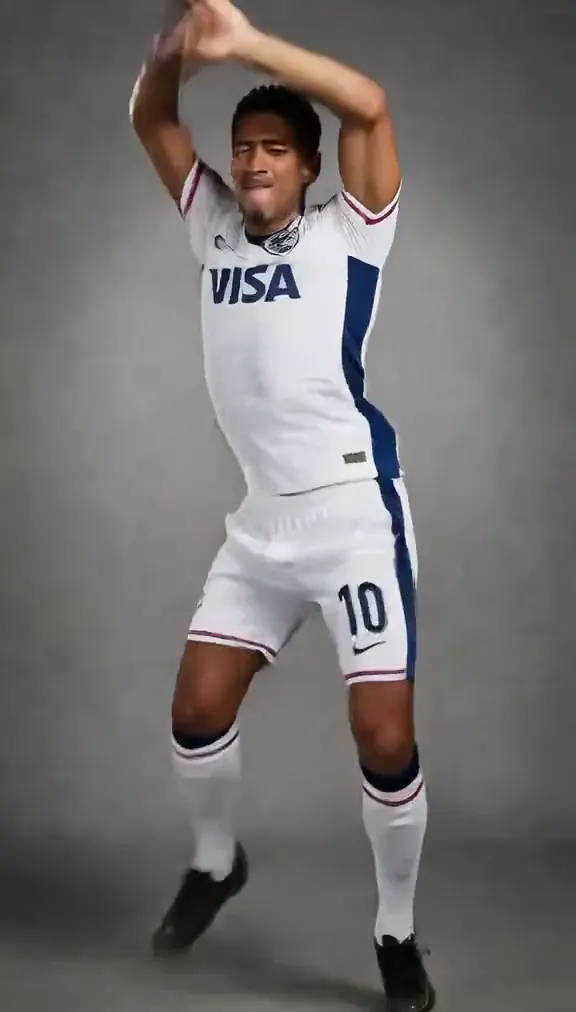
Deliver a warm, personal birthday message mentioning a friend or kid by name in an iconic World Cup #10 jersey look.
Weekend Tournament Good-Luck Clip
Surprise your youth squad or Sunday-league teammates before kickoff with a calm, encouraging word straight from the captain.
Anniversary & Wedding Shoutout
Insert a brief, heartfelt toast from Messi into a reception slideshow or send it privately to a soccer-obsessed partner.
Playful Fantasy League Banter
Remind your friend who actually carried their fantasy roster this season with a deadpan 15-second victory recap.
Same category
More Cameos templates
 NEW100–400 CR
 NEW100–400 CR
 NEW100–400 CR
 NEW100–400 CR
 NEW100–400 CR
 NEW100–400 CR
 NEW100–400 CR
 NEW100–400 CR
 NEW100–400 CR
 NEW100–400 CR
 NEW100–400 CR
 NEW100–400 CR
Simple workflow
How to Generate a Lionel Messi AI Video
Zero uploads required. Pick your favorite jersey portrait, type what Lionel should say, and generate a synced MP4 in minutes.
Select a Portrait Look and Sample the Voice
Choose between the World Cup #10 sky-blue-and-white celebration jersey or the dark striped training kit in Step 1. Click Hear sample in Step 2 to test the calm conversational voice before spending any credits, with no face upload needed.
Write Your Custom Spoken Message
Click Birthday, Pep Talk, or Congrats for a ready-made structure, or write up to 400 characters of original dialogue in Step 3. Messages up to 200 characters stay in the snappy 15-second tier, while longer scripts up to 400 characters switch cleanly to 30 seconds.
Pick 720p or 480p and Download in My Work
Keep the default 720p HD quality (200 credits up to ~15s, or 400 credits up to ~30s) or toggle 480p Standard (100 credits up to ~15s, or 200 credits up to ~30s). Even if generated speech runs slightly longer than your estimate, no extra credits are billed.
Script craft
Dialing In Natural Speech Timing and Emotion
Calm, heartfelt messages look most realistic when every line flows at conversational pace. Keep these three script details in mind.
Match sentence tone to calm leadership
A Messi cameo lands best when the wording feels grounded, warm, and unforced rather than overly theatrical. Friendly openings like "Hello Mateo, how are you?" or "Wishing you all the best on your big day, Elena!" give the voice model room to breathe and keep facial expressions smooth around the eyes and mouth.
Avoid cramming acronyms, long URLs, or rapid parenthetical asides into one sentence. Everyday spoken words—like family names, match scores, or simple congratulations—let the voice track stay crisp from the opening greeting through the closing smile.
Plan around 15-second vs. 30-second beats
Under 200 characters gives you roughly three brisk sentences—ideal for a 15-second surprise sent over messaging apps or dropped into an Instagram Story. Every syllable stays focused on one recipient and one occasion without dragging on.
If you want room to thank a coach, mention two kids by name, and add a playful inside joke, write 201 to 400 characters for the 30-second window. Our workflow verifies the generated audio duration automatically and nudges speed gently only when needed so speech finishes neatly inside the clip.
Check punctuation before clicking Generate
Because synthesized speech takes timing cues from periods, question marks, and commas, a quick read-through out loud catches run-on phrases right away. Breaking a long compliment into two shorter sentences produces noticeably cleaner breathing pauses and sharper lip transitions between words.
Pair your script with 720p HD whenever you plan to project the cameo onto a living-room TV or drop it into a birthday compilation, and keep 480p Standard for rapid mobile sharing and playful daily chats.
Specs
Everything Included in Your Messi Talking Clip
One automated pipeline handles speech generation, timing calibration, and full-face lip synchronization.
You enter
- Portrait look choice: World Cup #10 jersey or Argentina training kit.
- Your own typed script: 1–400 characters with optional quick starter chips.
- Resolution picker: 480p Standard or 720p HD output.
- Zero photo uploads or reference video editing needed.
You get
- Portrait talking MP4 of Lionel Messi speaking your typed message verbatim.
- Matched lip-sync shapes, relaxed eye blinks, and subtle head motion.
- Built-in audio mix calibrated directly from Fish Audio MP3 synthesis.
- Instant browser playback and clean MP4 download inside My Work.
| Input | Typed speech script (1–400 characters) + look choice |
|---|---|
| Length | Est. ≤15s (1–200 chars) or ≤30s (201–400 chars) |
| Format | 3:4 portrait · 720p default (480p option) · MP4 |
| Credits | 480p: 100 / 200 credits · 720p: 200 / 400 credits |
| Credits | 15s · 480p 100 · 30s · 480p 200 · 15s · 720p 200 · 30s · 720p 400 per video, refunded if it fails |
Post ideas
Caption Starters for Your Messi Greeting
- “Look who popped in to say happy birthday 🏆”
- “Our Sunday team talk just got upgraded.”
- “Best 15 seconds in the family group chat all year.”
- “Keep calm and play like a #10.”
- “When you forget to buy a card so you send a talking cameo instead.”
- “Wait for him to mention Saturday’s match.”
- Label AI parody or novelty birthday greetings transparently before sharing on public feeds.
- Read your draft aloud once before generating so commas fall where a natural breath belongs.
Build Your Lionel Messi Talking Video Now
Select a jersey look, preview the audio sample for free, type your message, and generate a synced MP4 in minutes.
FAQ
Lionel Messi AI FAQ
How does the Lionel Messi AI Cameo differ from photo-swap templates?
Instead of uploading your own face to replace someone else in a dance clip, this cameo template turns your typed words into spoken audio and animates Lionel Messi directly to speak them.
How many characters fit in 15 seconds vs. 30 seconds?
Input is capped at 400 characters: 1–200 chars target ~15s (100 credits at 480p, 200 credits at 720p default) and 201–400 chars target ~30s (200 credits at 480p, 400 credits at 720p). If actual speech takes slightly longer, you are never charged extra.
Can I listen to the voice before spending credits?
Yes. Hit Hear sample in Step 2 to play a reference clip of the voice model right away with no login or credit charge.
Do I get both audio and lip motion synchronized automatically?
Yes. The workflow synthesizes your script with Fish Audio first, checks timing against your clip length, and sends both portrait and speech MP3 into WaveSpeed InfiniteTalk.
Where do finished videos appear once generated?
Completed MP4 files appear directly in the My Work tab next to the builder and remain saved inside your account history for replay and download.
Are credits refunded if generation errors out?
Yes. Any failed synthesis or provider timeout triggers an automatic credit refund back to your account balance.
Keep scrolling
More viral AI video trends
 NEW400 CR
 NEW400 CR
 NEW380 CR
 NEW100–400 CR
 NEW320 CR
 NEW220 CR
 NEW220 CR
 NEW380 CR
 NEW10 CR
 NEW320 CR
 NEW380 CR
 NEW140 CR