
Effects · New
AI Chaos Trend Video Generator
Upload one solo photo to star in a 10-second 9:16 720p sidewalk collision clip. A passerby bumps your shoulder, freezing time as coffee, sunglasses, and a flip phone float past the lens with matched audio, for 270 credits.
AI Chaos Trend · 10s · 9:16

10s · 9:16 · 720p · original sound · ready in a few minutes
Simple per-clip pricing
Generate a 10-second 720p vertical AI Chaos Trend video for 270 credits with matched audio included and automatic credit refunds if a render fails.
- Basic$9.9400 credits1 video
- Growth$19.9850 credits3 videos
- Most PopularPro$39.91,800 credits6 videos
- Studio$99.94,800 credits17 videos
- Max$299.915,000 credits55 videos
Same category
More Effects templates
 NEW270 CR
 NEW240 CR
 NEW140 CR
 NEW140 CR
 NEW270 CR
 NEW140 CR
 NEW140 CR
 NEW400 CR
 NEW270 CR
 NEW140 CR
 NEW190 CR
 NEW270 CR
The scene
Four beats inside the 10-second bullet-time clip
Every clip follows the viral sidewalk collision arc from a confident stroll to a dramatic freeze-frame fly-through and comedic aftermath.
1. The confident atrium stride (0–3 s)
A low-angle tracking camera rises to a front medium shot as your character walks briskly through a sunlit glass corridor, holding an iced coffee cup and chatting on a flip phone behind dark sunglasses.
2. The sudden shoulder bump (3–4.5 s)
A suited passerby walking in the opposite direction clips your shoulder. Your character recoils backward with both arms thrown wide in shock as the cup and accessories launch into the air.
3. Bullet-time object fly-through (4.5–8.5 s)
Time snaps into ultra-slow motion. The camera threads smoothly past suspended sunglasses, mid-air coffee droplets bursting from the cup, and the open flip phone while your character stays frozen in surprise.
4. The comedic fall and walk-away (8.5–10 s)
Real-time motion resumes as the lens pulls wide to reveal your character tumbled onto the corridor floor while the stranger continues calmly down the walkway.
Who to put in
Who fits the AI Chaos Trend template best
One clear solo portrait drives the entire bullet-time sequence, making it easy to remix everyday outfits, travel looks, and creator intros.
Daily OOTD & fashion creators
Upload a half-body or full-body outfit shot to turn an ordinary corridor walk into a dramatic slow-motion editorial spill. Structured jackets, tailored shirts, and bold silhouettes carry cleanly through the spin and freeze.
Coffee lovers & Monday mood posts
Turn a relatable morning coffee disaster into a cinematic action shot. Pair the finished clip with classic Monday-chaos captions or slowed-down phonk audio when posting to short-form feeds.
Travel & city-break snapshots
Drop in a bright vacation portrait from a city trip or airport terminal to capture the frantic tourist-rush energy that made the Sidewalk Collision trend travel across New York, Tokyo, and Paris feeds.
Friends & birthday roast reels
Use a clear, consenting photo of a friend for a playful birthday intro, group-chat reaction, or weekend recap clip that looks like a high-budget commercial VFX shoot.
Trend origin
Where the AI Chaos Trend came from
The Sidewalk Collision format blended classic Matrix-style bullet-time camera sweeps with modern AI reference-to-video generation in late August 2026.
From X bullet-time tests to TikTok sidewalk collisions
Early bullet-time coffee spill experiments circulated on X in April 2026 (such as bullet-time coffee tests), before creators on TikTok turned the setup into a repeatable personal-photo template around August 31, 2026 (including this viral glass-corridor clip and Shibuya night recreations).
Because the sequence uses one continuous camera push through floating glasses, liquid droplets, and a flip phone, creators adopted slowed phonk tracks like MONTAGEM ALQUIMIA alongside crisp collision sound effects and YouTube editing breakdowns (bullet-time tutorial).
Also known as
Popular names for this trend
Creators search and tag this exact sidewalk-bump freeze effect under several closely related names across short-form platforms.
Chaos Trend AI
The primary hashtag used on viral coffee-spill and dropped-accessory slow-motion clips.
Sidewalk Collision AI
Describes the shoulder-bump setup where a stranger knocks your belongings into mid-air.
AI Bullet-Time Trend
Highlights the frozen mid-air camera fly-through past sunglasses, droplets, and phones.
Falling Sunglasses Trend
Refers to the signature close-up moment when the lens glides straight past floating eyewear.
How it works
How to make your AI Chaos Trend video in 3 steps
Upload a single well-lit JPG, PNG, or WebP photo up to 20 MB—SameVid AI handles the motion pacing, freeze-frame camera path, and audio sync automatically.
Upload one clear solo photo
Choose a bright, front-facing half-body or full-body photo where your face, hair, and outfit are clearly visible with open eyes and even lighting.
Generate with Kling 4.0 motion reference
Click Generate to map your identity into the 10-second glass-corridor collision sequence at 720p vertical 9:16 resolution—no prompt writing or keyframe editing needed.
Download and share with matched sound
Save the finished MP4 with synchronized audio already muxed in, ready to post straight to Reels, Shorts, or your favorite short-form feed.
Photos: JPG, PNG, WebP, up to 20 MB.
FAQ
AI Chaos Trend FAQ
What kind of photo gives the cleanest AI Chaos Trend result?
A sharp, front-facing half-body or full-body photo of one person in even daylight or indoor lighting works best. Keep your eyes and full face clearly visible so the model locks your facial features and hairstyle consistently from the walking intro through the shock reaction.
How long is the generated video and what resolution do I get?
Every AI Chaos Trend generation outputs a 10-second vertical 9:16 MP4 at 720p resolution. The duration and camera pacing match the four-beat sidewalk collision reference clip.
How many credits does one AI Chaos Trend video cost?
Each 10-second 720p generation costs 270 credits, scaled proportionally from our 15-second rate. Credits are automatically returned to your balance if a render fails to complete.
Does the video include sound effects or music?
Yes. SameVid AI automatically muxes the matched reference audio track onto your finished 10-second video so the shoulder bump and slow-motion drop hit on beat right after download.
Will the stranger who bumps into me distort my face?
No. Our reference structure keeps the passing stranger facing away from the camera at all times, so your uploaded photo remains the sole face and identity throughout the entire clip.
Do I need to write prompts or configure camera keyframes myself?
No prompt engineering is required. All timing beats, bullet-time object physics, and camera fly-through instructions are built into the template pipeline automatically.
Can I upload a JPG, PNG, or WebP file?
Yes. The uploader accepts standard JPG, PNG, and WebP images up to 20 MB. Well-lit portrait or vertical photos close to a 9:16 or 3:4 framing fit the corridor composition naturally.
Can I use the downloaded video on social media?
Yes. Your generated MP4 is ready for personal sharing, creator reels, and short-form social feeds.
Keep scrolling
More viral AI video trends
 NEW380 CR
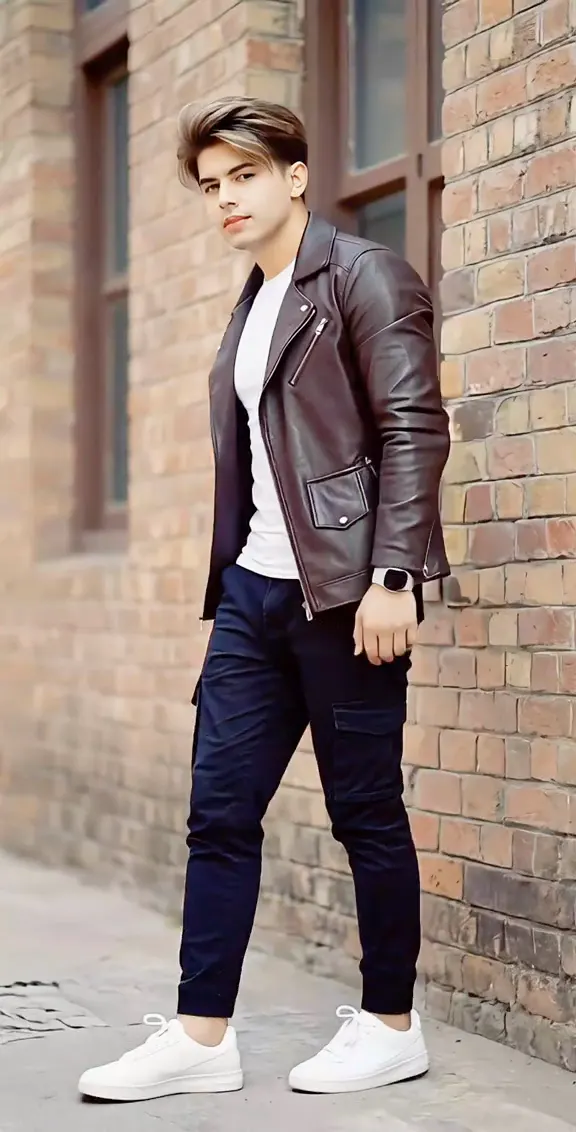 NEW240 CR
 NEW140 CR
 NEW320 CR
 NEW350 CR
 NEW380 CR
 NEW320 CR
 NEW400 CR
 NEW300 CR
 NEW350 CR
 NEW400 CR
 NEW240 CR