
Dance · New
DDG and Dub AI Dance Video Generator
Upload 1 or 2 clear portraits to star in a 13s DDG and Dub AI Dance video. Kling 4.0 replicates the viral living-room hip-hop routine in 720p 9:16 with authentic sound for 350 credits.
DDG and Dub AI Dance · 13s · 9:16
Choose either or both living-room dancers to replace. Add at least one portrait; any left empty keeps the original performer.
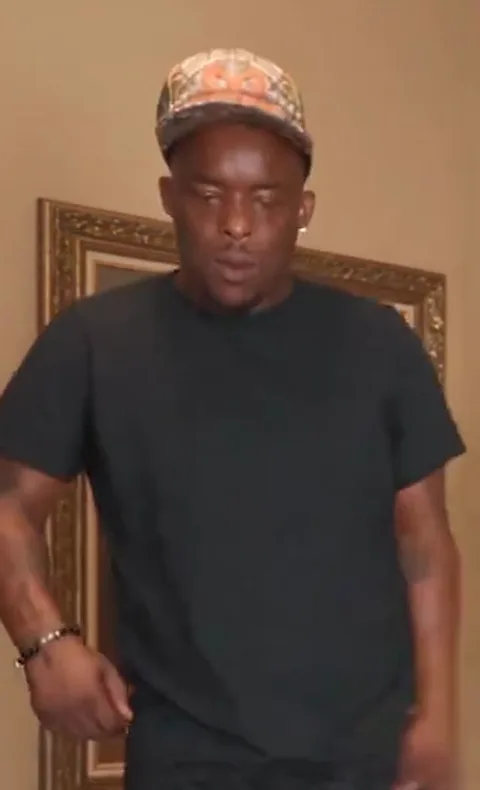
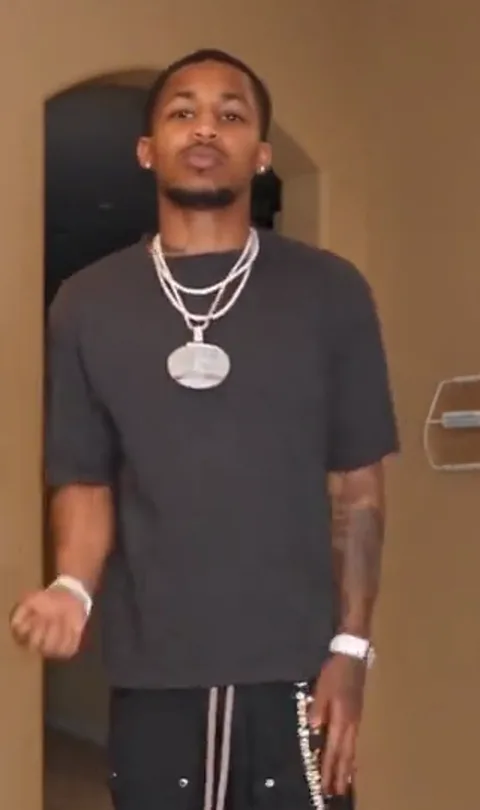
13s · 9:16 · 720p · authentic sound · ready in a few minutes
Source clip: @duberton.ulicious on TikTok
Examples
DDG and Dub AI Dance reference clip and viral street variations
Preview the 13-second living-room duo dance used by this template alongside the multi-dancer and outdoor square AI variations trending online.
13s Living-Room Duo Routine (This Template)
A single continuous living-room camera shot featuring two synchronized dancers: the left performer opens with rhythmic shoulder bounces before the right performer steps in from the hallway for overhead claps, brow-wipe waves, and chest-roll grooves.
Night Parking Lot Trio Variation (15s)
A 15-second nighttime parking-lot variation expanding the DDG, DuB, and Cuffem meme into a sharp three-person suited lineup across four dynamic camera angles.
Outdoor Brick Plaza Crowd Routine (15s)
A high-energy 15-second outdoor plaza highlight where onlookers circle the performers during synchronized footwork, arm swings, and a closing head-clutch freeze.
Same category
More Dance templates
 NEW350 CR
 NEW380 CR
 NEW320 CR
 NEW400 CR
 NEW400 CR
 NEW400 CR
 NEW270 CR
 NEW400 CR
 NEW400 CR
 NEW400 CR
 NEW270 CR
 NEW400 CR
Photo Tips
How to pick portraits for crisp DDG and Dub AI Dance results
Clear, evenly lit individual portraits give Kling 4.0 Video Edit clean facial geometry for fast arm swings and synchronized head tilts.
- Choose a sharp front-facing headshot or chest-up portrait with even indoor or daylight illumination across both cheeks and eyes.
- Upload two visually distinct portraits when casting both the Left Dancer and Right Dancer so each performer keeps an unmistakable identity.
- Leave slight headroom above the hair or hat in your crop so the model naturally fits the cap, hairline, and forehead proportions.
- Skip heavy dark sunglasses, deep cap shadows, or hands crossing over the mouth and nose so every expression stays visible throughout the routine.
- Skip crowded group photos or distant full-body shots where the face occupies only a small patch of pixels.
- Skip extreme side profiles or motion-blurred party snaps; straight-on or gentle three-quarter angles align best with the living-room camera.
Simple per-video pricing for DDG and Dub AI Dance
Each 13-second 720p vertical render costs 350 credits—no monthly lock-in required, and credits return automatically if a run fails.
- Basic$9.9400 credits1 video
- Growth$19.9850 credits2 videos
- Most PopularPro$39.91,800 credits5 videos
- Studio$99.94,800 credits13 videos
- Max$299.915,000 credits42 videos
How It Works
Make your DDG and Dub AI Dance video in three simple steps
No prompt writing, external reference downloads, or timeline editing needed—upload one or two photos and let SameVid handle the rest.
1. Pick who joins the living-room duo
Upload 1 or 2 clear JPG, PNG, or WebP portraits (up to 20 MB each) into the Left Dancer or Right Dancer slot. Every role is optional—add just one photo to dance beside the original performer, or fill both slots with friends.
2. Confirm left and right stage positions
The Left Dancer opens center-left before sliding into the left lane, while the Right Dancer enters from the arched hallway to lock in side-by-side. Check that each photo sits in your preferred slot before generating.
3. Generate and download with original audio
Click Generate to run Kling 4.0 Video Edit at 720p 9:16. Once rendered, SameVid automatically merges the authentic 13-second beat track onto your MP4 in My Work, ready to download and post.
Photos: JPG, PNG, WebP, up to 20 MB.
Share Ideas
Creative ways people cast and post DDG and Dub AI Dance
Lean into the signature humor of the trend—putting everyday friends, gaming buddies, or unexpected duos into hyper-smooth street choreography.
Cast your two least-coordinated friends
The biggest laughs on social feeds come from watching friends who claim they never dance pull off spotless overhead claps, brow wipes, and synchronized knee bounces in a cozy living room.
Solo cameo beside the original dancer
Upload only one portrait into either the Left Dancer or Right Dancer slot and leave the partner empty. Keeping one original performer grounds the meme while placing you right inside the viral clip.
Duo stream & group-chat reaction bait
Drop the finished 13-second MP4 directly into Discord, iMessage, or Twitch watch-along streams with a playful caption asking viewers whether the clip is real or AI.
Siblings, couples, and birthday shoutouts
Turn casual selfies of siblings, roommates, or dating partners into a rhythmic 13-second celebration clip ready for Reels, Shorts, and Stories without learning a single step.
FAQ
DDG and Dub AI Dance FAQ
What is the DDG and Dub AI Dance trend?
DDG and Dub AI Dance grew out of rapper-streamer DDG and his brother DuB’s viral food-review dance clips and Halloween routines, followed by hyper-realistic AI choreography videos showing them hitting crisp, synchronized hip-hop moves together.
Do I need to upload two photos, or can I use just one in DDG and Dub AI Dance?
You can upload either 1 or 2 photos into DDG and Dub AI Dance. Both the Left Dancer and Right Dancer slots are optional as long as at least one slot has a photo—any empty slot keeps the original dancer from the reference clip.
Which AI model powers DDG and Dub AI Dance?
SameVid runs DDG and Dub AI Dance on Kling 4.0 Video Edit (kwaivgi/kling-v4.0/video-edit), preserving the full 13-second choreography, hand gestures, camera framing, and living-room lighting while replacing the selected performers.
How many credits does DDG and Dub AI Dance cost and what do I get?
Every DDG and Dub AI Dance generation costs 350 credits and outputs a 13-second, 720p HD vertical 9:16 MP4 with the original beat remuxed onto the final video and zero watermarks.
Do I need to write prompts or upload a reference dance video?
No prompt writing or reference upload is required for DDG and Dub AI Dance because our 13-second living-room choreography, spatial role mapping, and audio track are already built in—just drop in your portrait photos and click Generate.
What photo formats and sizes work best for DDG and Dub AI Dance?
Standard JPG, PNG, or WebP portraits up to 20 MB work smoothly for DDG and Dub AI Dance. Use clear, well-lit front-facing photos where the face is unobstructed by sunglasses, hats covering the eyes, or heavy shadows.
How is DDG and Dub AI Dance different from generic AI dance generators?
Unlike generic single-person motion-transfer tools where you must hunt down a clean clip and prompt every cut yourself, DDG and Dub AI Dance pre-maps two optional living-room performer slots with locked 13-second choreography and automatic original-audio remuxing.
Can I share my finished DDG and Dub AI Dance video on social feeds?
Your finished 720p 9:16 DDG and Dub AI Dance MP4 downloads cleanly without watermarks and with synced audio, ready to post directly to TikTok, Instagram Reels, YouTube Shorts, or group chats.
Keep scrolling
More viral AI video trends
 NEW400 CR
 HOT320 CR
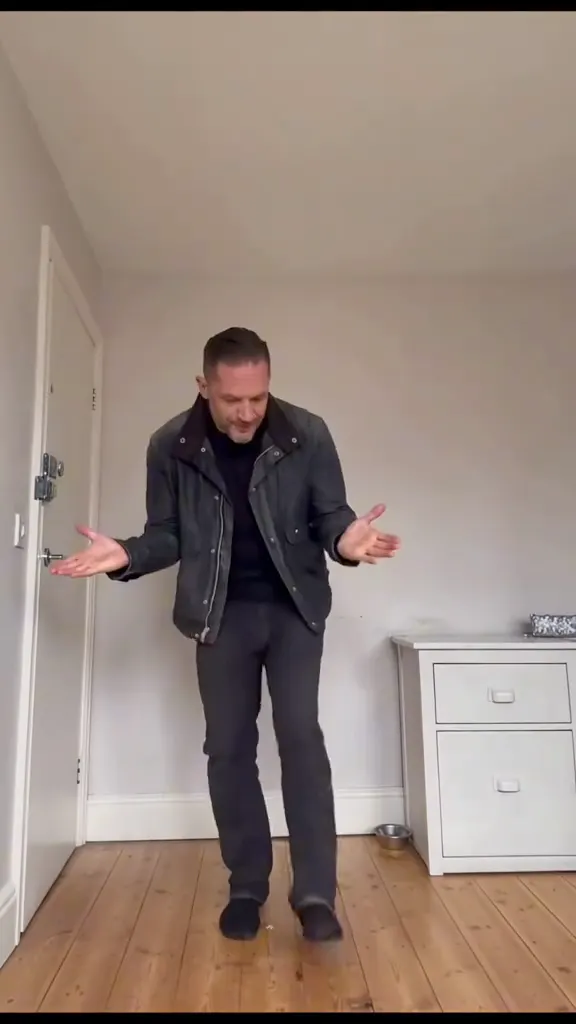 NEW270 CR
 NEW270 CR
 NEW240 CR
 NEW300 CR
 NEW140 CR
 NEW270 CR
 NEW350 CR
 NEW400 CR
 NEW240 CR
 NEW140 CR