
Funny · New
Can You Make It Cap AI Video Generator
Upload 1 or 2 clear photos to star in a 10-second 20vs1 white-studio comedy skit with Can You Make It Cap AI. One role asks "Let me see you do a 360" and bites a clenched fist laughing at "Oh, you can make it cap," while the second role completes a full-body 360 spin and replies "Oh, he tweaking." Rendered in 9:16 720p HD with native AI-generated dialogue audio for 270 credits.
Can You Make It Cap AI · 10s · 9:16
Upload photos for 1 or 2 roles in the 20vs1 white-studio scene. Both slots are optional—add one photo to solo or two photos to cast both the Laugher and the 360 Spinner.

10s · 9:16 · 720p · original sound · ready in a few minutes
Scene Showcase
Watch Can You Make It Cap AI turn two photos into the 20vs1 360 reaction scene
From the iconic seamless white studio cyclorama to casual living-room fairy lights and outdoor stone steps, see how Can You Make It Cap AI casts both the knuckle-biting laugher and the deadpan 360 spinner.
White studio 20vs1 360 spin and knuckle-bite laugh original look
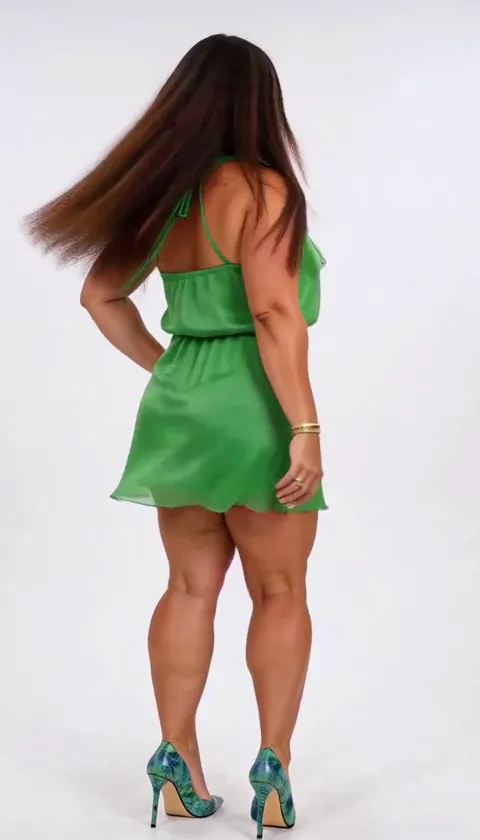
A 10-second vertical Can You Make It Cap AI scene in a seamless white cyclorama studio where a man in an olive-green Mandarin-collar shirt asks for a 360 turn, a woman in an emerald-green ruffled dress spins in stiletto heels, he bites his fist in a laughing fit, and she stares straight down the lens saying "Oh, he tweaking."
@santoskey3Living room black tee duo 360 spin and deadpan stare
A 12-second indoor living-room recreation framed by warm fairy lights and red roses where both partners wear matching black crewneck tees across the four-cut 360 turn, fist-bite laugh, and flat "Oh, he tweaking" comeback.
@marianacheney75Outdoor stone steps sunglasses laugher and white blazer spin
A 12-second outdoor stone-staircase variation where the laugher in a pink button-down shirt and dark sunglasses loses his composure biting his fist after the spinner in an ivory blazer and black top completes her 360 turn.
@lisa32973Same category
More Funny templates
 NEW270 CR
 NEW350 CR
 NEW240 CR
 NEW220 CR
 NEW270 CR
 NEW400 CR
 NEW270 CR
 NEW220 CR
 NEW400 CR
 NEW240 CR
 NEW320 CR
 NEW270 CR
Timeline Breakdown
Shot-by-shot 20vs1 timeline inside the 10-second Can You Make It Cap AI skit
Every Can You Make It Cap AI Video Generator render follows the four alternating camera cuts and split-second comedic timing of the viral 20vs1 white-studio exchange with native AI-spoken dialogue.
0.0s – 2.2s: The "Let Me See You Do a 360" request
The clip opens in a bright, seamless white cyclorama studio with a chest-up shot of Role 1 (the Laugher) wearing an olive-green Mandarin-collar button-down shirt and pendant chain. Looking straight into the lens with a teasing grin, they deliver the opening spoken line—"Let me see you do a 360"—inviting the second person to step out and spin.
2.2s – 5.2s: The full-body 360 spin and hand-on-hip pose
A clean hard cut switches the white studio spot to Role 2 (the Spinner) in a head-to-toe vertical frame. Wearing a fitted sleeveless emerald-green ruffled mini dress and pointed heels, they rest one hand on their waist, execute a smooth 360 spin in place as their hair fans out, and land facing the camera with a poised smile.
5.2s – 7.8s: The "Oh, You Can Make It Cap" knuckle-bite laugh
Cutting back to Role 1 in the white studio, the punchline hits: they blurt out "Oh, you can make it cap!" (the auto-captioned "can you make it clap" hook) and immediately press their clenched left fist against their mouth, biting down on their knuckles while their shoulders shake and eyes squint shut in an uncontrollable laughing fit.
7.8s – 10.0s: The deadpan "Oh, He Tweaking" comeback stare
The final cut returns to a close-up of Role 2 in the center foreground. Every trace of her earlier smile vanishes into an unblinking, stone-cold deadpan stare straight down the camera lens as she delivers the viral "Oh, he tweaking" comeback with arched eyebrows and dry studio voice.
Cast Ideas
Who to cast in the Laugher and Spinner slots of Can You Make It Cap AI
Can You Make It Cap AI accepts 1 or 2 photos. Cast two different people for the full back-and-forth roast, or upload a single portrait to star opposite the built-in studio partner.
Two best friends from your group chat
Drop the friend who instigates every joke into Role 1 (the knuckle-bite Laugher) and put the friend who always shows off their outfit into Role 2 (the 360 Spinner). Posting the finished 10-second clip into the group chat guarantees an instant reaction.
Couples flipping the dating-show dynamic
Upload a photo of your partner and a photo of yourself—or intentionally reverse the roles so the usually stoic partner is the one biting their fist in hysterics while the other delivers the unamused "Oh, he tweaking" stare.
Solo mode with just one photo of yourself or a friend
Only have one picture handy? Upload a single portrait into either Role 1 or Role 2—or use the exact same photo in both slots so you ask yourself for a 360 spin, laugh at yourself, and call yourself out for tweaking.
Photos: JPG, PNG, WebP, up to 20 MB.
Post Captions
Copy-ready captions and audio hooks for Can You Make It Cap AI
Pair your 10-second 720p download with the exact lines and search hooks viewers recognize from the 20vs1 white-studio sound.
- “I recreated the viral "Oh, you can make it cap" 20vs1 studio moment 💀🔥”
- “"Let me see you do a 360" — one spin later and bro is biting his fist 😭”
- “When they hit the 360 spin and you instantly start tweaking #20vs1 #canyoumakeitcap”
- “Put us both inside the "Oh, he tweaking" 20vs1 white studio clip and the laugh is too accurate”
- “Me asking for a 360 vs. me five seconds later trying not to lose it 😂”
- “"Oh, you can make it cap" — the deadpan stare at the end gets me every single time”
- Tag the friend you cast in Role 1 or Role 2 in the first comment so mutual followers immediately recognize both faces during the cut.
- Keep the built-in 20vs1 dialogue audio turned on—the timing of "do a 360," "make it cap," and "oh, he tweaking" is natively generated and synced to the four camera cuts.
Also Known As
Other names people use for the Can You Make It Cap AI 20vs1 trend
Because different creators quote different lines from the 10-second exchange—or rely on auto-generated captions—the exact same white-studio clip circulates under several names.
Oh You Can Make It Cap / Can You Make It Clap
In the original 20vs1 dating-show audio, the host jokes "Ooh, can you make it clap?" right after the 360 turn. When AI remakes exploded in late October 2026, auto-caption tools transcribed "clap" as "cap," turning "Can You Make It Cap" into the signature name of the AI template wave.
Oh He Tweaking / You Tweaking AI Meme
Refers to the final deadpan reaction shot at 7.8–10.0 seconds, where the person who just finished spinning stares flatly into the camera lens and says "Oh, he tweaking" while the other person is still biting their fist laughing.
Let Me See You Do a 360 (20vs1 White Studio Clip)
Named after the opening 0.0–2.2 second prompt in the minimalist white cyclorama studio format popularized by 20 Women vs 1 dating-show videos, where contestants are asked to do a full-body 360 spin to show off their outfit.
Meme Origin
How a 20vs1 white-studio dating clip became the Can You Make It Cap AI trend
From a 2024 YouTube 20 vs 1 blind-date studio moment to the October 2026 two-photo AI remake wave led by @tbooogss audio.
The 20vs1 white studio 360 spin and knuckle-bite laugh clip
The dialogue and four-cut visual rhythm originate from a "20 vs 1" white-studio speed-dating episode that first went viral in July 2024. Standing against a plain white cyclorama backdrop, the male host asks his guest, "Let me see you do a 360." After she calmly completes a 360 spin in place to show off her outfit, he blurts out "Ooh, can you make it clap?" and immediately bites down on his clenched fist to hold back a laughing fit, prompting her deadpan response straight to the camera: "Oh, he tweaking."
Between October 20 and October 29, 2026, creators revived the sound (@tbooogss original sound) by swapping pairs of friends, couples, pro athletes, and movie characters into the four alternating camera cuts. Breakout uploads by @santoskey3 on TikTok (7.0M views), @marianacheney75 on TikTok (3.3M views), @mia.belle699 on TikTok (3.1M views), and @lisa32973 on TikTok (3.0M views) pushed the hashtag #20vs1 and the auto-captioned phrase "can you make it cap" past 19 million combined plays.
Why two-photo Kling 4.0 keyframe generation beats single-photo CapCut templates
Most mobile CapCut templates circulating under the trend only accept 1 static photo or stack two horizontal clips on top of each other with heavy burned-in yellow subtitles and a 15-second screen-recorded tutorial tail at the end. Worse, single-slot templates cannot replace both the person laughing and the person spinning with two distinct people.
The Can You Make It Cap AI Video Generator solves this by giving you dedicated slots for both the Laugher and the Spinner and synthesizing high-consistency reference keyframes for Kling 4.0. Your output is a clean, full-screen 9:16 vertical 720p video with zero burned-in subtitles, zero tutorial tails, locked facial likeness across all four cuts, and native AI-generated 20vs1 dialogue and laughter—making it a standout choice across our funny AI video templates, friends AI video templates, and couple AI video templates.
Ready in Minutes
Cast your own duo in the Can You Make It Cap AI 360 studio clip
Upload 1 or 2 clear photos and generate a 10-second 720p vertical 20vs1 comedy video with native AI-spoken dialogue audio.
FAQ
Can You Make It Cap AI FAQ
Is the meme called "Can You Make It Cap" or "Can You Make It Clap"?
Both names refer to the exact same 10-second 20vs1 white-studio comedy clip. The original speaker says "Ooh, can you make it clap?" right after asking "Let me see you do a 360," but viral October 2026 remakes used speech-to-text captions that transcribed the line as "Oh, you can make it cap," making Can You Make It Cap AI the dominant search term for the two-person generator.
How many photos do I need for the Can You Make It Cap AI Video Generator?
The Can You Make It Cap AI Video Generator accepts either 1 or 2 photos. Uploading 2 photos casts one person as Role 1 (the Laugher who asks for the 360 spin and bites their fist) and a second person as Role 2 (the Spinner who turns 360 degrees and replies "Oh, he tweaking"). If you upload only 1 photo, the unfilled slot stays with the default studio character—or you can place the same portrait in both slots to star opposite yourself.
What kind of photos work best for the Laugher and Spinner roles?
Clear, front-facing photos with even indoor or daylight lighting produce the sharpest likeness in Can You Make It Cap AI. Role 1 (the Laugher) works best with a head-and-shoulders or chest-up portrait showing unobstructed eyes and mouth for the knuckle-bite laugh, while Role 2 (the Spinner) benefits from a half-body or full-length shot for the head-to-toe 360 turn. Skip frames where hats, dark sunglasses, or multiple faces obscure the subject.
Why does Can You Make It Cap AI use Kling 4.0 Keyframe-to-Video mode?
Can You Make It Cap AI uses Kling 4.0 First-and-Last Keyframe-to-Video mode to lock both subjects’ facial geometry and wardrobe across all four studio cuts while natively generating synchronized dialogue and laughter. Because the 20vs1 white-studio skit takes place on a single seamless cyclorama set and hinges on the dramatic expression contrast between the fist-bite laugh and the deadpan "oh he tweaking" stare, keyframe synthesis delivers cleaner identity retention than raw video-to-video transfer.
Does the downloaded video include the "do a 360" and "oh he tweaking" audio?
Yes, every finished MP4 includes native AI-generated 10-second 20vs1 dialogue audio ("Let me see you do a 360," "Oh, you can make it cap!" with the knuckle-bite laughing fit, and the dry deadpan "Oh, he tweaking" comeback). Kling 4.0 synthesizes the spoken dialogue and lip movement directly from the prompt while keeping the 720p vertical download clean and ready to share.
How many credits does one Can You Make It Cap AI video cost?
One 10-second 720p render with the Can You Make It Cap AI Video Generator costs 270 credits, prorated directly from our 400-credit per 15-second duration rate. You can top up non-expiring credit bundles whenever you need them on our pricing page without a monthly subscription.
What other funny or two-person AI video templates can I try next?
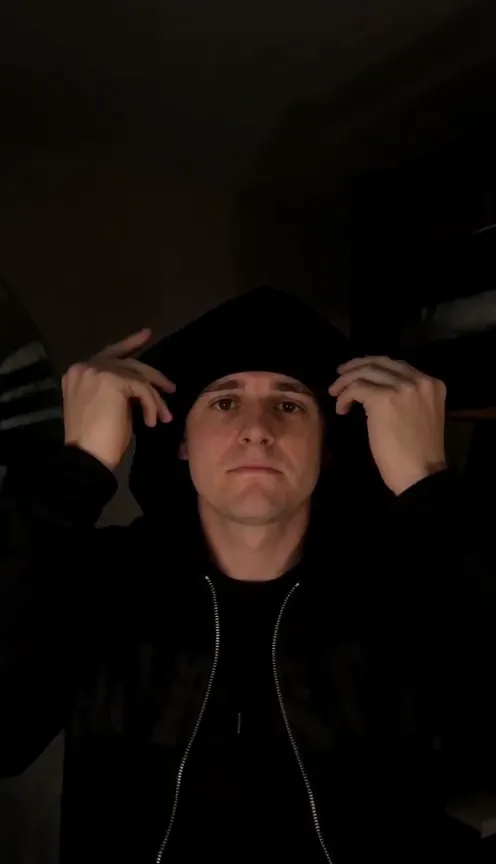
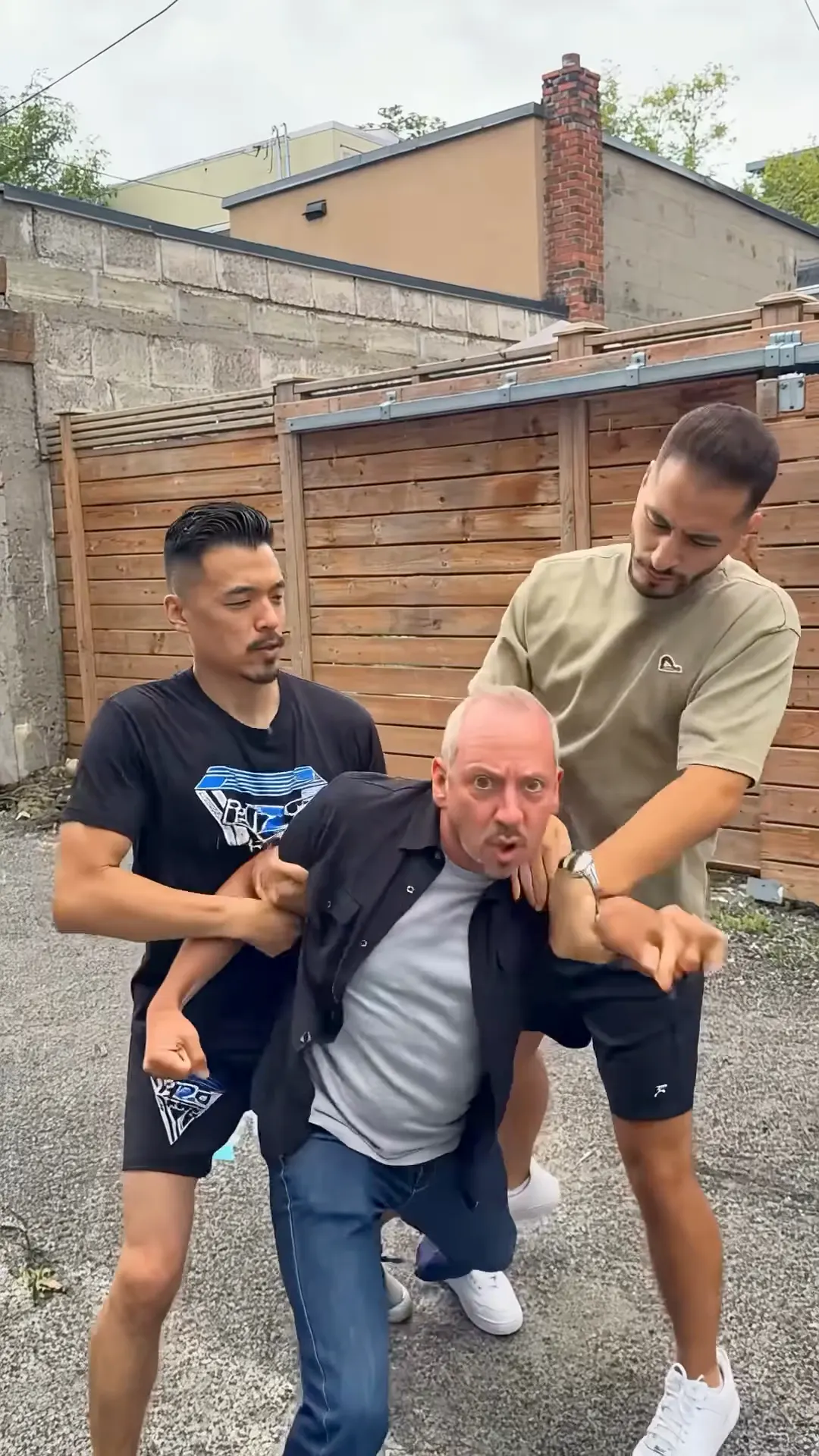
If you enjoy two-person comedy and reaction skits, try staging a doorway cake prank in Birthday Wife AI, trading studio rap bars in 58th Floor AI, holding back a friend in Hold Me Back AI, pulling off a dark-room beanie reveal in Skull Cap AI, or browsing our complete AI video templates catalog.
Keep scrolling
More viral AI video trends
 NEW300 CR
 NEW400 CR
 NEW270 CR
 NEW320 CR
 NEW350 CR
 NEW270 CR
 NEW380 CR
 NEW240 CR
 NEW320 CR
 NEW400 CR
 NEW300 CR
 NEW140 CR