
Funny · Trending
Baby Podcast AI Video Generator
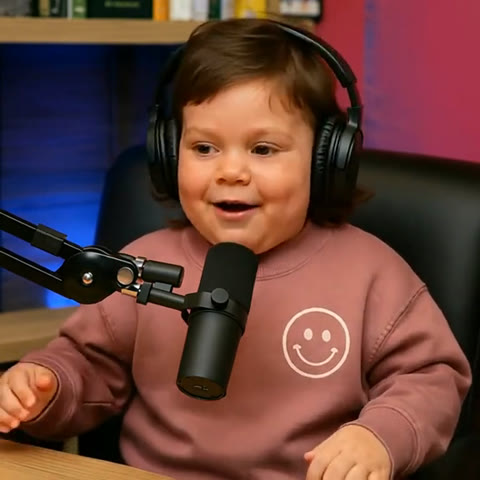
Drop a single portrait into Baby Podcast AI to cast any adult, friend, or child as a 10-second studio podcast host. Dressed in oversized matte-black headphones and a dusty-rose smiley sweatshirt inside a leather broadcast chair, the chubby-cheeked toddler podcaster delivers a spoken hot take behind a boom mic with native AI voice and lip-sync in 720p 1:1 square video (270 credits).
Baby Podcast AI · 10s · 1:1
10s · 1:1 · 720p · original sound · ready in a few minutes
Studio Showcase
Watch Baby Podcast AI turn one portrait into a talking baby podcaster
From a solo toddler podcaster in oversized studio headphones delivering hot takes behind a broadcast boom mic to two-host comedy banter and tiny executive suits, see how the Baby Podcast AI Video Generator pairs chubby cheeks with veteran broadcast charisma.
Solo studio baby host in oversized headphones and boom mic
A 10-second fixed-camera Baby Podcast AI studio monologue where a toddler podcaster in a dusty-rose smiley-face sweatshirt and matte-black monitoring headphones sits in a leather broadcast chair, gestures with raised eyebrows behind a boom microphone, laughs with a toothy grin, and finishes with a knowing smile.
@joejoea2507Two-host baby comedy podcast banter behind studio mics
A 12-second viral talking baby podcast exchange featuring a mullet-sporting baby podcaster in a blue tee trading deadpan stories with a bald toddler co-host in an orange tee and over-ear studio headphones.
@babypodcastt7Executive suit, red tie, and round glasses baby keynote
A 13-second portrait-oriented baby podcaster dressed in a tailored black suit jacket, crisp white dress shirt, red polka-dot tie, and round wire-frame glasses delivering serious commentary behind a dark studio boom mic.
Same category
More Funny templates
 NEW270 CR
 NEW350 CR
 NEW240 CR
 NEW220 CR
 NEW270 CR
 NEW400 CR
 NEW270 CR
 NEW220 CR
 NEW400 CR
 NEW240 CR
 NEW320 CR
 NEW270 CR
Timeline Breakdown
Shot-by-shot broadcast beats in the 10-second Baby Podcast AI monologue
Rather than animating a stiff passport mugshot, the Baby Podcast AI Video Generator stages a complete 10-second talking baby podcast performance with native AI-spoken dialogue, natural hand gestures, mid-story laughter, and a self-assured closing pause.
0.0s – 3.0s: Opening nap-time hot take and desk gesture
Seated centered in a black leather studio chair in front of royal-blue backlit shelves and a magenta acoustic wall, your babyfied host wears oversized matte-black headphones and a dusty-rose smiley sweatshirt. The toddler podcaster raises both eyebrows, lifts the right hand palm-up, and speaks directly into the boom mic: "Look, I told my mom this morning—nap time at two o'clock simply does not align with my schedule anymore."
3.0s – 6.0s: Mid-monologue toothy laugh and head nod
With native studio voice generation and lip-sync, the baby podcaster breaks into a wide, infectious baby grin showing tiny teeth and lets out a warm podcast chuckle while nodding rhythmically in the oversized headphones, selling the hilarious contrast between infant cheeks and veteran podcaster swagger.
6.0s – 8.5s: Leaning into the boom mic for the snack-review punchline
The tiny host leans slightly toward the foam windscreen of the scissor-arm boom mic, articulating clearly with synchronized lip movement and lifting both hands slightly above the wooden tabletop as they declare: "I have cartoons to watch and snacks to review. Write that down."
8.5s – 10.0s: Natural audio pause and self-assured smirk
Timed to the natural cadence break at the end of the spoken monologue, the toddler podcaster rests both hands along the front edge of the wooden studio desk and locks eyes with the camera lens in a calm, confident closed-mouth smile.
Cast Ideas
Who people drop into the Baby Podcast AI studio chair
Because Baby Podcast AI preserves core facial geometry, eye arches, hairline, and signature traits while scaling proportions down to a toddler podcaster, a single portrait unlocks hilarious studio contrast.
Your own adult selfie or your best friend
Feed a clear front-facing photo of yourself, your coworker, or your gym buddy into the Baby Podcast AI Video Generator. Seeing a grown adult’s unmistakable eyes, hair parting, and expression shrunk into a chubby-cheeked baby podcaster wearing oversized studio headphones makes every group chat erupt.
Your actual baby or toddler announcing family news
Parents love uploading a real portrait of their infant or young child so their kid appears seated in a professional leather broadcast chair behind a boom mic, hosting a talking baby podcast with effortless comedic timing.
Your partner or spouse for an inside-joke roast
Select a favorite portrait of your husband, wife, boyfriend, or girlfriend and turn them into a tiny host with big opinions in Baby Podcast AI—ideal for teasing them about their morning espresso ritual, fantasy sports takes, or late-night theories.
Photos: JPG, PNG, WebP, up to 20 MB.
Caption Inspiration
Popular lines and hooks to pair with your Baby Podcast AI clip
Because Baby Podcast AI outputs a 100% clean studio frame free of burned-in captions or corner logos, you can paste any hook into your post description to frame the talking baby podcast joke.
- “Tiny host, big opinions. Welcome back to the late-night baby podcast.”
- “When you are only 18 months old but already have 30 years of life advice to share on the boom mic.”
- “Bro hopped into the Baby Podcast AI studio chair before he even learned how to tie his shoes.”
- “POV: My toddler podcaster reviewing our household bedtime negotiations on his weekly show.”
- “Turned one photo into a full talking baby podcast host and the facial expressions are way too accurate.”
- “Unfiltered nap-time philosophy straight from the broadcast booth.”
- Keep the video frame clear of bulky text stickers over the boom mic and hands so viewers catch every eyebrow raise and palm gesture.
- Open your caption with a deadpan talk-show topic to spark replies in the comments.
Photo Guide
How to choose the best portrait for Baby Podcast AI keyframe synthesis
Our Kling 4.0 dual-keyframe pipeline in the Baby Podcast AI Video Generator synthesizes both the mid-sentence opening frame and the confident closing smile from your single uploaded image before interpolating the 10-second broadcast performance with native spoken podcast audio.
- Select a crisp, straight-on head-and-shoulders photo under balanced lighting where both eyes, eyebrows, nose bridge, lips, and natural hair parting are completely visible.
- Pick a portrait with a relaxed gaze or gentle smile so Baby Podcast AI can accurately map your likeness onto the baby podcaster’s speaking and laughing expressions.
- Skip portraits with tinted eyewear, face coverings, fingers resting against the chin, or harsh directional shadows across the cheeks.
- Avoid wide group snapshots, steep side angles past 45 degrees, or heavily compressed screenshots where facial details are blurred.
Trend Origin
How the talking baby podcast meme took over short-form video feeds
From DIY four-tool workflows to single-photo Kling 4.0 studio keyframe generation, here is how pint-sized podcasters became an internet comedy staple.
From comedy experiments to 12-million-view babyfied talk shows
The comedic premise of infants debating adult topics in a broadcast booth first gained traction as live-action sketch comedy with creators like @themikericci on TikTok (547K views in April 2024) before exploding into a generative AI phenomenon in late April 2025. Comedian and musician Jon LaJoie (@jonlajoiecomedy on TikTok, 4.3M views) ignited the modern talking baby podcast format by placing a realistic AI toddler in oversized studio headphones behind a broadcast boom mic to earnestly dissect philosophy and emotional baggage.
Within days in early May 2025, viral remix channels including @babypodcastt7 on TikTok (12.2M views, 858K likes), @_youshouldknowpodcast_ on TikTok (7.4M views), @good_cups on TikTok (320K views), and @joejoea2507 on TikTok pushed the baby podcast trend across global feeds by pairing babyfied podcast hosts with expressive studio monologue audio. Viewers could not look away from the surreal juxtaposition of chubby toddler cheeks, tiny sweatshirts, and veteran talk-show delivery.
Replacing a four-app manual workflow with Kling 4.0 studio keyframes
Originally, building a single talking baby podcast clip required chaining four separate apps over thirty minutes: prompting an image generator to de-age an adult portrait into a podcast booth, extracting an audio monologue, running a lip-sync pass that frequently left distracting corner watermarks or burned-in captions, and cutting out tutorial tails in an editor. Creators on community forums repeatedly noted how tedious it was to keep the microphone boom arm, oversized matte-black monitoring headphones, and facial proportions consistent from shot to shot.
The Baby Podcast AI Video Generator condenses that entire studio production into one portrait upload alongside our popular funny AI video templates, transformation AI video templates, meme AI video templates, and family AI video templates. By synthesizing clean first and last studio keyframes from your photo and interpolating 10 seconds of 720p motion on Kling 4.0 with native AI-generated spoken podcast dialogue and lip-sync, Baby Podcast AI delivers a watermark-free, subtitle-free 1:1 square studio video in minutes—complete with natural eyebrow raises, mid-story toothy laughter, and authentic talk-show hand gestures.
Broadcast Ready
Put your photo behind the studio mic with Baby Podcast AI
Upload one clear portrait and render a 10-second 720p talking baby podcast video with native AI-spoken studio audio.
FAQ
Baby Podcast AI FAQ
Do I need to turn my adult photo into a baby photo before using Baby Podcast AI?
No, you do not need to pre-edit or de-age your portrait before uploading it to the Baby Podcast AI Video Generator. You can upload a normal adult selfie, a friend’s photo, or a child’s portrait directly, and our keyframe synthesis pipeline automatically translates their facial structure, eye shape, skin tone, and hair into a chubby-cheeked toddler podcaster seated in the studio chair.
Why does the Baby Podcast AI Video Generator use Kling 4.0 Keyframe-to-Video mode?
Baby Podcast AI uses Kling 4.0 First-and-Last Keyframe-to-Video mode to lock your subject’s facial likeness and studio wardrobe across the entire 10-second monologue while natively generating synchronized spoken podcast audio. Because a podcast booth monologue is a single fixed-camera studio shot centered on character transformation and expressive facial contrast, synthesizing two clean studio keyframes—one mid-sentence with a raised-hand gesture and one ending in a confident podcaster smile—eliminates reference-video subtitles and identity drift.
What does the finished 10-second Baby Podcast AI video look and sound like?
Every finished Baby Podcast AI clip is a 10-second, 1:1 square (720p HD) studio video with native AI-generated spoken podcast dialogue ("Look, I told my mom this morning—nap time at two o'clock simply does not align with my schedule anymore... I have cartoons to watch and snacks to review. Write that down.") and synchronized lip movement, sized under 3 MB for instant mobile playback. Your babyfied host wears oversized matte-black monitoring headphones and a dusty-rose smiley-face sweatshirt in a black leather chair behind a left-side boom mic, speaking, laughing, and gesturing in a blue-and-magenta podcast booth.
Are there any burned-in subtitles, corner logos, or tutorial tails in the Baby Podcast AI output?
No, every Baby Podcast AI download is 100% free of burned-in subtitles, corner watermarks, and promotional tutorial tails. Because Kling 4.0 generates the 10.0-second studio performance and spoken podcast audio directly from your synthesized studio keyframes with strict negative prompt constraints, no third-party text overlays, app badges, or phone UI borders ever appear on screen.
What kind of portrait works best for the talking baby podcast transformation?
A sharp, straight-on head-and-shoulders portrait with balanced lighting and an unobstructed mouth produces the best Baby Podcast AI result. Adult selfies featuring distinct hair partings, expressive eyebrows, glasses, or recognizable cheek structure create the funniest visual contrast when scaled into a chubby-cheeked toddler podcaster behind a studio boom mic.
How many credits does one Baby Podcast AI video generation require?
One 10-second 720p render with the Baby Podcast AI Video Generator requires 270 credits, prorated directly from our standard 400-credit per 15-second duration rate. You can purchase one-time credit packs anytime on our pricing page with zero recurring subscription fees.
What other baby or comedy transformation templates can I try after Baby Podcast AI?
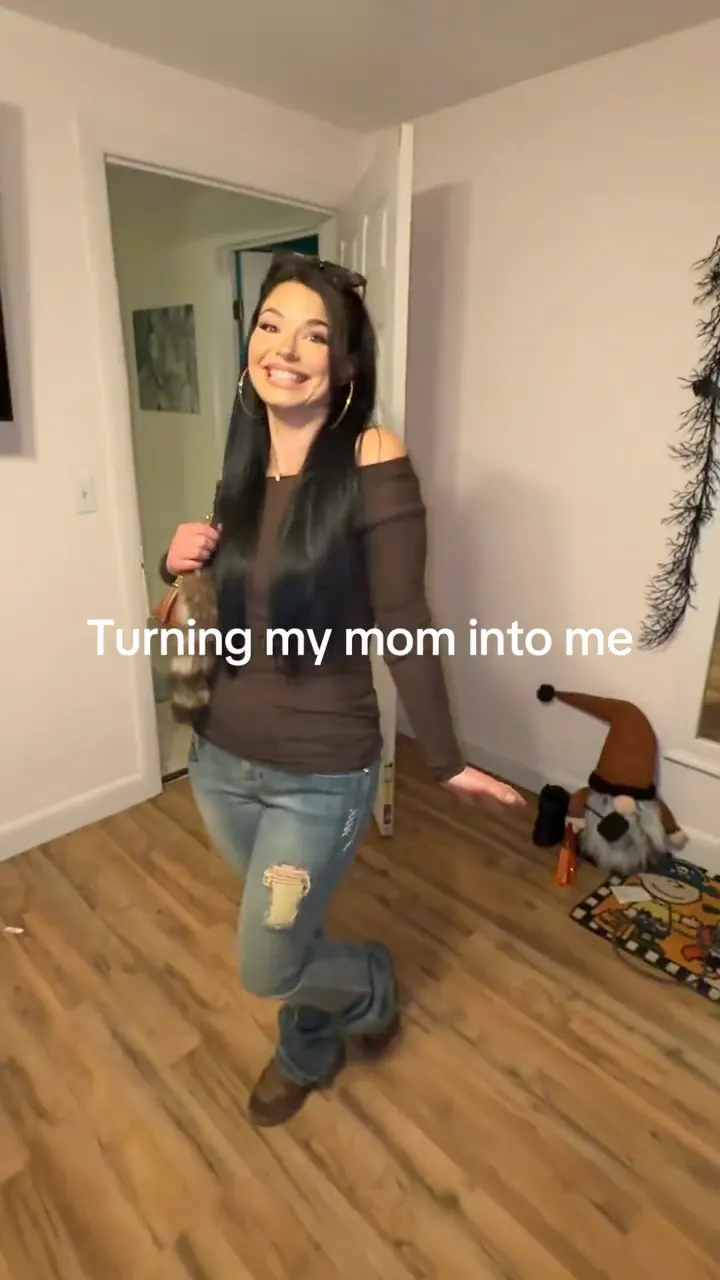
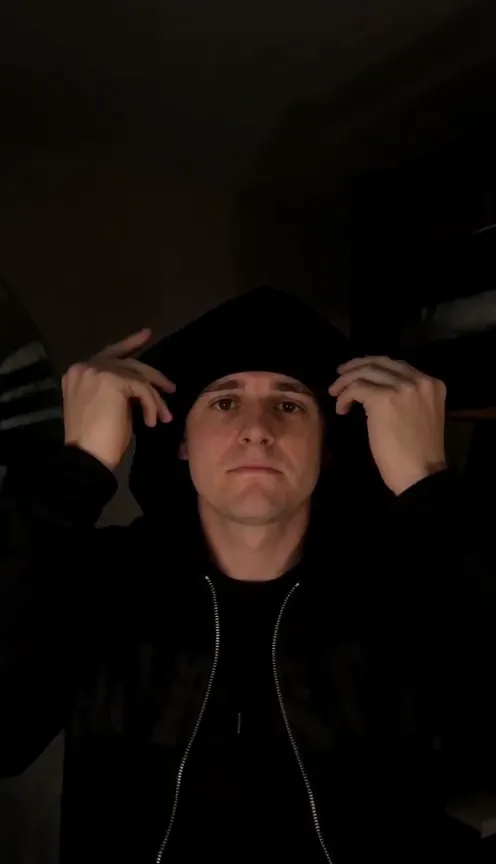
After rendering your talking baby podcast clip, you can try our high-energy Baby Dance AI and Big Michael Baby Dance AI templates, create a generational family reveal in Turning My Mom Into Me, test the moody Skull Cap AI glow-up, or browse the complete AI video templates catalog.
Keep scrolling
More viral AI video trends
 NEW400 CR
 NEW220 CR
 NEW270 CR
 NEW270 CR
 NEW350 CR
 NEW270 CR
 NEW380 CR
 NEW240 CR
 NEW320 CR
 NEW400 CR
 NEW300 CR
 NEW140 CR